Compress
Smallest, Balanced or Best — or your own quality, lossless, or a target size: type “200 KB” and Chittu finds the best quality that fits.


Chittu compresses, converts and resizes images in bulk: a folder of 300 photos, or every image on a website. Free, with no batch limit.
Each menu shows only its own settings, so a resize never changes your format by accident.
Smallest, Balanced or Best — or your own quality, lossless, or a target size: type “200 KB” and Chittu finds the best quality that fits.
A whole folder to JPEG, PNG, WebP or AVIF. Transparent images going to JPEG get the background colour you choose.
By width, height, longest edge, percentage, or an exact box like 1080 × 1080, cropped evenly from the centre.
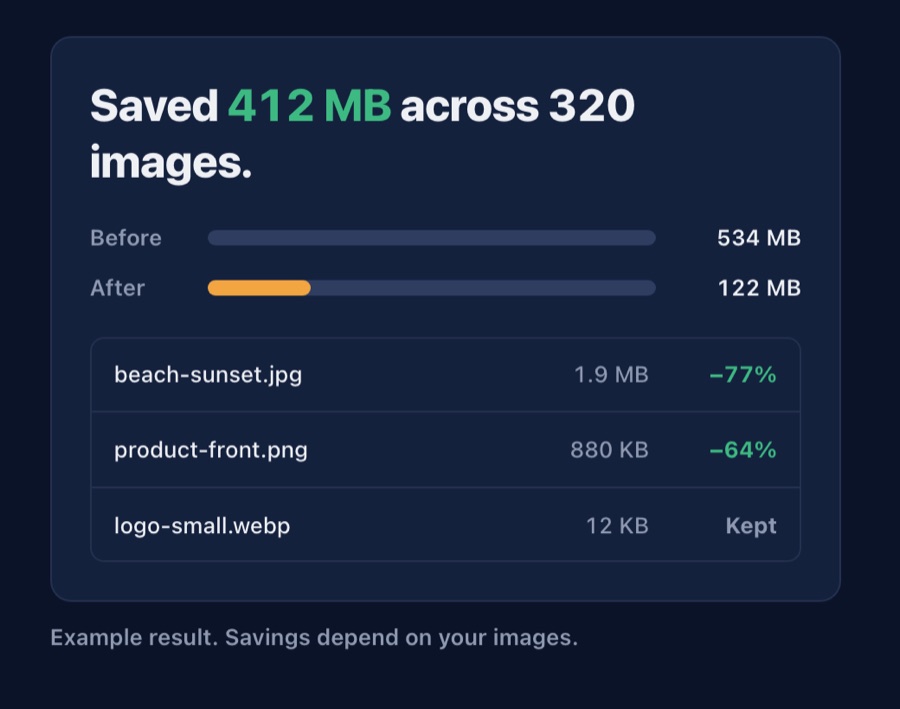
If Chittu can't make a file smaller, you get the original back, marked “Kept”.
Each batch goes into a new dated folder. Subfolders are kept. Nothing is overwritten.
The Edge extension lists every image on a page — lazy-loaded and CSS backgrounds too — and saves them as files or one ZIP.
Open Chittu on a page and it lists every image, with its size and how much you can save. No downloading and re-uploading: the images come straight from the page.
Every image on the page you are looking at — including lazy-loaded images, responsive image sets and CSS backgrounds. Save as separate files or one ZIP.
Reads the sitemap first, stays on the same site, respects robots.txt and stops at the page cap you set. An image used on many pages is listed once.
Pick files or a whole folder, subfolders included, the same as the desktop apps. Results go to your Downloads folder.
The Mac and Windows apps work with Wi-Fi off, from first launch to export. No update check, no analytics, no crash reporting. The extension processes images in your browser.
Saves JPEG, PNG, WebP or AVIF on every platform, or keeps the original format.
| Opens | Mac | Windows | Edge |
|---|---|---|---|
| JPEG (incl. CMYK print files) | ✓ | ✓ | ✓ |
| PNG | ✓ | ✓ | ✓ |
| WebP | ✓ | ✓ | ✓ |
| AVIF | ✓ | ✓ | ✓ |
| GIF (still) | ✓ | ✓ | ✓ |
| BMP | ✓ | ✓ | ✓ |
| TIFF | ✓ | ✓ | — |
| HEIC (iPhone photos) | ✓ | With Microsoft's HEVC extension | — |
“Keep original” saves still GIF, BMP and TIFF as PNG, and HEIC as JPEG. Animated GIF and WebP files are returned unchanged and marked “Kept”.
When you only compress, a file never gets bigger. If Chittu can't make it smaller, you get the original back, marked “Kept”.
Chittu never upscales an image and never stretches one. Resizing happens before compression.
The colour profile and orientation are always kept. Camera details and location are removed only if you ask.
If a file can't reach your target size at an acceptable quality, Chittu says so — e.g. “Smallest at 320 KB, target was 200 KB”.
Images are read from your disk, processed on your computer and saved back. Works with Wi-Fi off. No update check, no analytics, no crash reporting.
Processed in your browser and saved to your Downloads folder. Nothing sent anywhere.
Fetches the scanned site's own pages and images from that site — nothing else. Asks for access one website at a time.
No sign-in, no analytics or tracking, no paid tier.
Pick the menu, set one thing, run it on the whole folder.
Compress → type “200 KB”. Chittu finds the best quality that fits, and tells you honestly if one can't.
Convert → pick the format. Size stays the same; transparent images going to JPEG get the background colour you choose.
Resize → exact size 1080 × 1080. Cropped evenly from the centre — you see the crop on the first image first.
Compress → Lossless. For files where quality can't move at all.
Ask Chittu to remove camera details and location. Colour profile and orientation are always kept.
In Edge, scan the page or the whole site, then compress and download the lot as one ZIP.
Yes. No paid tier, no in-app purchase, no ads, no account and no limit on how many images you process.
No. The Mac and Windows apps process images on your computer and work with Wi-Fi off. The extension processes them in your browser.
Not when you only compress. If Chittu can't make a file smaller, it gives you the original back, marked “Kept”.
No. Each batch goes into a new folder named with the date and time.
Your own files are processed in your browser and never sent anywhere. Scanning a page or a site needs the internet, because Chittu reads that site's pages and images from the site itself.
Some sites serve images from another domain, such as a CDN. Chittu asks once per website, only when a scan needs it — never at install.
Set a box such as 1080 × 1080. Chittu scales each image until it covers the box, then crops the edges evenly from the centre. It never stretches or enlarges, and you see the crop on the first image before the batch starts.
Yes. Type the size in the Compress menu and Chittu finds the best quality that fits — or tells you the smallest size it reached.
Chittu is for images you have the right to use, such as your own site or a client's. Before a whole-site scan it asks you to confirm that right.
Email info@happycoders.in. The app can save a log file you can choose to attach; it never sends it for you.
Write to the people who built it. We answer from Thoothukudi, usually the same day.