


For an agency, the whole point of tracking hours is the invoice at the end of the month. Everything before it — the board, the timesheets, the activity — only matters because it makes that invoice defensible when somebody asks a question about it.
And somebody always asks. The difference between an agency that gets paid in a fortnight and one that spends three weeks explaining a number is almost never the rate. It is whether the invoice can be traced back to something real, line by line, without anybody having to reconstruct it from memory.
Here is the full path from a project setting to a PDF, including the four places hours quietly leak before they ever reach a bill, and the two settings that decide whether the numbers come out right.
Where the hours leak
Ask an agency owner where the margin went and you usually get a vague answer about scope creep. More often it is simpler and less dramatic than that: the hours were worked, they were never recorded against anything billable, and by invoice day nobody can reconstruct them.
- Time nobody logged. The half-hour call, the quick fix before lunch, the review somebody did on the train. Individually trivial, collectively a week a month.
- Time logged to the wrong project. Usually because somebody did not switch the task when the work switched, and by Friday they cannot remember which parts of Wednesday belonged where.
- Billable work marked internal. A project set up wrongly once, quietly costing you for its entire life. This is the most expensive of the four and the easiest to fix.
- Time trimmed by hand. Somebody rounding an invoice down to look reasonable, without telling anybody they did it — so next month’s estimate is built on a number that was never true.
None of these are solved by raising your rate. They are solved by recording accurately in the first place, which mostly means making it easy to switch tasks and hard to book time nowhere at all.
It starts on the project, not on the invoice
Every project is billable or it is not, and that flag is set when the project is created.
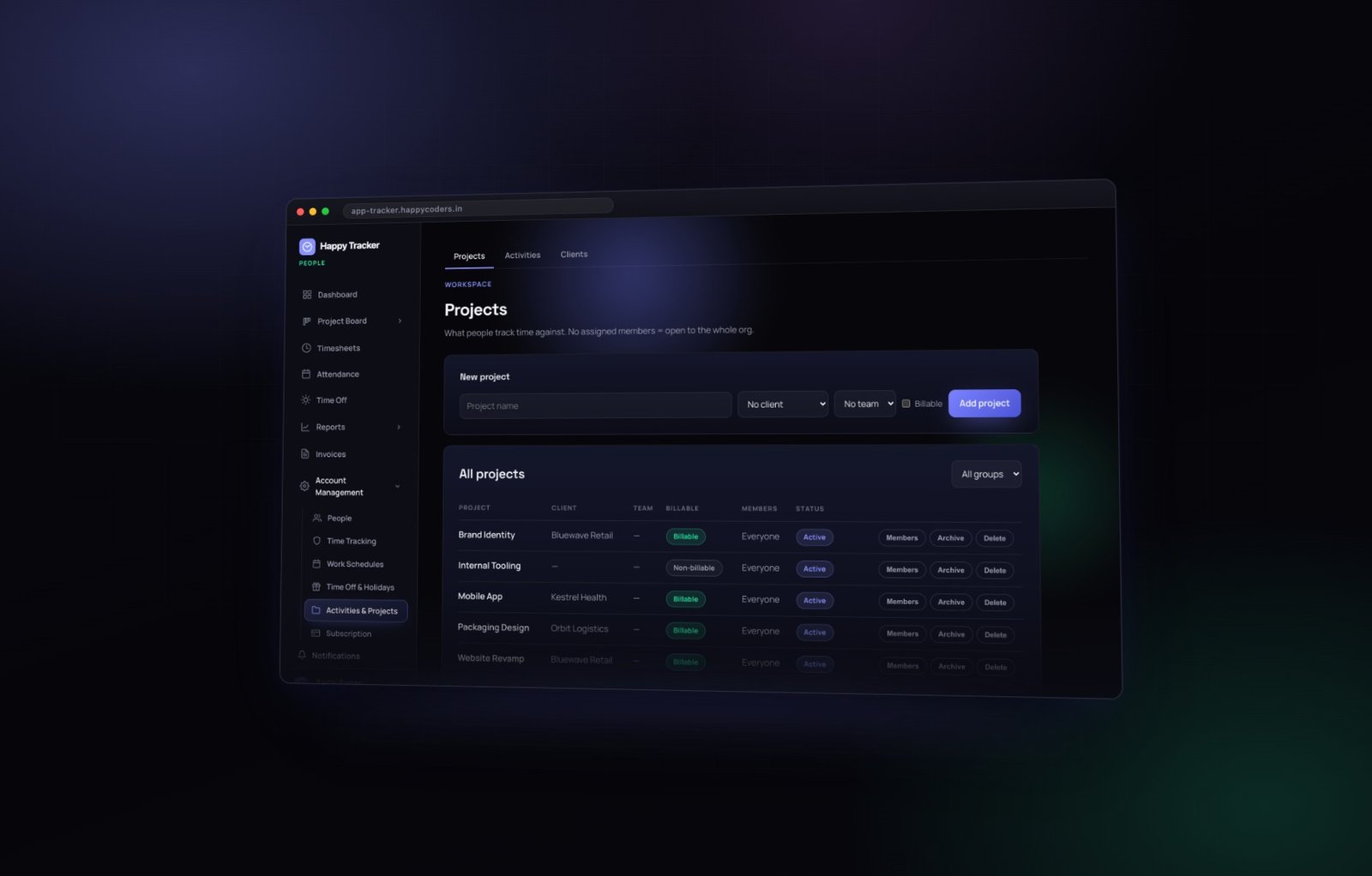
Only time on a billable project can ever reach an invoice. If an invoice comes out short, this is almost always the reason, and it is worth checking before you go hunting for missing hours anywhere else.
Mark internal work internal, honestly
There is a temptation to mark everything billable so nothing is ever lost. Resist it. The number you actually want to watch is worked hours minus billable hours — your internal load — and marking everything billable destroys it.
Internal work is not a failure. It is how you discover what your overhead genuinely costs: the pitch that did not land, the tooling nobody budgeted for, the two days a month somebody spends on recruitment. If that number is growing you want to see it in a report rather than in the bank balance six months later.
Members on a project
The members list controls who can pick that project when they clock in. Keeping it tight means a shorter dropdown and far fewer hours booked to the wrong client — which is the single most common cause of an invoice that has to be reissued.
Archive rather than delete
A finished project gets archived. It disappears from the clock-in dropdown, and every hour ever booked to it stays in your reports and your invoices. Delete exists only for a project created by mistake with no time on it — because deleting a project with history would tear a hole in invoices you have already sent.
Then the hours themselves
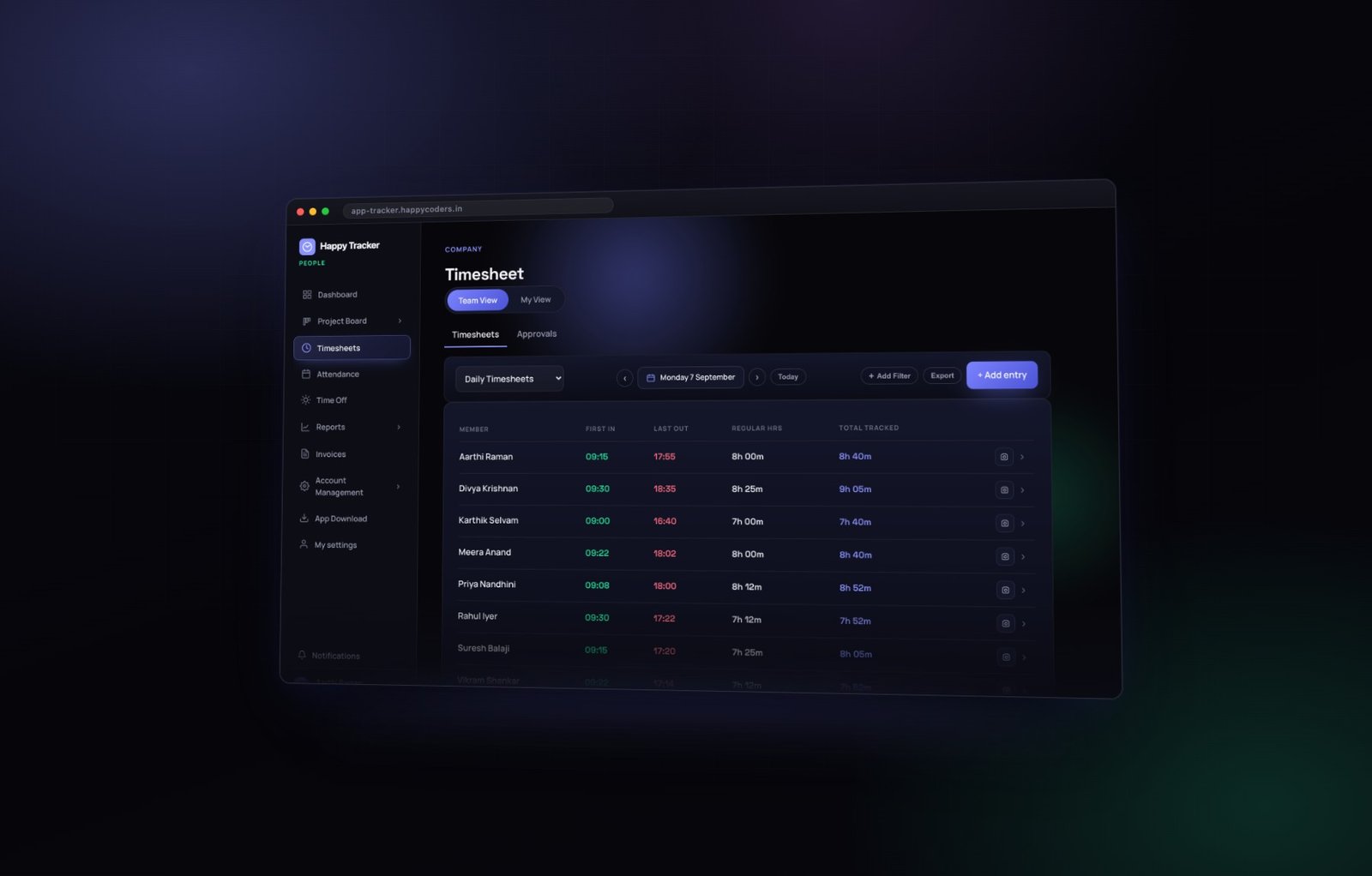
Nothing else is asked of your team beyond tracking against the right task. The hours arrive in the timesheet organised by person and by day, get approved, and are then ready to bill.
Approve weekly, not monthly
This is the single change that improves invoice accuracy most, and it costs about twenty minutes a week.
Approve on a fixed day — Monday morning, for the week just finished. Everybody still remembers what happened, so a correction takes a sentence instead of an investigation. By month end you have four approved weeks rather than one archaeology project, and the person generating the invoice is not also the person reconstructing the third Tuesday.
What to actually look at
- Total hours against the schedule. Far over or far under is the only signal you need to start a conversation.
- The gap between worked and total tracked. A large gap means a lot of break time, or a timer left running.
- Entries added by hand. These are the ones worth reading. Tracked time is recorded; manual time is asserted.
- Anything on a project nobody expected. Usually the most useful thing you will learn all week.
Locking is what makes it mean something
Once a week is approved, the entries inside it are locked — nobody can add, edit or delete time in that week, not even an admin, until it is deliberately unapproved.
That is what makes the hours on your invoice worth defending. Without locking, “approved” is a label rather than a state, and any number in the export could have moved afterwards.
Generate the invoice
Invoices, then Generate an invoice. Choose the client, the currency and the date range.
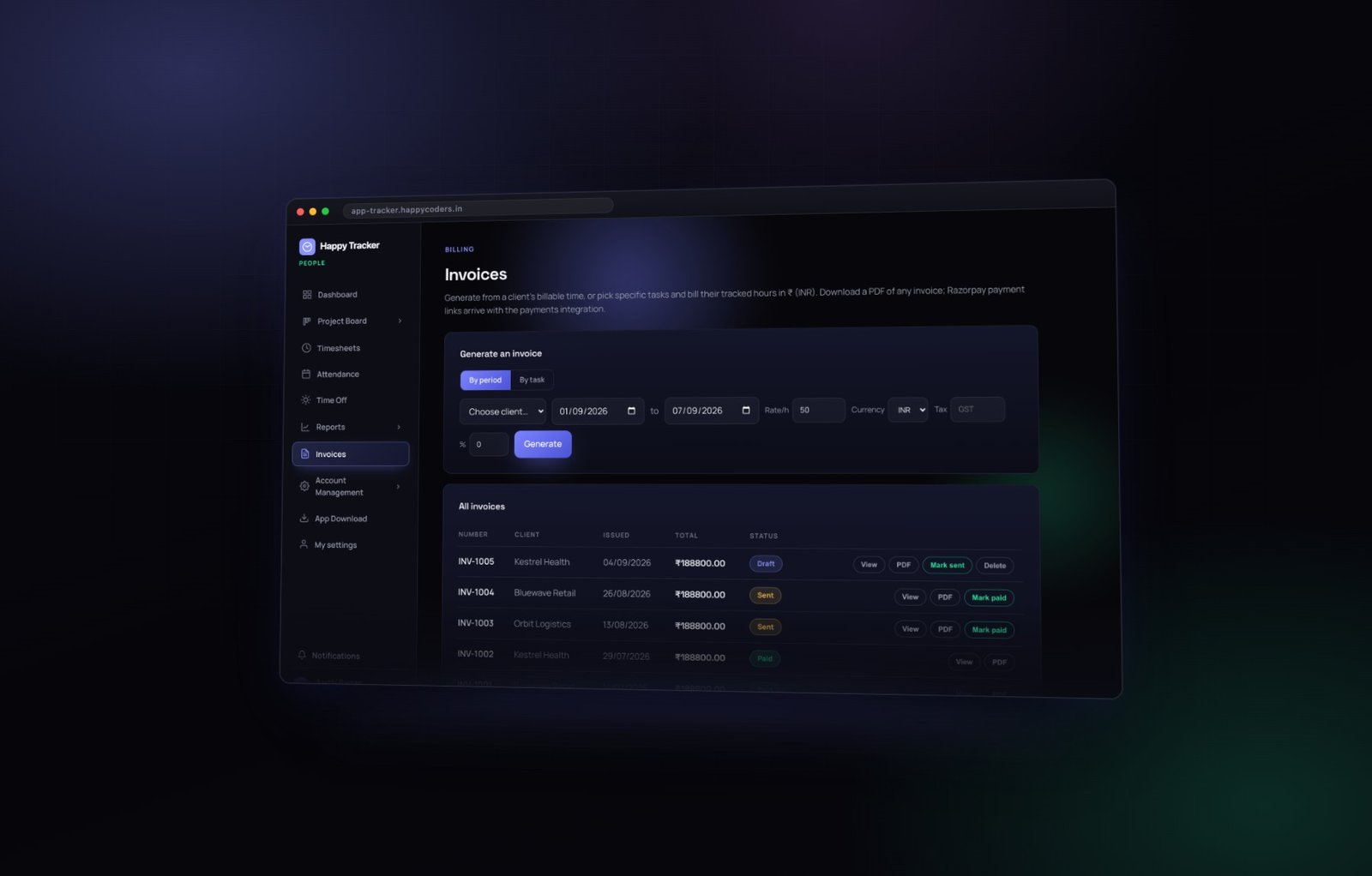
The product pulls the billable time for that client in that period. Nothing is invented and nothing is typed in by hand, which is where both errors and arguments normally come from.
By period or by task
Two ways to present the same hours. By period groups them into a single line, or a line per week. By task lists every task with its own hours.
By task makes a longer invoice and a much shorter conversation, because the client recognises their own requests in the list. A single line reading “Development — 84 hours” invites a question; the same hours itemised rarely does. Most agencies should take that trade every time.
What gets included
Only time on projects marked billable. Break time is never included. Time on internal projects is never included. Those three sentences cover almost every case of “the total looks lower than I expected”.
Send it, then track it
Each invoice has View and PDF. View opens it on screen with all its lines; PDF gives you the file to send, carrying your organisation name and currency from the Organization profile — which is why setting the currency correctly on day one matters more than it seems at the time.
Three states
A new invoice is a draft. Mark it sent when it goes to the client. Mark it paid when the money arrives. The table can then be read at a glance to see what is still owed, which is the report most agency owners actually open first thing on a Monday.
Numbering
Invoice numbers are generated in sequence, so there are no gaps to explain to an accountant. That is a small thing until the first time somebody asks, and then it is not.
Deleting a draft
Delete removes a draft made by mistake. It never touches the time entries behind it — those hours stay in your timesheets and can be invoiced again, correctly, afterwards. You cannot lose work by deleting an invoice.
Being careful with rounding
Time rounding is available under Time Tracking, and it exists for contracts that genuinely specify billing in blocks. Be deliberate with it.
Rounding every short entry up to the nearest fifteen minutes adds up quickly across a team and a month, and a client who checks will notice. Round to nearest rather than up unless your contract says otherwise — and if you round at all, say so on the invoice. A rounding policy a client agreed to is a policy; one they discover is a dispute.
When a client queries a line
This is the moment the whole system either pays for itself or does not. You want to answer within a minute: this task, these sessions, this person, these days.
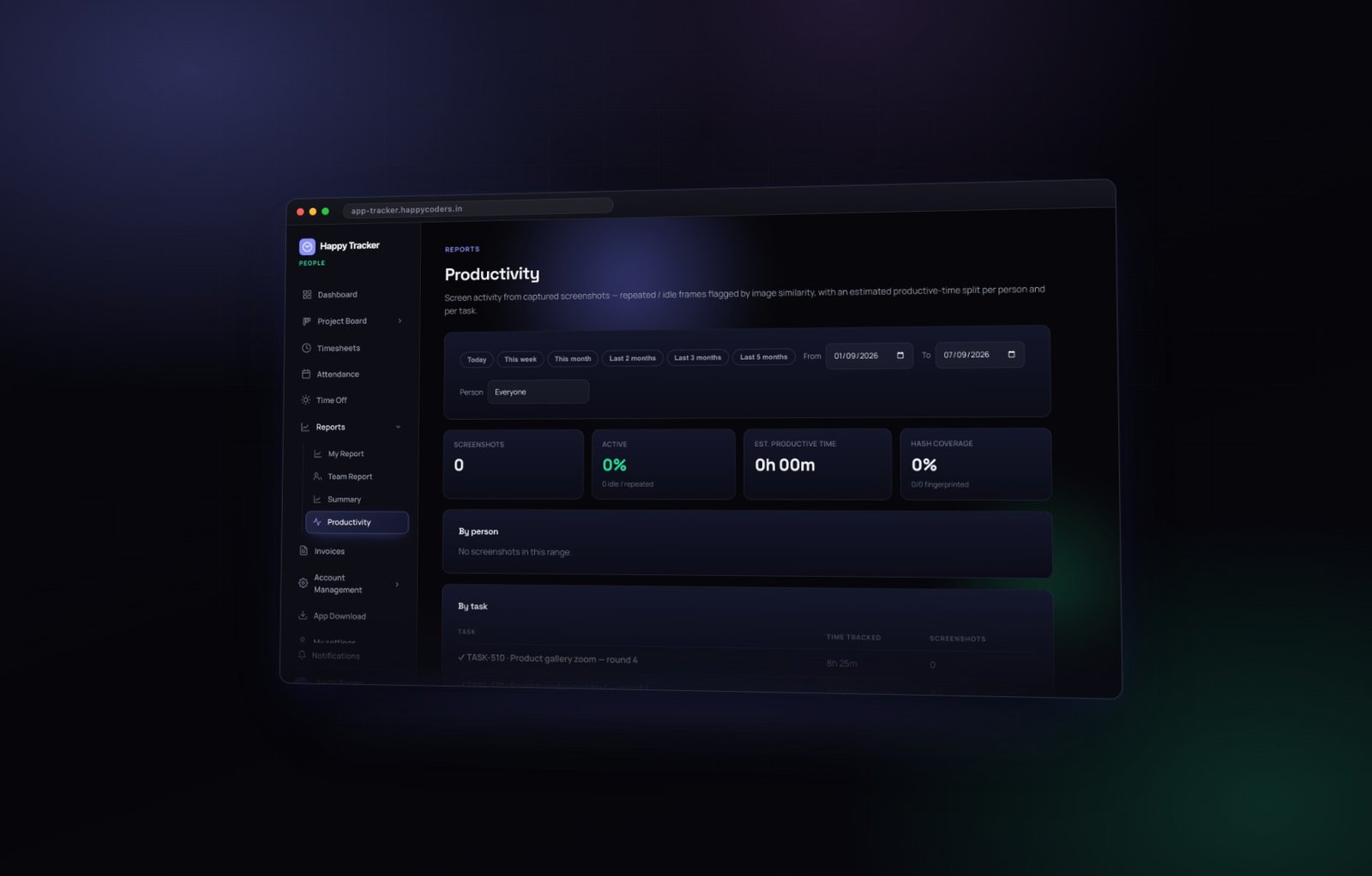
Because the invoice was generated from the tracked time rather than typed up from a summary, that answer is two clicks away. Open the productivity report, filter to the project, and every task is there with its hours — and, if screenshots are enabled, the captures behind them.
What to send, and what not to
Send the task breakdown. Almost every query is answered by it, and it reads as transparency rather than defensiveness.
Think harder before sending screenshots. They are evidence of last resort, they raise questions about your team’s privacy arrangements, and a client who needs them may be a client who is looking for a reason not to pay. Use them if you must; do not lead with them.
Three numbers to check before you send anything
Total against the last comparable month
If this month is thirty percent higher or lower than the last three, something is worth looking at before the client looks at it. Usually a project flag, occasionally a genuine change in the work.
Billable share
Worked hours minus billable hours, across the whole company. If your internal load has crept up, the invoice will be fine and the month will still have been unprofitable. This is the number that tells you which.
Unapproved weeks in the period
Any week not approved is a week whose hours could still move. Invoicing from unapproved time is how the same month gets billed twice with different totals.
Working with retainers and fixed-price projects
Not every engagement is hourly, and time tracking still earns its place on the ones that are not.
Retainers
Bill the retainer as agreed, and use the tracked hours to know whether you are inside it. A retainer where you consistently deliver a third more than the fee is a retainer to renegotiate, and the only way to know is to have measured.
Fixed price
The client never sees the hours, but you should. Estimate against actual across a fixed price project is the difference between quoting the next one well and quoting it the same way again.
Mixed engagements
Keep them as separate projects rather than one project with mixed billing. It costs nothing and it keeps the billable column meaningful.
A monthly routine that works
- Mark every project billable or internal when you create it, not later.
- Check the three numbers above before generating anything.
- Approve timesheets weekly, on a fixed day.
- Generate invoices on a fixed date each month, itemised by task.
- Send them while the client still remembers the work — an invoice for work finished five weeks ago is an invoice that gets queried.
- Mark sent, then mark paid, so the table always tells you what is outstanding.
- At month end, check worked hours minus billable hours. That is your internal load, and it is the number that quietly decides whether a busy month was a profitable one.
Keeping the timesheet and the invoice in step
The one failure mode that undoes all of this is invoicing from a different set of numbers than the ones your team tracked. It happens more easily than it should.
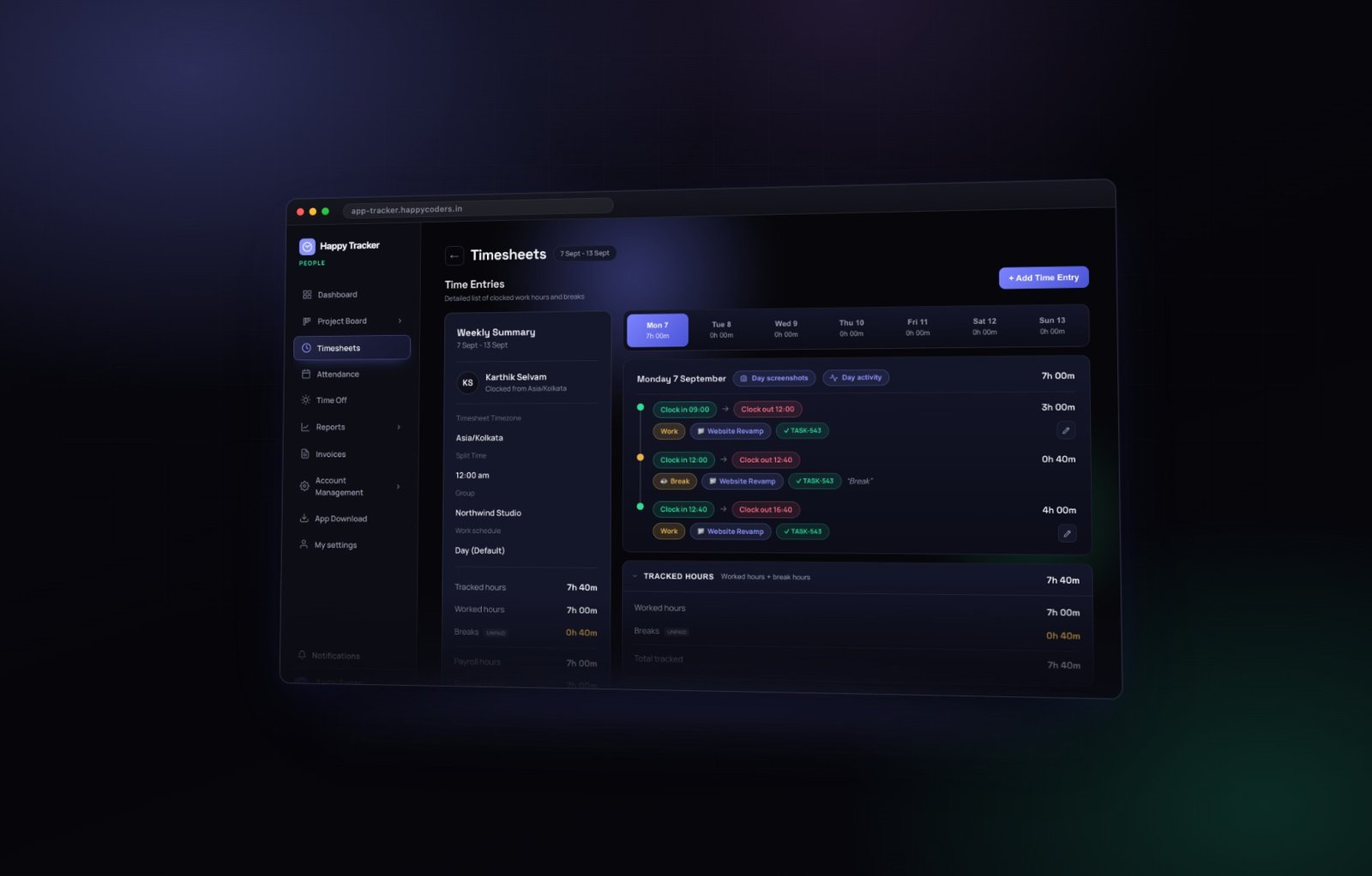
Invoice from approved weeks only
An unapproved week can still change. If you bill it and somebody then corrects an entry, your invoice and your timesheet permanently disagree, and there is no good way to explain which one is right.
Never edit an invoice by hand
If a number is wrong, fix the time entry and regenerate. Editing the invoice fixes the document and leaves the underlying record wrong, which means the same error reappears next month.
Regenerate rather than adjust
Deleting a draft and generating it again costs nothing and never touches the hours. It is almost always the right move when something looks off.
Common mistakes
- Marking everything billable. You lose the one number that tells you what your overhead costs.
- Invoicing before approving. You bill hours that may still change.
- Grouping everything into one line for a client who has never questioned an invoice — until the month they do.
- Rounding up quietly. It is a small gain and a large risk.
- Retyping hours into an accounting tool. Every retype is a chance to be wrong, and the two systems will drift.
Invoicing is included on every plan, including the free one for up to five users. See what is included.




