


Ask a small team whether they have backups and almost everybody says yes. Ask when they last restored one and the room goes quiet. That gap is where the actual risk lives, and it is not a technical problem — it is that a backup nobody has ever tested is a file of unknown value, and it feels exactly like a backup until the day it does not.
This is the practical version: what to run, where to put it, how to prove it works, and the twenty-minute recovery procedure to write down while nothing is broken.
The mysqldump command, and why the flags matter
Most people start with mysqldump -u root -p mydb > backup.sql. It works, it produces a file, and it quietly leaves out several things you will need. Here is the version worth putting in a script.
#!/bin/bash
set -euo pipefail

DB="myapp"
STAMP=$(date +%F-%H%M)
OUT="/home/deploy/backups/${DB}-${STAMP}.sql.gz"

mysqldump \
  --defaults-extra-file=/home/deploy/.my.cnf \
  --single-transaction \
  --quick \
  --routines \
  --triggers \
  --events \
  --default-character-set=utf8mb4 \
  --hex-blob \
  --no-tablespaces \
  "$DB" | gzip -9 > "$OUT"

# fail loudly if the archive is not readable
gunzip -t "$OUT"

# fail loudly if it is suspiciously small
SIZE=$(stat -c%s "$OUT")
if [ "$SIZE" -lt 100000 ]; then
  echo "Backup only ${SIZE} bytes — something is wrong" >&2
  exit 1
fi

echo "OK ${OUT} ${SIZE} bytes"
Take those flags one at a time, because each of them is there because of a specific failure.
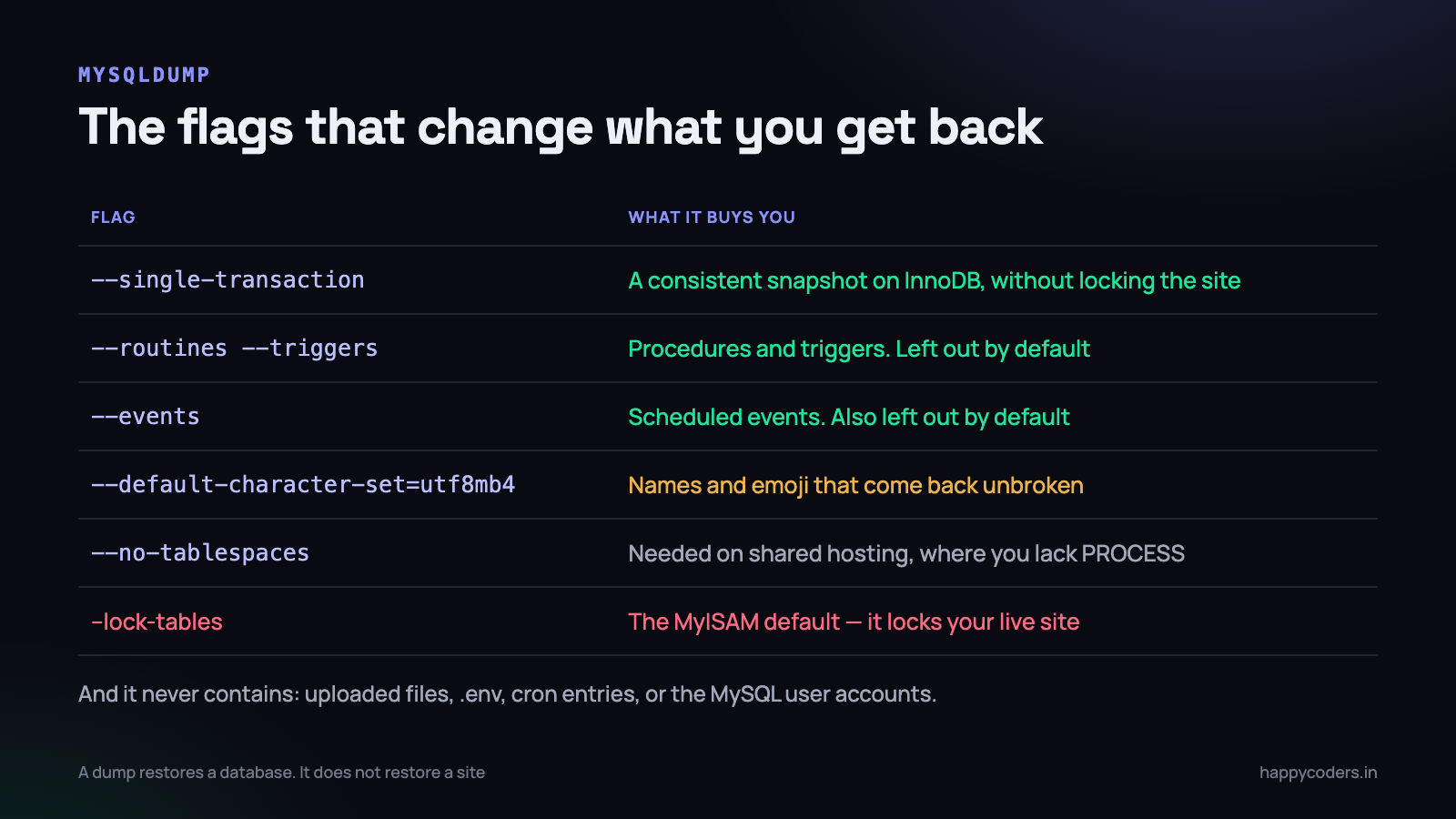
- –single-transaction takes a consistent snapshot on InnoDB without locking anything. Leave it out and mysqldump falls back to locking tables, which means your live site stalls for as long as the dump takes. This is the flag that stops backups from being an outage.
- –quick streams rows instead of buffering a whole table in memory. On a big table it is the difference between a dump and an out-of-memory kill.
- –routines –triggers –events include stored procedures, triggers and scheduled events. None of these are included by default. If your application relies on a trigger to maintain a column, a default dump restores a database that is subtly wrong.
- –default-character-set=utf8mb4 is how Tamil names and emoji come back looking like they went in. A mismatch here produces the classic mangled characters, and you usually only notice weeks later.
- –hex-blob encodes binary columns safely, so a stray byte cannot break the SQL file.
- –no-tablespaces avoids a permission error on shared hosting, where your MySQL user does not have the PROCESS privilege.
Put your credentials in a
.my.cnffile with mode 600 and reference it with--defaults-extra-file. Passing-p secreton the command line puts the password into the process list and into your shell history, where every other user on a shared box can read it.
What the dump does not contain
This is where most recovery attempts stall. You have the database back, and the site still does not work, because a database is not a site.
- Uploaded files. Invoices, profile photos, attachments, generated PDFs. The database has rows pointing at files that no longer exist.
- The .env file. Database credentials, the app key, mail and payment gateway secrets. In Laravel, losing
APP_KEYmeans every encrypted column and every hashed session value is unreadable, permanently. - MySQL user accounts and grants. The dump has your data, not the user that is allowed to read it.
- Cron entries. The scheduler line, the backup job itself, the nightly report.
- Web server config. Virtual hosts, rewrite rules, TLS certificates.
Back up the first three alongside the database, in the same job, so they are never out of step with each other.
# database + uploads + config, one job, one timestamp
STAMP=$(date +%F-%H%M)
DEST="/home/deploy/backups"

mysqldump --defaults-extra-file=~/.my.cnf --single-transaction \
  --routines --triggers --events myapp | gzip -9 > "$DEST/db-$STAMP.sql.gz"

tar -czf "$DEST/files-$STAMP.tar.gz" \
  -C /var/www/myapp storage/app/public public/uploads

# the secrets, encrypted, because this leaves the server
gpg --symmetric --cipher-algo AES256 --batch \
    --passphrase-file /root/.backup-pass \
    -o "$DEST/env-$STAMP.gpg" /var/www/myapp/.env
Where a backup must not live
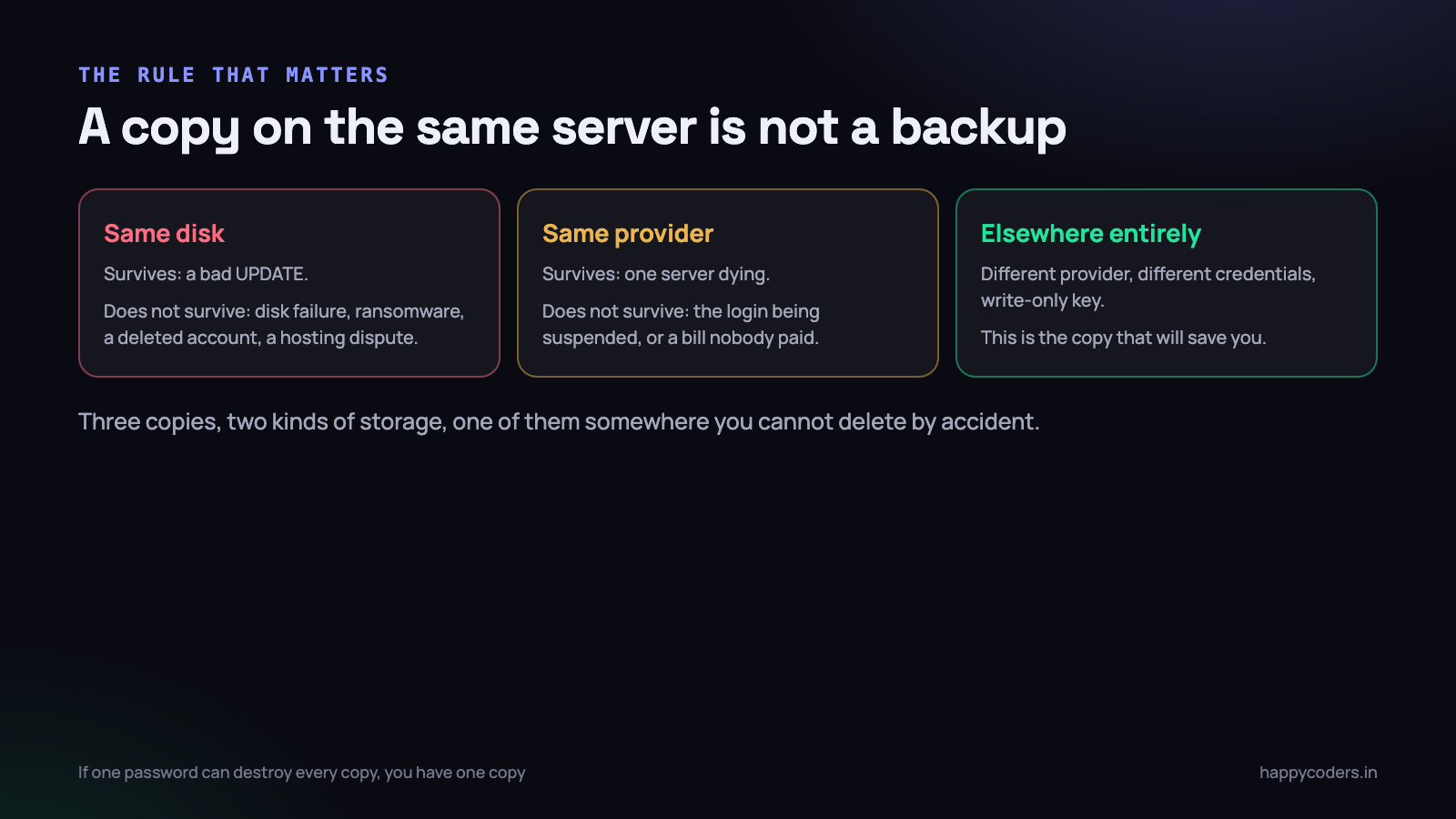
A copy on the same server is not a backup. It protects you against exactly one failure — somebody running a bad UPDATE — and against nothing else.
Think about what actually takes a small company’s data away. The disk fails. Ransomware encrypts every file the web user can write to, which includes your backups directory. The hosting account is suspended over an unpaid invoice or a policy complaint. Somebody deletes the wrong droplet. A disgruntled person with the root password wipes the box. In every one of those, a local copy goes with the original.
The shape you want is boring and old: three copies, on two kinds of storage, with one of them somewhere else. For a small team that is the live database, a local copy on the server for quick restores, and a nightly push to object storage on a different provider.
The credential matters as much as the location
Two rules that turn an off-site copy into a real one. First, the key on the server should be able to write and not delete. On S3 or a compatible provider, an IAM policy allowing PutObject but not DeleteObject means a compromised server cannot erase your history. Second, turn on versioning and a lifecycle rule on the bucket, so an overwrite does not destroy yesterday.
If one password can destroy every copy you own, you have one copy.
# rclone works with S3, B2, Wasabi, Google Drive, and most others
rclone copy /home/deploy/backups remote:myapp-backups \
  --include "*-$(date +%F)*" --transfers 4

# keep 30 days off-site, delete nothing locally without checking
rclone delete remote:myapp-backups --min-age 30d
Doing it on shared hosting
Plenty of small Indian businesses run on cPanel shared hosting, and the advice above still works with two adjustments. You cannot install rclone as root, and you cannot use a tool that needs a daemon. You can almost always run a cron job and a PHP or shell script.
# cPanel cron, 2:15 IST daily
15 2 * * * /bin/bash /home/user/scripts/backup.sh >> /home/user/logs/backup.log 2>&1
The provider’s own backup is not a substitute. Read what it promises: many shared plans keep a weekly snapshot, some restore only on request, and several explicitly say backups are provided as a courtesy and not guaranteed. That is a fine second copy and a poor only copy.
Two extra cautions on shared hosting. Watch your disk quota — a backup that silently fails because the account is full is the most common cause of an empty backups folder. And if you dump via a PHP script, set max_execution_time generously or run it through the shell, because a script killed at thirty seconds writes a truncated SQL file that looks perfectly normal until you try to restore it.
A backup that has never been restored is not a backup
This is the section people skip, and it is the only one that actually determines whether you recover.
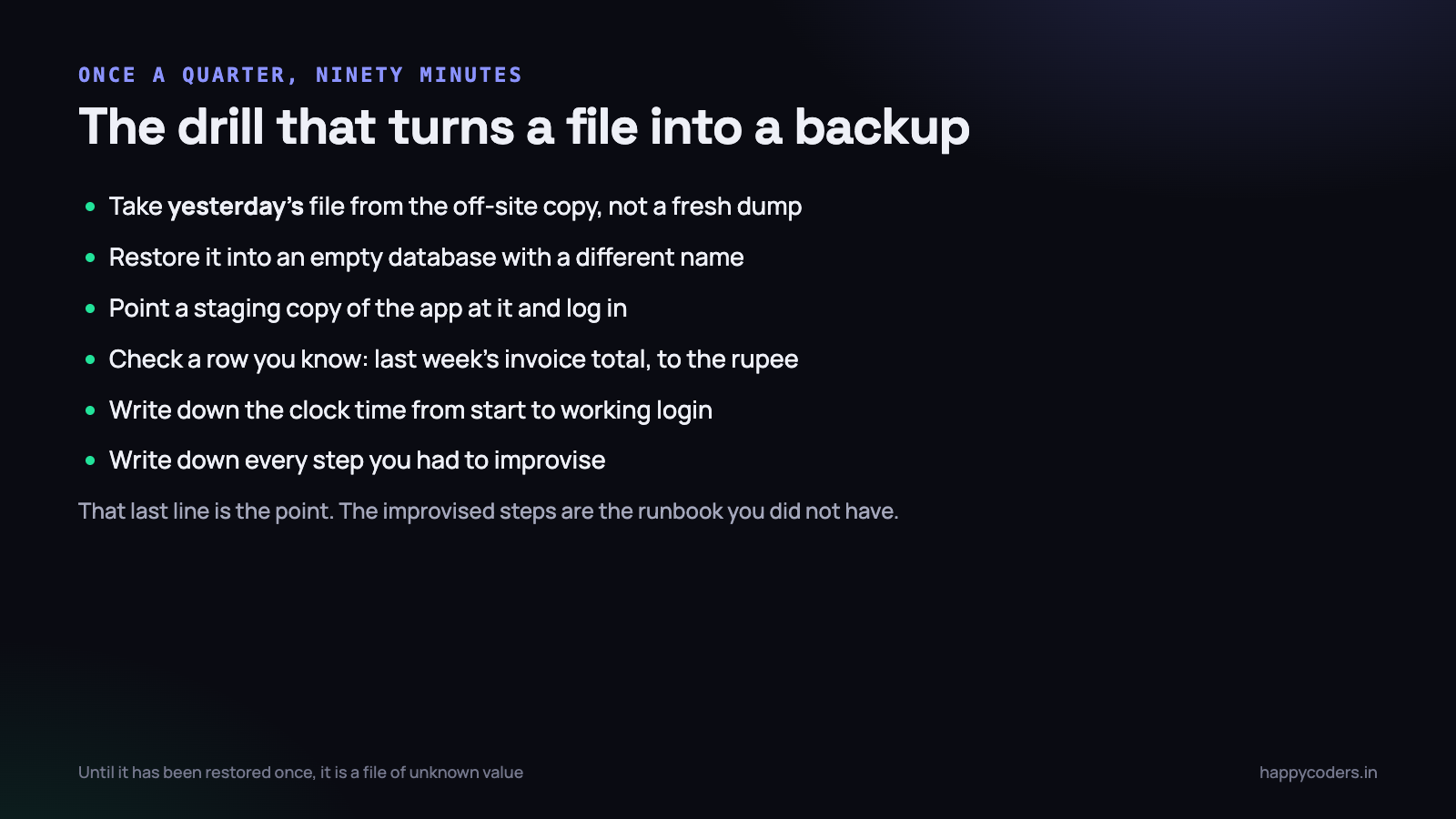
Once a quarter, put ninety minutes in the calendar and do this. Not a fresh dump — take yesterday’s file from the off-site copy, the same way you would in a real incident, with the same credentials and the same download speed.
- Download the file from the off-site location. Time it. A 4 GB dump over a home connection is not a five-minute step, and knowing that changes your plan.
- Verify the archive.
gunzip -t, then check the size against last week’s. A file that is 40% smaller than usual is telling you something. - Restore into a new, empty database with a different name. Never restore over the live one, not even during a real incident — if the backup turns out to be bad you have now destroyed the damaged-but-partly-useful original.
- Point a staging copy of the application at it and log in as a real user.
- Check a value you can verify independently — last month’s invoice total, to the rupee, against a number you have in an email. “The site loads” is not a check.
- Write down the wall-clock time from starting to a working login, and every step you had to work out on the spot.
The first drill always takes longer than expected and always finds something. A missing trigger. A character set problem. A dump that was 900 KB because the cron job’s PATH did not include mysqldump and the error went to a log nobody reads. Better to find that on a Wednesday afternoon than at 2am.
# restore, safely, into a scratch database
mysql -e "CREATE DATABASE myapp_restore_test CHARACTER SET utf8mb4 COLLATE utf8mb4_unicode_ci;"

gunzip < db-2026-09-17-0215.sql.gz | mysql myapp_restore_test

# does it contain what you expect?
mysql myapp_restore_test -e "
  SELECT COUNT(*) AS users FROM users;
  SELECT MAX(created_at) AS newest FROM invoices;
  SELECT SUM(total) AS august FROM invoices
   WHERE created_at >= '2026-08-01' AND created_at < '2026-09-01';"
What actually goes wrong during a restore
The dump is usually fine. The restore is where the afternoon disappears. These are the ones that come up again and again, and every one of them is faster to solve if you have met it before in a drill.
- “MySQL server has gone away.” A single INSERT in the dump is larger than
max_allowed_packeton the target server. Raise it to 256M on the restoring server and start again. This bites hardest on tables holding base64 images or long HTML. - Definer errors. The dump recreates views and procedures with
DEFINER=’root’@’localhost’, and the restoring user is not root. On shared hosting this stops the restore dead. Strip the definer with sed, or dump without routines and recreate them by hand. - Collation mismatches. The source was
utf8mb4_unicode_ciand the new server defaults toutf8mb4_0900_ai_ci. Joins between a restored table and a newly created one then fail with an illegal mix of collations. Create the database with the collation explicitly, before importing. - The restore takes four hours. A 6 GB dump imported one statement at a time is slow. Disabling foreign key checks and autocommit for the duration of the import commonly cuts it by more than half.
- Rows are there, the site still breaks. Almost always the uploads directory or the
.env, which is the argument for backing up all three together, with one timestamp.
# a much faster import for a large dump
mysql myapp_restore_test <<'SQL'
SET SESSION foreign_key_checks = 0;
SET SESSION unique_checks = 0;
SET SESSION sql_log_bin = 0;
SOURCE /home/deploy/backups/db-2026-09-17-0215.sql;
SET SESSION unique_checks = 1;
SET SESSION foreign_key_checks = 1;
SQL

# strip a definer that your user is not allowed to create
gunzip < db.sql.gz | sed -E 's/DEFINER=`[^`]+`@`[^`]+`//g' | mysql myapp_restore_test
When a nightly dump is not enough
mysqldump is a logical backup: it writes SQL statements that rebuild the data. That is portable, readable, and easy to inspect, which is why it suits small teams. It has two limits worth knowing before you hit them.
The first is size. Somewhere past roughly 20 GB, dumping and restoring stops being a coffee break and becomes an evening. At that point a physical backup tool — Percona XtraBackup, or a filesystem snapshot on a volume that supports it — copies the data files directly and restores in minutes rather than hours.
The second is the gap. A nightly dump means accepting the loss of everything since 2am. If that is not acceptable, the answer is binary logs. MySQL can record every change as it happens, and with last night’s dump plus the binlogs since, you can replay forward to a chosen second — usually the second before somebody ran the DELETE.
# enable point-in-time recovery
[mysqld]
log_bin = /var/log/mysql/mysql-bin
binlog_expire_logs_seconds = 1209600   # 14 days
server_id = 1

# then: restore last night, and replay up to just before the mistake
mysqlbinlog --start-datetime="2026-09-17 02:15:00" \
            --stop-datetime="2026-09-17 14:32:00" \
            /var/log/mysql/mysql-bin.0000* | mysql myapp_restore_test
Binary logs are cheap to turn on and they must be copied off-site along with the dump, otherwise they die with the server they were protecting. A read replica is the next step up again, and it is worth saying clearly: a replica is not a backup. A DELETE replicates in milliseconds. A replica protects against hardware failure, nothing else.
Retention that survives a slow disaster
The failure everybody plans for is the fast one: the server dies, you restore last night, you lose a few hours. The failure that actually destroys a business is the slow one. A bug in a migration truncates a column on the 3rd. Nobody notices until the 24th, when a customer asks why their old records look wrong.
If you keep seven daily backups, every copy you own now contains the corruption. You have been faithfully backing up broken data for three weeks.
So the schedule needs depth, not just frequency:
- Daily, kept 14 days. This is your normal restore.
- Weekly, kept 8 weeks. This is the one that catches the bug found three weeks later.
- Monthly, kept 12 months. This is for the audit question, the disputed invoice, and the accidental deletion discovered at year end.
- Before every deployment and every migration. Takes two minutes and is the single most useful backup you will ever take.
Storage is the cheap part of this. A 2 GB compressed dump held on all three schedules is roughly 70 GB, which costs a few hundred rupees a month on most object storage. That is far less than one afternoon of recovering by hand.
Check the size of the backup against the previous one, automatically, and alert on a change of more than 20% in either direction. Silent success is the failure mode of every backup system ever built — the job exits 0, the file is empty, and nothing tells you.
Write the runbook before you need it
At 2am, with a client on the phone, nobody remembers the bucket name. The single highest-value artefact in this entire article is a one-page document, written on a calm Tuesday, that somebody who did not build the system can follow.
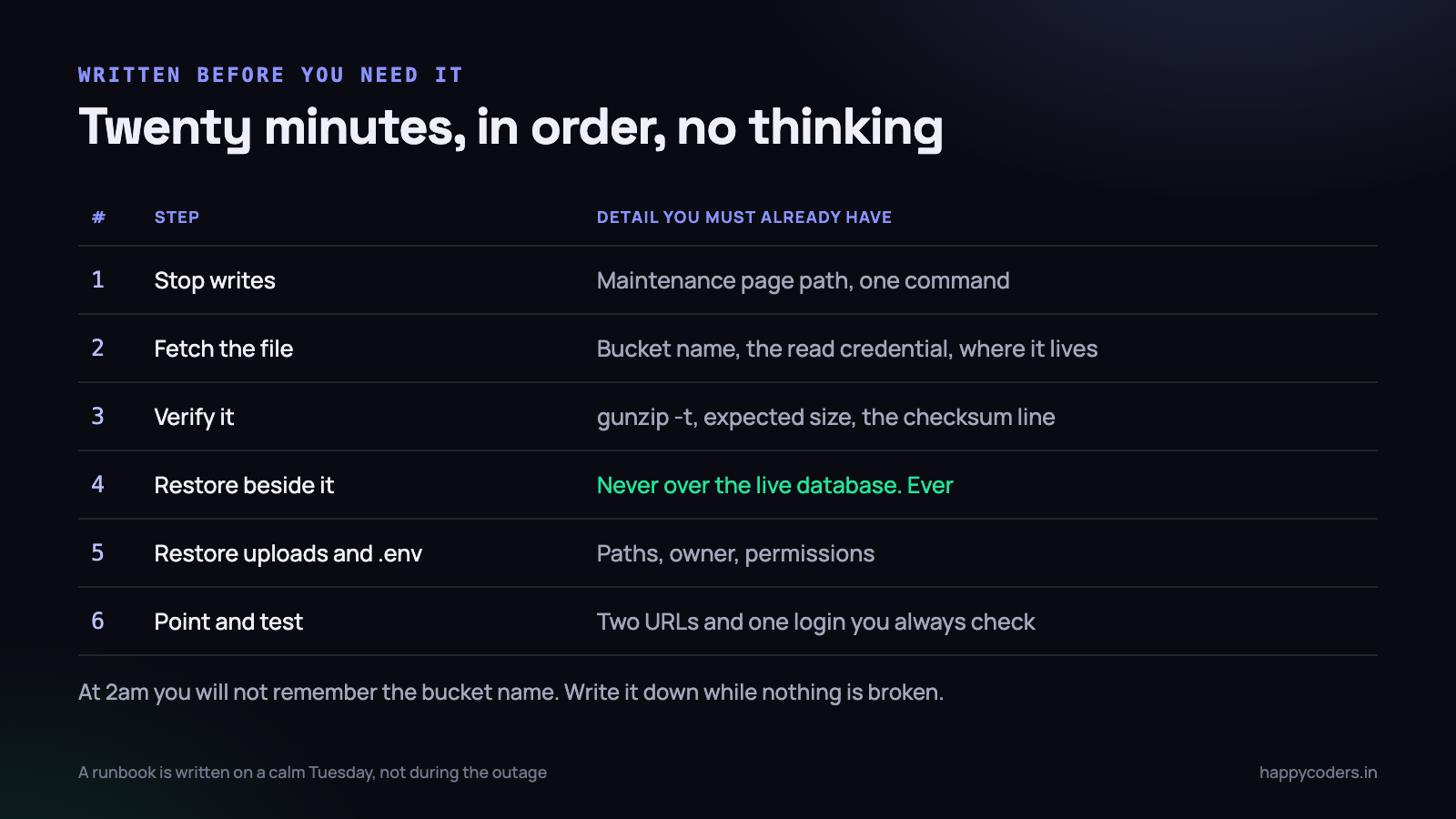
It needs to contain exactly these things, with real values, not placeholders:
- How to stop writes. The maintenance-mode command, or the one line in the web server config, so the damage stops growing while you work.
- Where the backups are. The provider, the bucket, the path pattern, and which credential reads them. Say where that credential is stored.
- How to verify a file before trusting it. The command, and what a healthy size looks like.
- The restore command, in full, restoring into a new database name — never the live one.
- How to restore uploads and .env, including the ownership and permissions they need afterwards.
- The two URLs and one login you check to declare it working.
- Who to tell, and roughly what to say. A client who hears from you at 2:20am is a different client from one who finds out at 9am.
Keep it somewhere that does not depend on the thing that is broken. A runbook in a wiki on the same server is a joke you only get to hear once. Print it, or put it in a shared drive, or keep it in the repository and also as a PDF on somebody’s laptop.
Two numbers to agree on
Before any of the technical decisions, agree two numbers with whoever owns the business risk.
- How much data can we afford to lose? Nightly backups mean you accept losing up to 24 hours of work. For a blog that is fine. For a system taking payments it is not, and the answer is binary logs or replication, not a more frequent dump.
- How long can we be down? If the honest answer is four hours, a nightly dump and a written runbook will do. If it is fifteen minutes, you need a replica that is already running, and that is a different budget.
Most small teams, once they say these out loud, discover that nightly dumps plus a tested restore is exactly right, and that the thing they were missing was never the backup — it was the tested part.
On Monday morning
Three things, in this order, and none of them take a day.
First, find your most recent backup file and check its size and its date. If you cannot find it in ten minutes, that is your finding. If it is smaller than you expect, or older than you expect, you have just avoided an incident.
Second, take one backup right now and copy it somewhere that is not the server and not the same hosting account. A personal Google Drive is a poor long-term answer and an excellent one for this afternoon.
Third, block ninety minutes this month and restore it into a scratch database. Time it, note every step you had to improvise, and turn those notes into the runbook. You will end the week knowing something most teams only find out during an outage: whether the backup you have been taking for two years actually works.




