


A bug report that says “the export is broken” costs a developer twenty minutes before they have even reproduced it. A thirty-second recording of the same bug costs them nothing, and they usually fix it in the time it would have taken to ask the first clarifying question.
Most teams know this and still write the text version, because recording feels like it will take longer. It does not. What takes longer is the three-message exchange that follows a vague report, and the second exchange a day later when the fix turns out to address a different problem.
What a developer actually needs
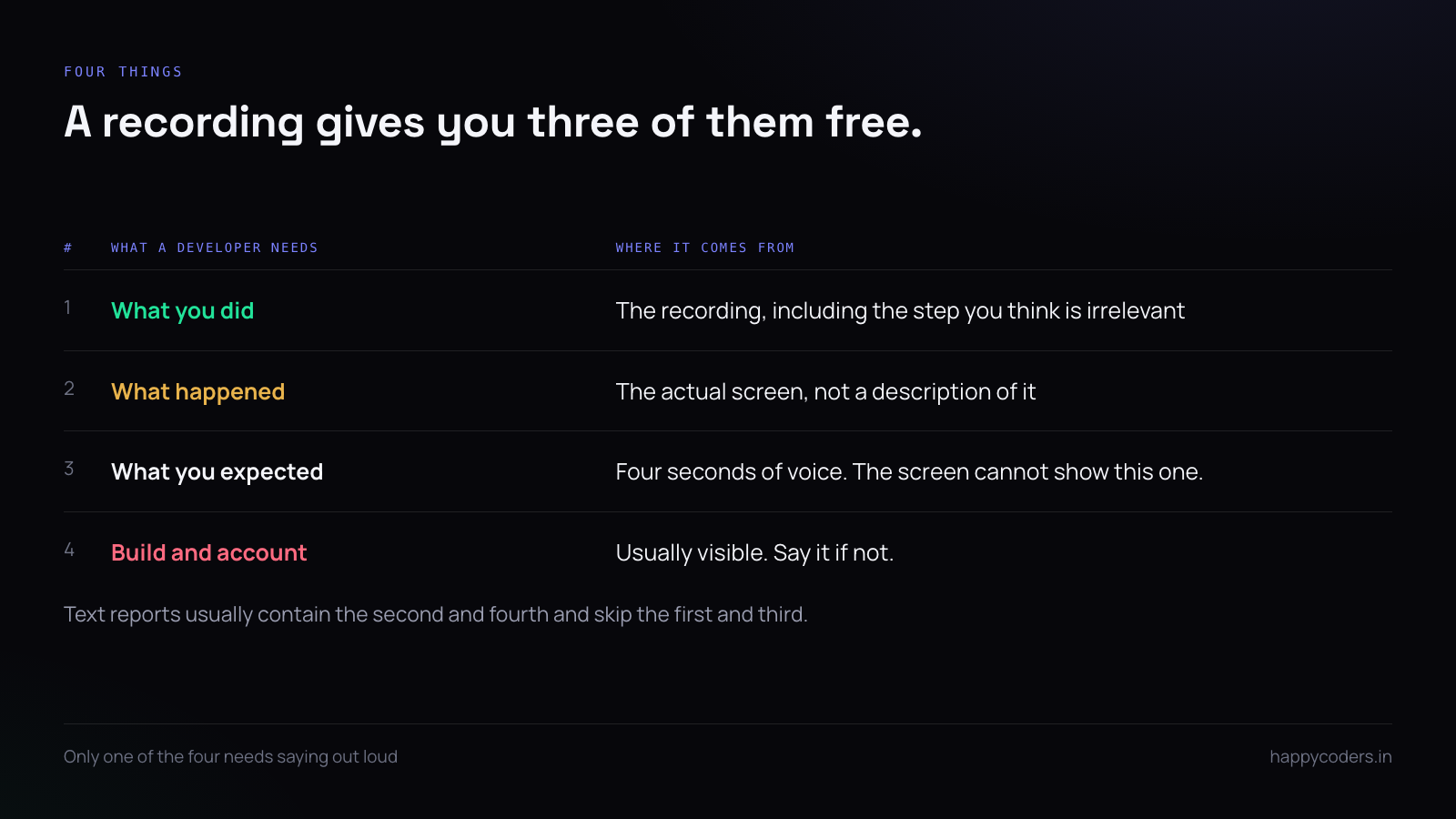
Four things, and a recording gives three of them for free:
- What you did. The exact sequence, including the step you think is irrelevant. It is often the irrelevant step.
- What happened. The actual screen, not your description of it.
- What you expected. This one still needs saying out loud — the recording cannot show the thing that did not happen.
- Which build, which account. Visible on screen most of the time, and worth saying if not.
Text reports usually contain the second and fourth and skip the first and third, which is exactly backwards.
Why the text report costs more
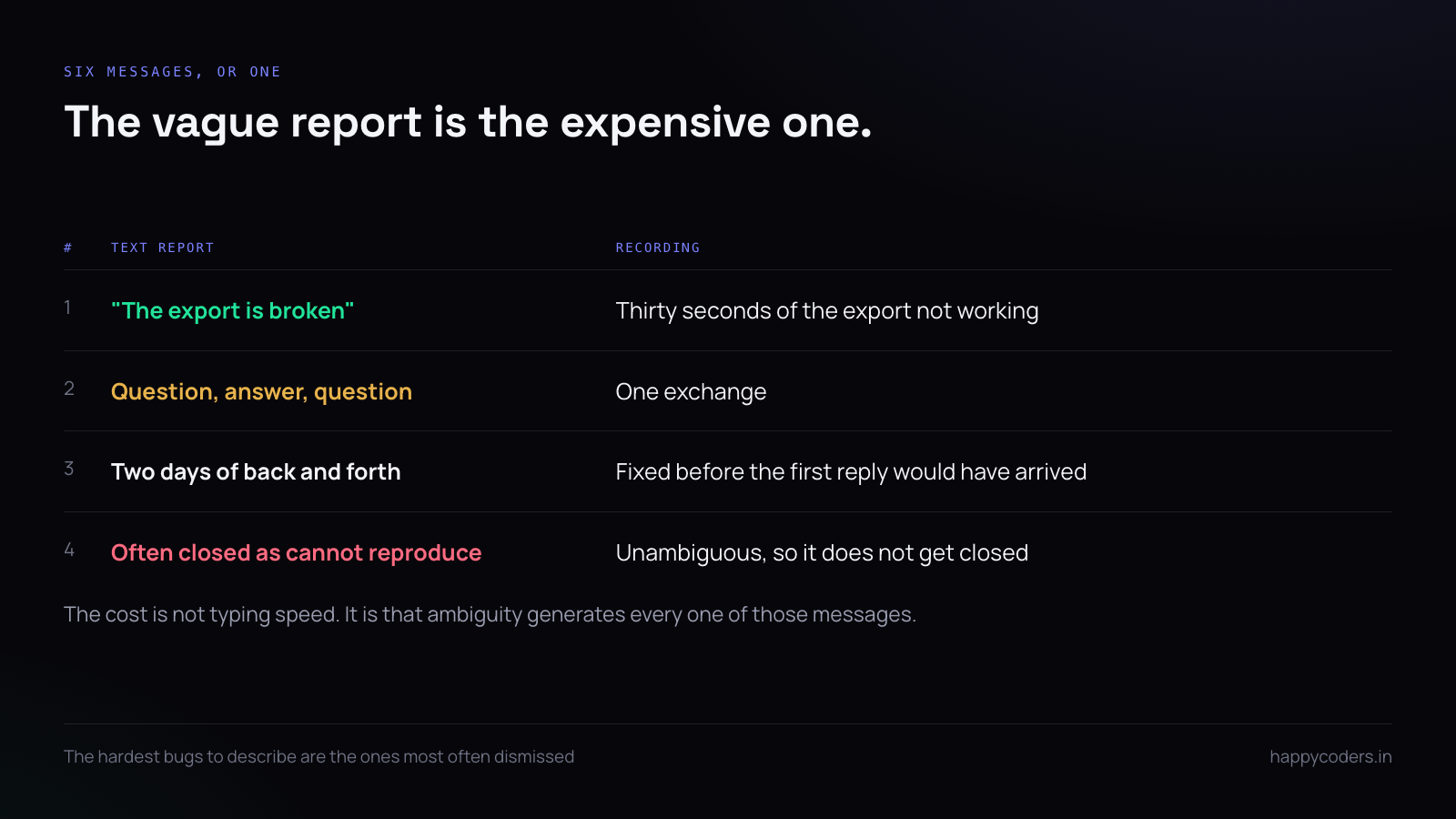
Count the messages. A vague report produces a question, an answer, a second question, a screenshot, a misunderstanding of the screenshot, and a call. That is six exchanges across two people and usually two days, because each one waits for the other to be at their desk.
A recording produces one exchange. The asymmetry is not about typing speed — it is that a recording is unambiguous, and ambiguity is what generates all six messages.
This matters most for the bugs that are hardest to describe, which are also the ones most likely to be dismissed as “cannot reproduce” and closed.
Thirty seconds, not three minutes
The useful recording is short enough that a developer will watch it before reading anything else. Start on the screen immediately before the problem, do the thing, let the failure happen, stop.
Do not start from the login page. Do not explain the background. If the background matters, write one line of text next to the recording — the recording is for the sequence, the text is for the context.
Three minutes of recording gets scrubbed through and misread. Thirty seconds gets watched twice.
Narrate what you expected
This is the one thing worth saying out loud while you record, and it takes four seconds: “I would expect this to download a CSV here.” Without it, the developer sees the failure and has to infer the intent, which is where most wrong fixes come from.
If you would rather not record audio, type it in the description. The important thing is that the expectation exists somewhere, because it is the only part of the report the screen cannot show.
Capture the window, not the whole screen
A full-screen recording of a bug in one browser tab shows your other tabs, your dock, your notifications and whatever is on your second monitor. Capturing just the application window is faster for the viewer and avoids an entire category of accident.
Where the bug involves something outside the window — a system dialog, a file picker, a notification — then full screen is the right answer, and that is a deliberate choice rather than a default.
The things that will be in frame
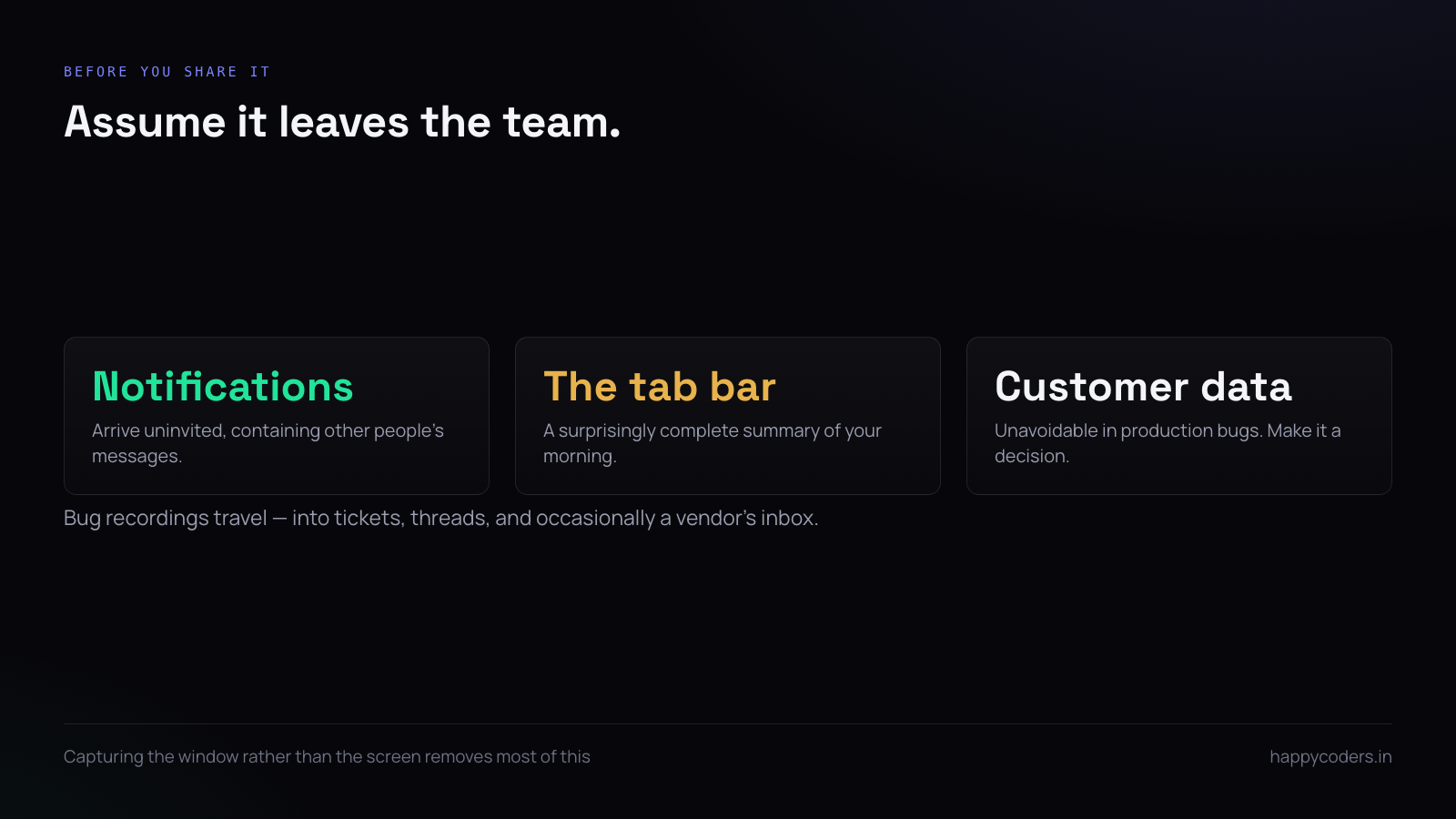
Before you share it, assume somebody outside the team will eventually see it. A bug recording tends to travel: into a ticket, into a thread, occasionally into a support email to a vendor.
Three things catch people out. Notification banners, which arrive uninvited and contain other people’s messages. A browser tab bar, which is a surprisingly complete summary of your morning. And real customer data on screen, which in a bug report about a production system is usually unavoidable and always worth a conscious decision.
Intermittent bugs, which are the real use
The bug that happens once a day and never when a developer is watching is the one recording actually solves. Leave a recording running while you work, and when it happens, stop and keep the last minute.
This only works if the recording is cheap — a long capture at a sensible frame rate rather than a high-fidelity one that fills the disk in ten minutes. Lower the frame rate, keep the resolution, and a long session costs almost nothing.
The alternative is the honest sentence nobody wants to write: “it happens sometimes and I cannot show you.” That sentence closes more tickets than any fix.
The console is part of the bug
For anything in a browser, open developer tools and leave the console visible while you reproduce. The error text that appears there is frequently the whole answer, and a recording that includes it turns a two-day investigation into a five-minute fix.
The same applies to a desktop application with a log window, or a terminal next to the app. If there is somewhere errors appear, have it on screen.
Reproduction steps still matter
A recording does not replace the written steps; it makes them short. Three numbered lines next to the video is the right amount — enough that the bug is searchable later, and enough that a developer can re-run it without scrubbing through the video to find the sequence.
The video is the evidence. The steps are the index. Tickets with one and not the other both fail, in different ways: evidence without an index is unsearchable, and an index without evidence is the vague report you started with.
Where to put it
A recording helps only if it is attached to the ticket. A video in a chat thread is gone in a week and is not findable when the bug reappears in six months.
Keep the file small enough to attach — for a thirty-second screen recording of a user interface, 1080p at 30fps is plenty, and a lower frame rate is often fine. Four-second-per-megabyte recordings are a sign of settings tuned for gameplay rather than for a bug report.
What makes a recording useless
- Starting too early. Ninety seconds of navigation before the problem.
- Silent and unexplained. A failure with no stated expectation.
- Mouse moving too fast. Slow down at the step that matters; the viewer cannot pause as precisely as you think.
- Recorded after the fact. A reconstruction of a bug you saw yesterday is a description, not evidence.
A short answer
Record the window, not the screen. Start immediately before the problem. Say what you expected, in four seconds. Have the console visible. Attach it to the ticket, not to a chat. Thirty seconds of that replaces a day of messages, and it is the only bug report format that cannot be ambiguous about what you actually did.
HappyRec records a screen, a window or a single area, with or without voice, free on Mac and Windows and as a Chrome or Edge extension — and everything stays on your own machine.




