


You have built something for a client and now their staff have to use it. Somebody asks for training, and the sensible answer is recordings rather than a day on site that only the people in the room benefit from.
The recordings are not the same as the ones you would make for your own team, and the difference is not obvious until a few come back confused.
They did not choose this
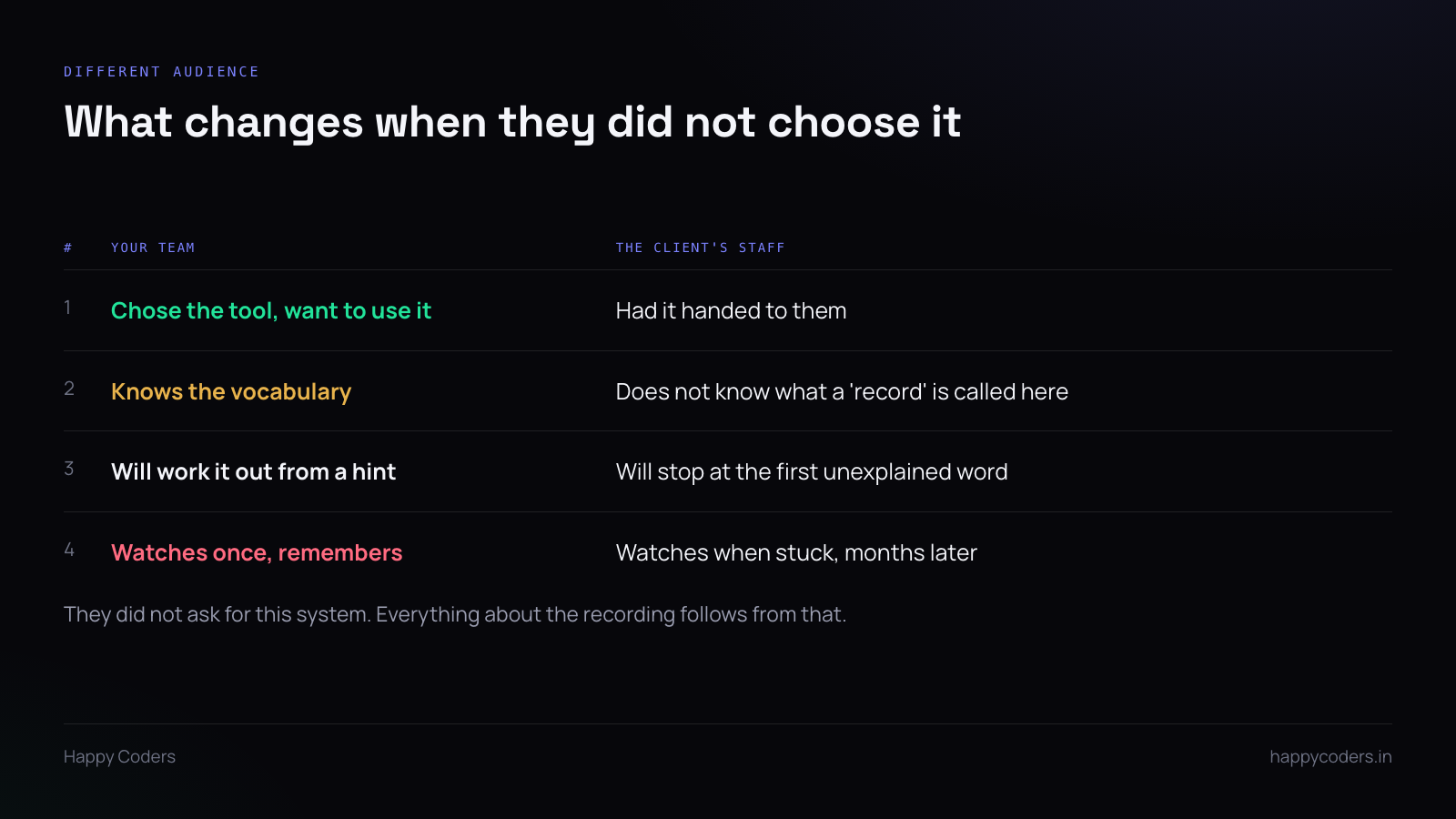
Your team picked the tools they use and wanted to learn them. The client’s staff were told on a Monday that the way they do their job is changing.
Some are keen. Several are not, and a couple are quietly convinced the old way was better. That is normal, it is not about your software, and it changes what the recording has to do.
Mainly: it has to be impossible to get lost in. Someone who is motivated will work around a confusing bit. Someone who was not consulted will stop and go back to the old way.
One task per recording, named the way they would ask
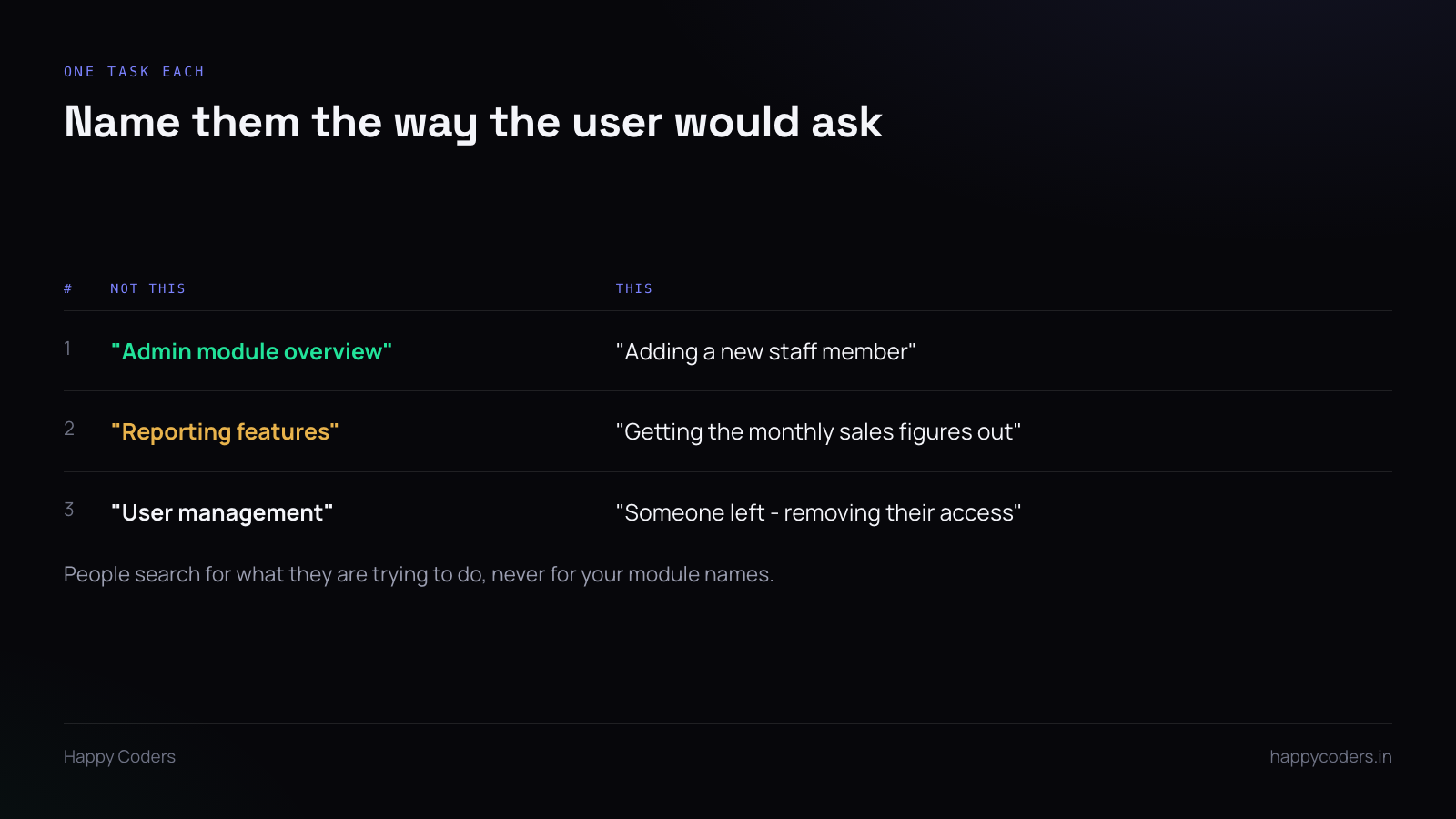
This is the whole thing.
Not “Admin module overview” — nobody wakes up wanting an overview of a module. “Adding a new staff member”, because that is the thing somebody will need to do, and those are the words they will use when they ask a colleague.
Three to five minutes each. Six recordings instead of one long one. The person who needs to remove somebody’s access should be able to find that file without watching anything else.
Use their words, not yours
Every system picks up internal vocabulary during the build. You call it a “record”, they call it a “job”. You say “approve”, they say “sign off”. You say “entity” and they have never heard anyone say it.
Listen to what the client’s staff call things during the project and use that. Where your interface uses a different word, say both once: “this is what we call a record — it is one job.”
One unexplained word is enough for someone to decide the system is not for them.
Use data that looks like theirs
Demonstrating with “Test Client 1” and “asdf” makes it harder to follow than it needs to be, because the viewer is translating as they watch.
Use plausible, obviously-fake data in their own domain. If they are a resort, the booking should be for a room and a date. If they are a workshop, the job should be a car and a repair.
Obviously fake, though. Not a real customer’s name — that is their data appearing in a file that will be shared internally and probably forwarded.
Show what happens when it goes wrong
This is the part internal recordings skip and client recordings need most.
What does the error look like if a required field is missing? What happens if they click save twice? What does the screen do while it is loading, so they know it has not frozen?
New users spend most of their anxiety on these moments. Showing one error on purpose, and what to do about it, does more for confidence than ten minutes of the happy path.
Go slower than feels natural
You know where everything is. Your cursor goes straight to it and the whole sequence takes four seconds.
For someone seeing the screen for the first time, four seconds is three clicks they did not see. Pause before each click, say what you are about to do, then do it.
It will feel absurdly slow while recording. It is correct.
Who owns the files
Agree this before you record, because it is awkward afterwards.
Recordings of their system, with their data, made for their staff, are generally theirs. Hand over the files rather than hosting them on a link you control — a link that expires when the project ends is a support problem a year later.
If you want to keep a copy for your own reference, say so, and make sure anything with their data in it is not what you keep. Re-record the technique against demo data if you want it for yourself.
Expect to add two more
However carefully you plan the set, their staff will get stuck on something you did not predict.
That is fine and it is cheap to fix. When the question comes in, record the answer while replying — three minutes — and send it. Two or three of those, and the set covers what people actually struggle with rather than what you expected them to.




