


You have built something and the client wants to see it. A call takes an hour of two people’s time and has to be repeated for whoever was not on it. A recording takes six minutes, gets watched twice, and can be forwarded to the person who actually signs things off.
The recording is usually the right call. It just needs two things done differently from a recording you would send a colleague.
What actually changes
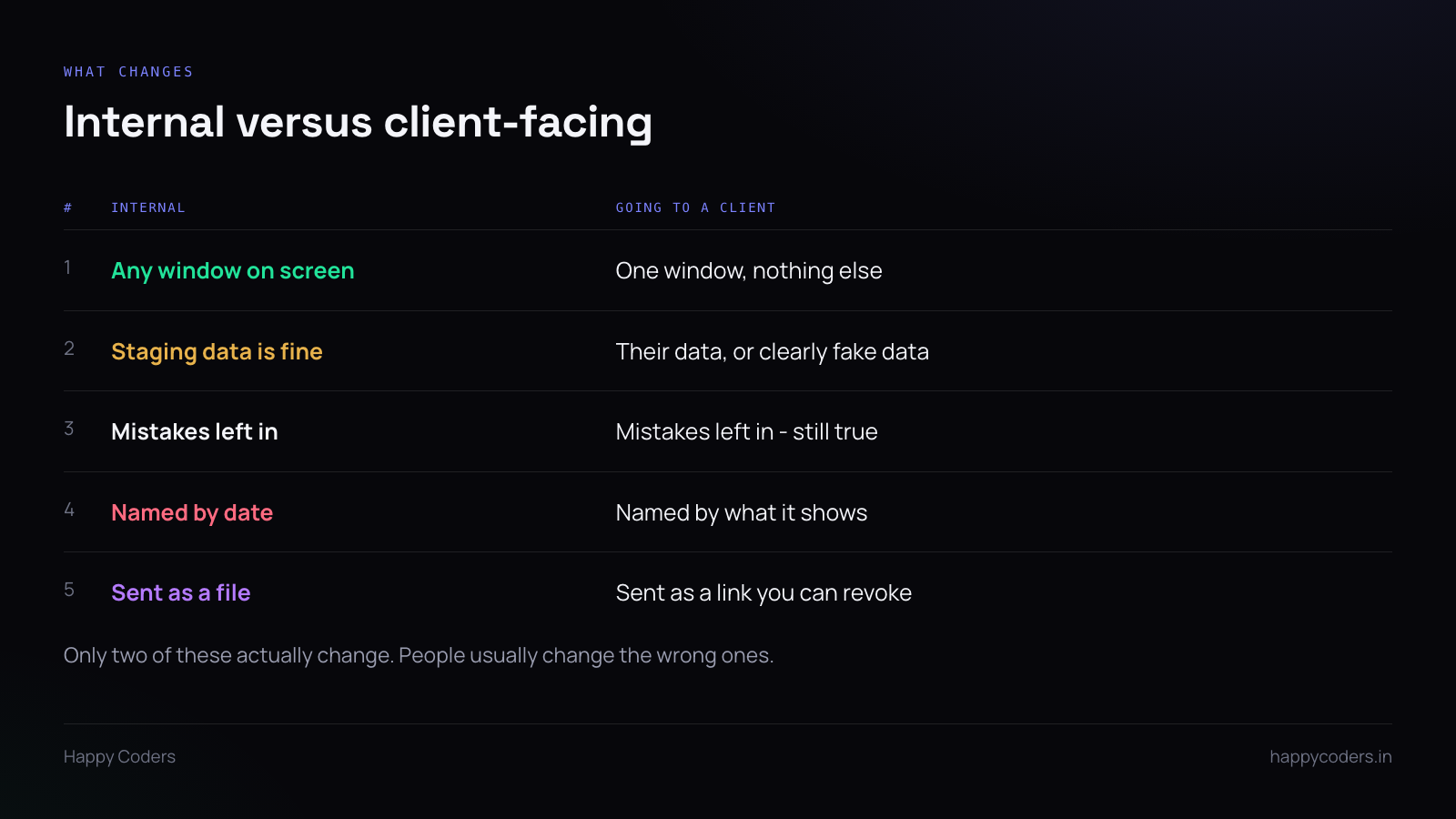
People tend to over-correct. They script it, re-record it four times, and edit out every pause — producing something that sounds like a product video and takes three hours to make.
Two things genuinely change. Everything else is the same as any other recording.
What is on screen
Internally, nobody cares that your sidebar has eleven other client folders in it. Externally, that sidebar is a list of your other clients, in a file you are handing to one of them.
Record a single window rather than the full screen. It takes one setting and it removes the entire category of problem — other windows, tab titles, the desktop, the notification that arrives at minute four.
If you must record full screen because you are moving between applications, close everything else first and check the browser tab strip before you start.
Whose data is in it
If you are demonstrating with another client’s data, stop. That is the one thing in a client recording that is not an embarrassment but a breach.
Either sign in as a demo account with made-up data, or use the client’s own. Made-up data should be obviously made-up — “Acme Ltd”, “Test Project” — rather than plausible-looking names that could be mistaken for real people.
What does not change
Leave the mistakes in. This is counter-intuitive for a client recording and it is still true. When you click the wrong tab and say “sorry, it is the other one”, you have just shown them something real. A flawless recording looks produced, and produced looks like marketing.
Do not script it. Narrate what you are doing as you do it. A read script is audible from the first sentence and it makes people stop listening.
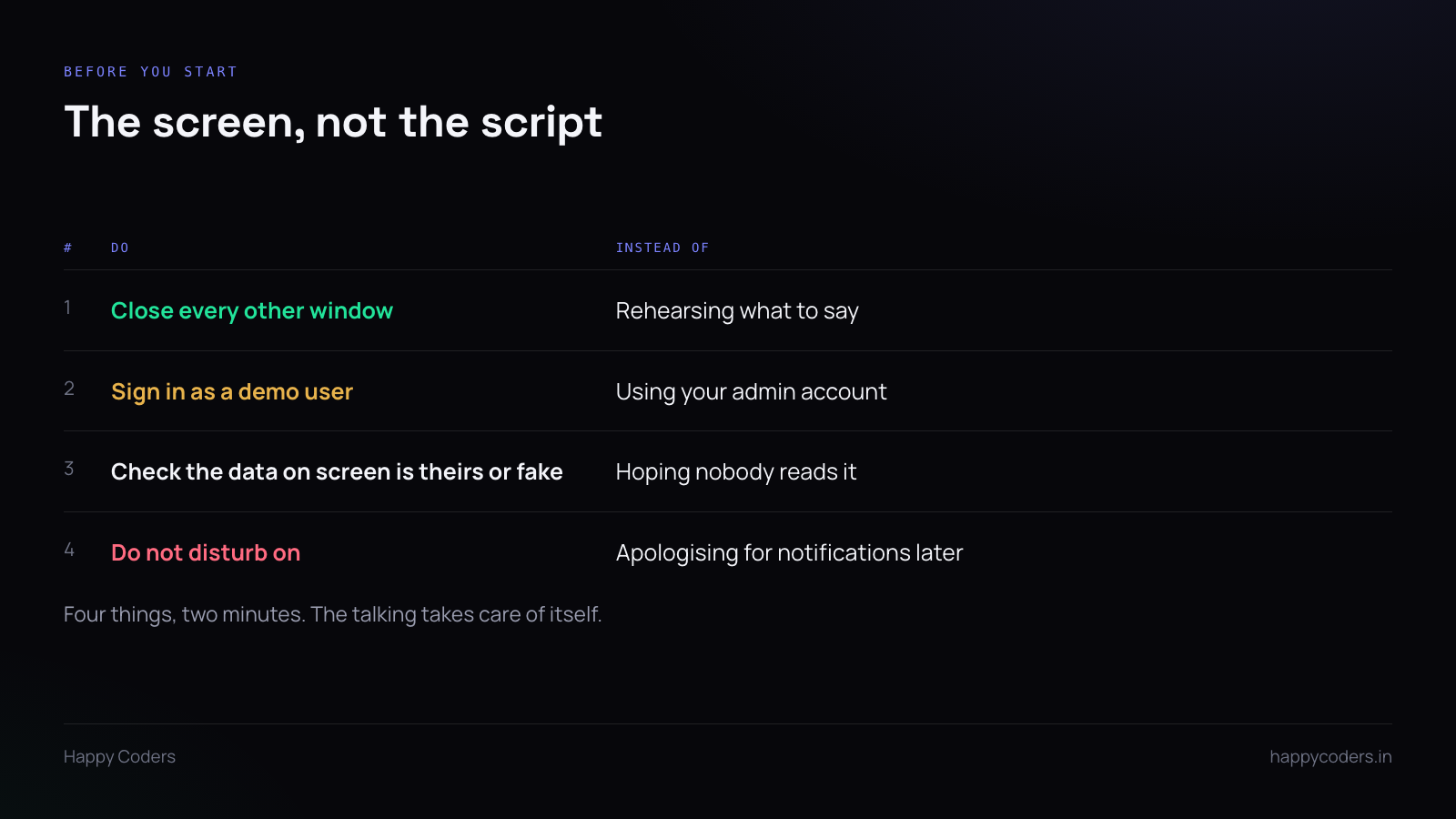
Four minutes of preparation
Close every other window. Sign in as whatever account should be on screen. Check the data. Do not disturb on.
Then record. No rehearsal.
Say what it is in the first ten seconds
“This is the checkout flow we built, from adding an item to the confirmation email.” Then do it.
Not “Hi, hope you are well, so I thought I would put together a quick video to walk you through…” — that is forty seconds before anything happens, and on a client’s Monday morning that is forty seconds too many.
Length
Under six minutes if you can. If it is longer than that, it is usually more than one thing, and more than one thing should be more than one file — a client who wants to re-check the payment step should not have to scrub through a sixteen-minute recording to find it.
Several short clips also survive better. Six months later somebody needs the bit about refunds, and a file named for refunds is findable.
Sending it
A link you control beats an attachment, for one reason: an attachment is gone the moment it is sent. A link can be taken down, and occasionally that matters — a recording made for one client gets forwarded, or something in it turns out to be wrong.
Check what the link permits before sending. “Anyone with the link” is convenient and it means the file can travel anywhere, indefinitely. For a feature walkthrough that is fine. For anything with their data in it, it is not.
Your face
Optional, and usually unnecessary. The screen is the content.
A small camera bubble can help — it makes a walkthrough feel like a person showing you something rather than a system demonstrating itself, and for a client relationship that is worth a little. If you would rather not be on camera, a logo in the bubble or an animated avatar does the same job for the warmth without the face.
What matters far more is the audio. A clear voice with no camera is fine. A camera with muddy audio is a recording nobody finishes.
The one check before you send
Scrub through at four times speed and read every piece of text that appears on screen. Tab titles, file names, anything in a sidebar, anything in a notification you did not notice while talking.
Thirty seconds. It is the only step in this whole process that catches something you cannot take back.




