


The recording is finished. The temptation is to send it immediately, because the whole point of recording instead of writing was speed, and watching it back feels like it undoes the saving.
Two minutes. Not a full review — nine specific checks, most of which take seconds, and several of which cannot be fixed once the file has gone.
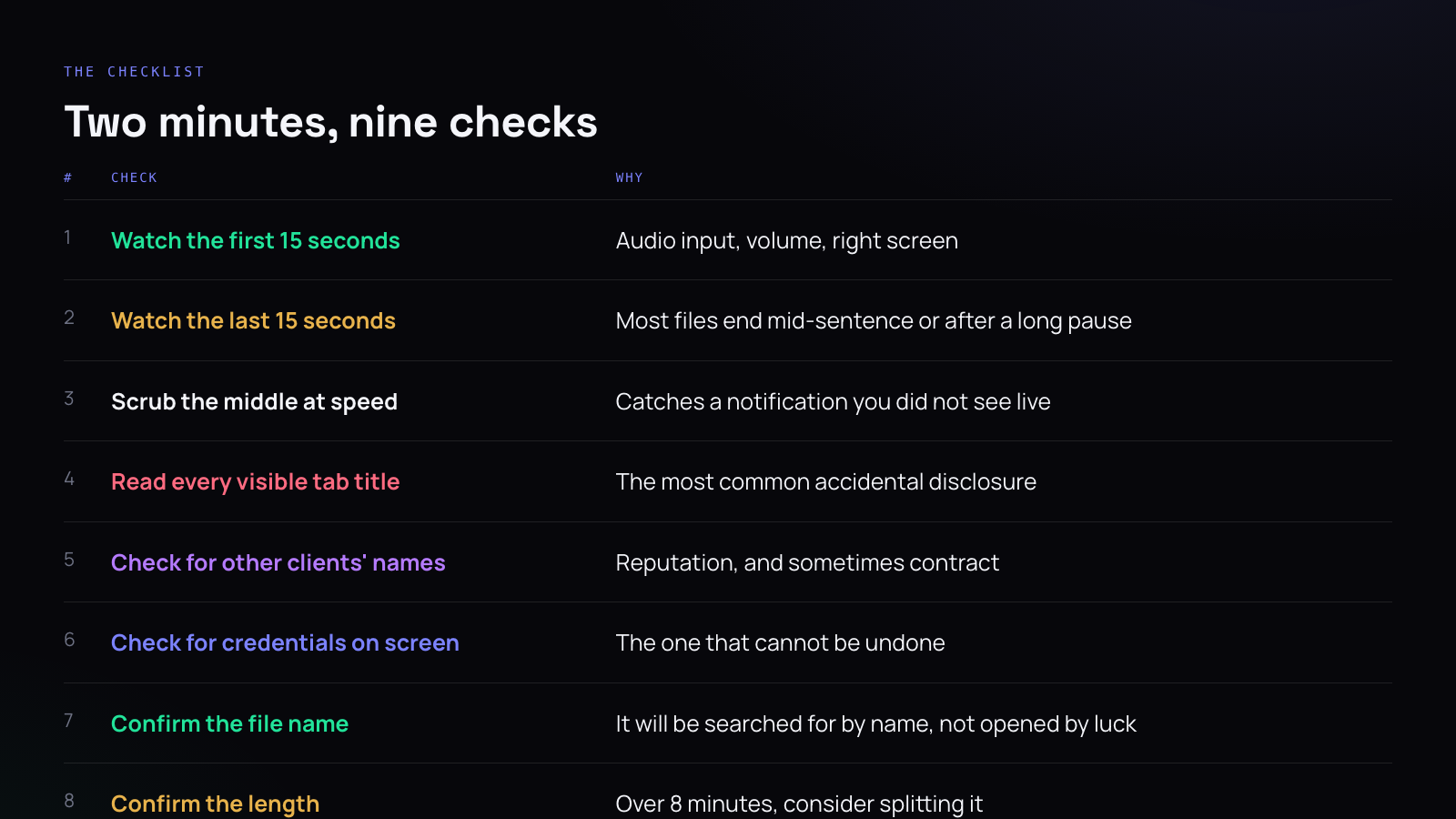
Watch the first fifteen seconds
This catches the failures that ruin the whole file: the microphone was set to the wrong input, the volume is too low to hear, you recorded the wrong screen, or the first thirty seconds are you finding the window you meant to share.
Every one of those means re-recording, and finding out now costs fifteen seconds rather than finding out from the person you sent it to.
Watch the last fifteen seconds
Almost every recording ends badly. Either it stops mid-sentence because you hit the key early, or there are forty seconds of you looking for the stop button while the screen sits idle.
Neither is fatal, but the second one is worth trimming if the recorder lets you, because a file that appears to be eight minutes long when seven of them are content changes whether somebody opens it.
Scrub the middle at speed
Drag through at four or eight times. You are not watching the content — you know the content, you just made it. You are looking for a rectangle appearing in a corner.
Notifications are the thing you most reliably miss while recording, because while recording you are concentrating on talking. On a fast scrub they are obvious.
Read every visible tab title
This is the most common accidental disclosure in screen recordings and it is almost never noticed by the person who made it, because their own tabs are invisible to them in the way the furniture in your house is invisible.
Browser tab titles carry client names, document names, ticket numbers, and occasionally something that is just embarrassing. Read along the row. If anything there should not be in the file, that is a re-record with a single window instead of a full screen.
Check for other clients
If this is going to a client, anything belonging to another client should not be in it. A folder name in a sidebar, a window title, an entry in a recent files list.
Most of the time nobody notices and nothing comes of it. Occasionally somebody does notice, and the thought that follows is “so my work appears in their videos too” — which is a fair thought, and not one you want a client to have.
In some contracts it is also a confidentiality breach rather than an awkwardness. Worth knowing which of those you are in.
Check for credentials
The one that cannot be undone.
An API key in a config file, a password manager with an entry expanded, a .env open in an editor, a token in a URL, a database connection string in a terminal. Any of these in a file that leaves your machine means rotating the credential, not deleting the video — because you do not know who has the video by then.
If you find one, rotate it anyway, even if you are certain the file never left your drive. It is cheaper than being wrong.
Confirm the file name
A recorder names files after the moment they were made. Those names are useless within a week.
Rename to what the recording is about, with a date in a format that sorts: 2026-10-09-retainer-invoice-walkthrough.mp4. The person looking for it in four months will search for “invoice”, and that is the only way they will find it.
Confirm the length
Over about eight minutes, ask whether it is really one thing. Usually it is three things, and three separate files get watched where one long one does not.
This is a judgement call rather than a rule, and it matters most when the audience is a team rather than one person who asked a direct question.
Confirm who can open it
If you are sharing a link rather than a file, check what that link actually permits. “Anyone with the link” is genuinely convenient and it means the recording can be forwarded anywhere, indefinitely, by anyone who receives it.
For a bug report to a developer, that is fine. For a walkthrough that includes a client’s data, it is not, and the setting is the only thing standing between those two cases.
The three that actually matter
If you only ever do three of these: tab titles, other clients, credentials.
The rest affect whether the recording is good. Those three affect whether sending it was a mistake.




