
Asking for an App Store Review Without Annoying Anyone: How HappyRec Decides When

Every app that lives in an app store eventually needs reviews, and every user has met the app that asks for one at the worst possible moment: on first launch, in the middle of a task, or every single week. We wanted HappyRec, our screen recorder for Mac, to ask in a way that does not irritate anyone, and ideally at a moment when the person has just had a good experience with it.
The result is small: one Swift file with about sixty lines and one sheet in the interface. But nearly every line in it is a decision about when to ask, what to count, and when to stop. This post walks through those decisions and the code behind them. If you are adding a review prompt to your own app, most of the rules carry over directly.
Rule one: ask after success, not on a timer
The common approach is a timer: ask after seven days, or after the tenth launch. Neither tells you whether the app has done anything useful for that person. Someone who opened the app ten times and failed to record anything is the last person who should be asked to rate it.
A screen recorder has an obvious moment of success: a recording finishes and the file is saved. So that is the only place HappyRec ever considers asking. Not on launch, not in settings, not while recording, and not after an error.
Rule two: ask at a few milestones, then never again
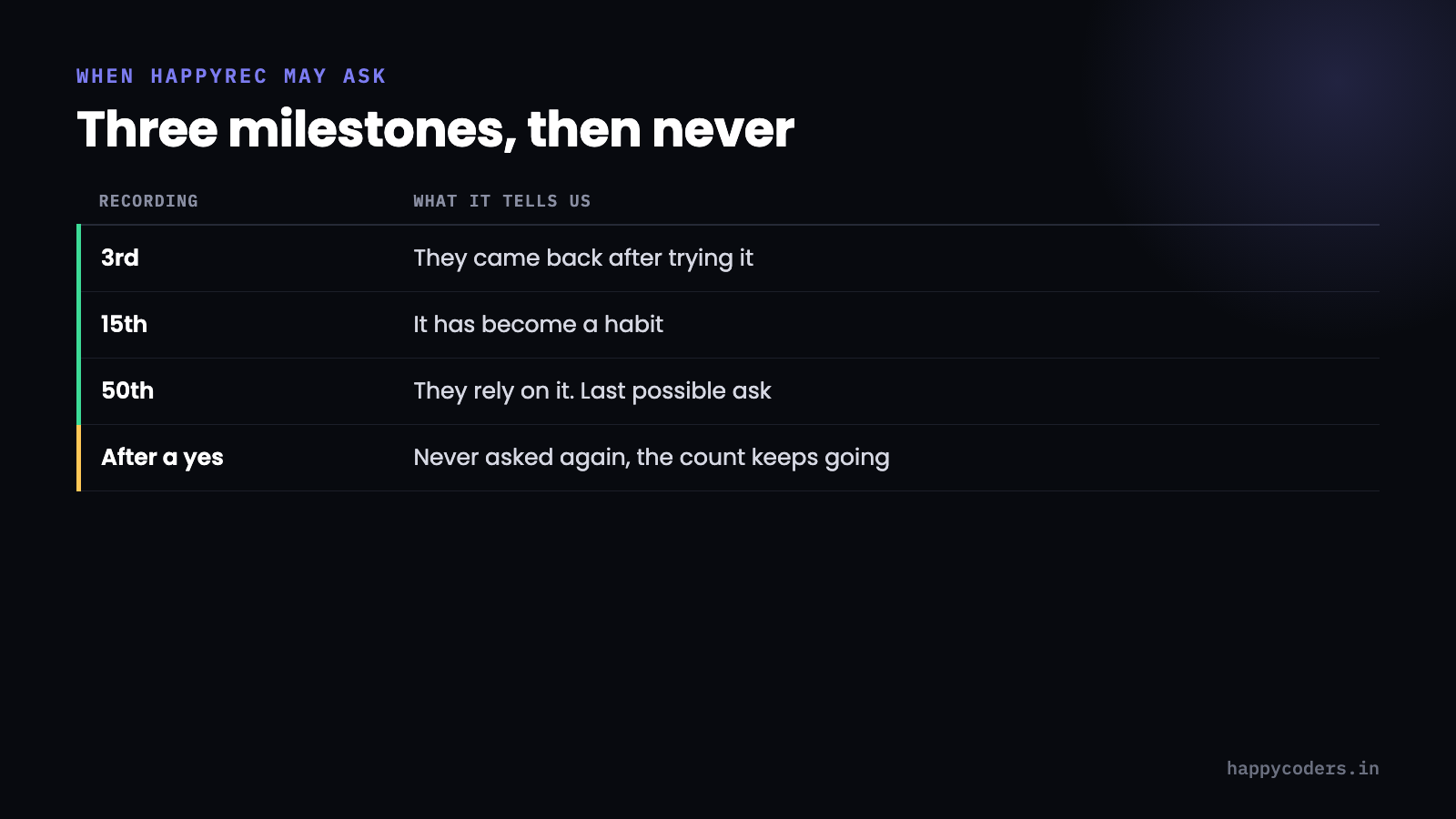
HappyRec asks at three points in a person’s use of the app: after their 3rd recording, their 15th and their 50th. The spacing is deliberate. The third recording means the person has come back after trying it, which is a much better signal than the first. Fifteen means it has become a habit. Fifty means they rely on it. After fifty, there are no more milestones, so the app simply stops asking.
Here is the core of it, slightly trimmed:
enum ReviewPrompt {
    static let milestones = [3, 15, 50]

    /// Recordings shorter than this are misfires, not real usage.
    static let minCountedDuration: TimeInterval = 3

    private static let countKey = "lifetimeRecordingCount"
    private static let doneKey  = "reviewPromptCompleted"

    static var lifetimeCount: Int { UserDefaults.standard.integer(forKey: countKey) }

    /// Call exactly once per successfully finished recording.
    static func recordFinished() -> Bool {
        let count = lifetimeCount + 1
        UserDefaults.standard.set(count, forKey: countKey)
        guard !UserDefaults.standard.bool(forKey: doneKey) else { return false }
        return milestones.contains(count)
    }

    /// Someone sent to the review page once is never asked again.
    static func markCompleted() {
        UserDefaults.standard.set(true, forKey: doneKey)
    }
}
Rule three: count recordings, not files
The most interesting decision is the counter itself. The obvious way to know how many recordings someone has made is to count the files in their recordings folder. HappyRec deliberately does not do that, and the reason is in a comment at the top of the file: deleting a recording must not lower the count.
Imagine counting files. A tidy person records two clips, sends them and deletes them. They record two more and delete those too. They have made forty recordings, but the folder never holds more than two files, so they never reach the 15th milestone, let alone the 50th. Someone else deletes a few recordings and then records a few more, and the folder count passes 3 again, so the prompt fires a second time for the same milestone.
So the count is a stored number that only ever goes up. It lives in the app’s preferences, it is increased by one each time a recording finishes, and nothing else touches it. The function that moves a recording to the Trash carries a comment saying exactly that: it deliberately does not change the review counter. A side benefit is that the number is an honest usage figure. It keeps counting even after the person has rated the app and prompting is finished.
Rule four: misfires do not count
Not every recording is a real one. People start a recording, realise the wrong window is selected, and stop it a second later. Counting those would push people to the 3rd milestone on their first evening, before they have made anything worth keeping.
So a recording only counts if it is at least three seconds long, and only if the file was actually written. Both checks sit at the one place in the app where a recording finishes:
// After the recording file has been written:
if finishedURL != nil,                                 // the file really exists
   elapsed >= ReviewPrompt.minCountedDuration,         // at least 3 seconds long
   ReviewPrompt.recordFinished() {                     // and this one is a milestone
    showReviewPrompt = true
}
The order matters in a way that is easy to miss. The recording’s elapsed time is reset to zero a few lines later, as part of tidying up after the recording. The review check has to run before that reset, or every recording would look zero seconds long and nothing would ever count. The code has a comment saying so, because it is exactly the sort of line someone will move during a later clean-up.
The file check matters too. If writing the movie fails, there is an error on screen. Asking for a five-star review on top of an error message would be the worst possible timing.
Rule five: “Not now” means not now, “Rate” means done
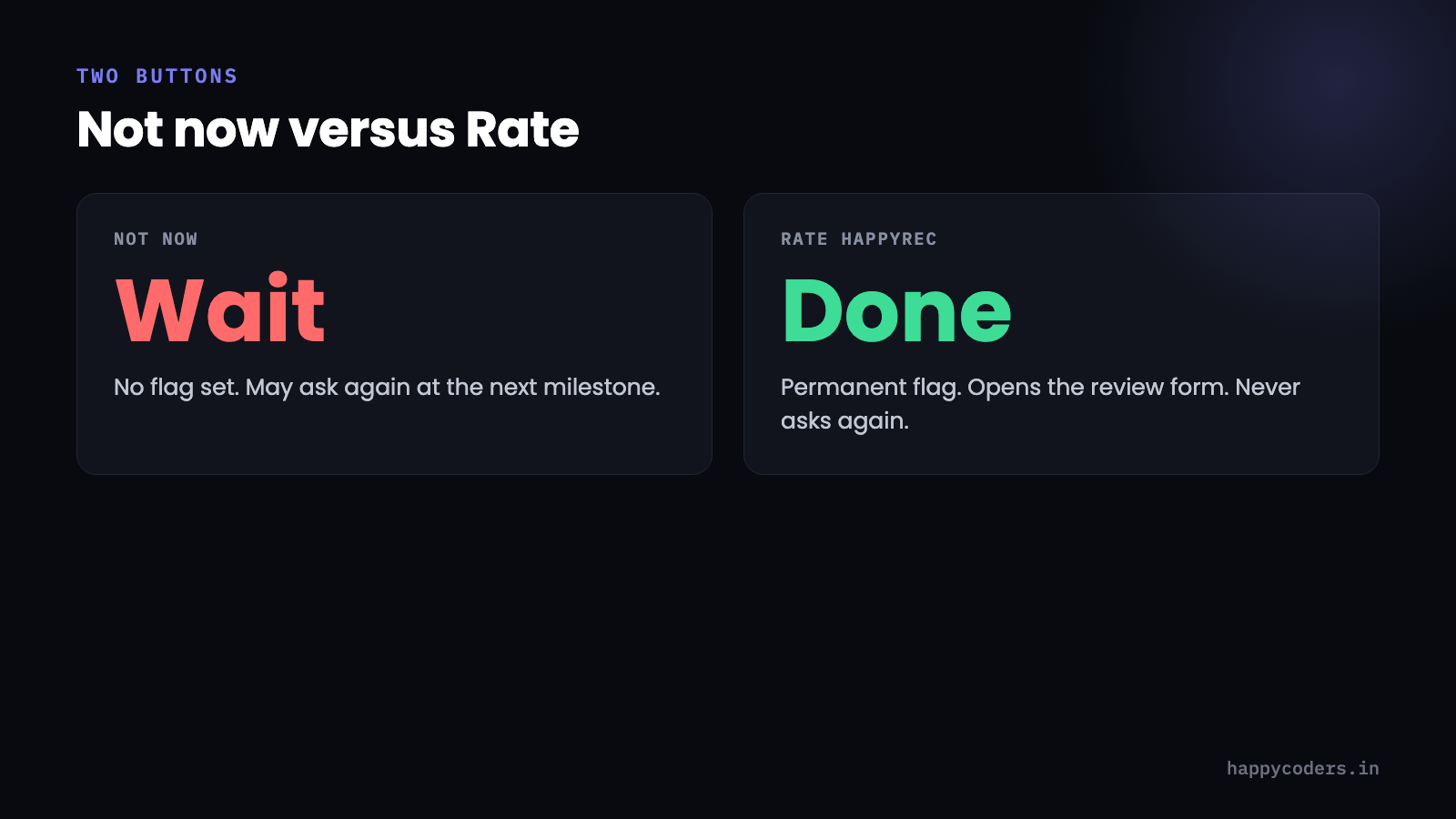
When a milestone is reached, HappyRec shows a small sheet in the same dark style as the rest of the recorder, not a system alert. It says “Enjoying HappyRec?”, tells the person how many recordings they have made, and offers two buttons: Not now and Rate HappyRec.
func acceptReviewPrompt() {      // "Rate HappyRec"
    ReviewPrompt.markCompleted()
    ReviewPrompt.openWriteReview()
    showReviewPrompt = false
}

func dismissReviewPrompt() {     // "Not now"
    showReviewPrompt = false     // no flag set: the next milestone may ask again
}
The two buttons are not symmetrical, and that is on purpose.
“Rate HappyRec” sets a permanent flag and opens the App Store. From then on, recordFinished() returns false at every milestone, even though the counter keeps going up. We have no way of knowing whether the person actually wrote a review, and we do not need to know. We asked, they said yes, and we will not ask again.
“Not now” just closes the sheet. No flag is set, so the person will be asked at the next milestone. Someone who dismisses at three recordings and is still using the app at fifteen may well feel differently by then. And if they say “Not now” at fifty too, there are no milestones left, so that is the end of it. At most, anyone is asked three times over their whole use of the app.
Rule six: send people straight to the review box
Opening the app’s store page and hoping people find the “Write a Review” link loses a lot of them. The Mac App Store accepts a link that opens the review form directly:
static func openWriteReview() {
    guard let url = URL(string:
        "macappstore://apps.apple.com/app/id\(appStoreID)?action=write-review")
    else { return }
    // NSWorkspace.open is a synchronous Launch Services round-trip,
    // so it runs off the main thread.
    DispatchQueue.global(qos: .userInitiated).async {
        NSWorkspace.shared.open(url)
    }
}
Two details in that function are worth copying.
The link uses the macappstore:// scheme with action=write-review, so it opens the App Store app on the review form, rather than a web page in the browser.
And it is opened from a background queue. NSWorkspace.open asks Launch Services to find and open the right app, and that call is synchronous. On the main thread, the interface would freeze for as long as that takes. It is a short freeze, but it lands at exactly the moment someone has just been kind enough to click “Rate”, so it is worth avoiding. HappyRec follows the same rule wherever it opens system links, such as the System Settings pages for permissions.
Finally, the function checks that the App Store ID is set, and logs an error instead of opening a broken link if it is not. That guard was useful before the app had a store listing, and it costs nothing afterwards.
Why not the system’s review prompt?
Apple provides a system API for asking for ratings, and for many apps it is the right choice. Its main feature is that the system decides whether to show anything: it limits how often the prompt can appear, and the app cannot tell whether it was shown. That is good for users, and frustrating for an app that wants a predictable, testable flow.
HappyRec’s sheet does the rate limiting itself, in the open: three milestones, a permanent stop after a “yes”, and nothing tied to time. Every decision is in one short file that anyone on the team can read and test. Whichever approach you choose, the rules above about when to ask apply equally.
A checklist for your own app
- Pick the moment of success in your app, and only ever ask there.
- Ask at a few spaced milestones, not on a timer or on launch.
- Store a counter that only goes up. Never derive it from files or data the user can delete.
- Do not count misfires: set a minimum, and only count work that was actually saved.
- Never ask on top of an error.
- Stop permanently after someone agrees. Let “Not now” wait for the next milestone, and have a last milestone.
- Link straight to the review form, and open it off the main thread.
- Log when the prompt is shown, accepted or dismissed, so you can see whether the timing works.
Questions people ask
Does HappyRec send my recording count anywhere?
No. The counter is stored in the app’s own preferences on your Mac, and the prompt is shown entirely locally. The only thing that leaves your computer is the App Store opening, and only if you click “Rate HappyRec”.
I deleted all my recordings. Will it ask me again?
No. Deleting recordings does not change the count, so you will not see a milestone twice.
Will it interrupt me while I am recording?
Never. It is only considered after a recording has finished and been saved.
HappyRec is our free screen recorder for Mac, Windows, Chrome and Edge. Recordings stay on your computer. See what it does.
Related articles
A Service Worker That Keeps Forgetting: How HappyRec’s Extension Keeps Its REC Badge and Recorder Window Straight
A Manifest V3 service worker is stopped whenever it is idle, and every variable goes with it. How HappyRec’s Chrome and Edge extension keeps…
Why Our Browser Recorder Saves Voice Notes as WAV, and How It Writes Them From an AudioWorklet
Browsers cannot record WAV, and the M4A and WebM files they do write carry a wrong or missing length. How HappyRec’s browser extension captu…

Explaining a Website While You Record: Drawing on the Page in Chrome and Edge
A voice can’t point. Circle the button, arrow at the field, highlight the error — live on the web page while you record, with HappyRec’s Chr…