
Vite Bakes Environment Variables In at Build Time: The Rebuild That Blanked Our Login Page
During a round of updates we rebuilt the Happy Tracker web app several times, deployed each build, and checked the pages we had changed. They worked. What we had not checked was the login page, and it was blank. People who were already signed in noticed nothing, because the rest of the app loaded perfectly. Anyone signing in, or signing up, got an empty screen.
Nothing in the code we had changed was wrong. The build itself had quietly produced a bundle with an empty sign-in configuration, because a settings file on the build machine no longer held the values it needed. This post explains why that can happen with Vite, which most Vue and React apps now use, why it fails in such a confusing way, and the short routine we now follow on every build so it cannot reach users again.
Environment variables in a browser app are not variables
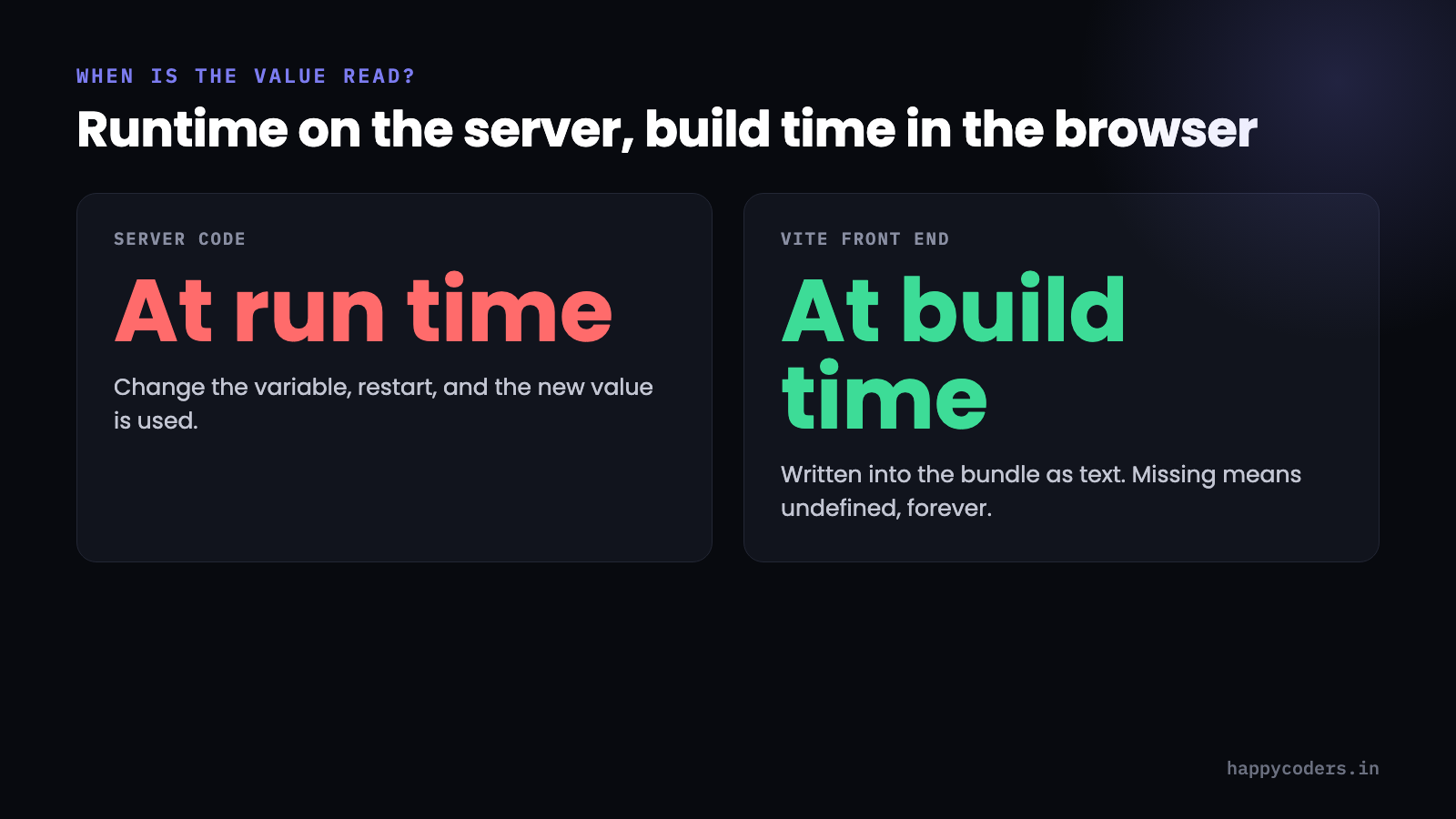
On a server, an environment variable is read when the program runs. Change it, restart, and the program sees the new value. Front-end code does not work like that, because it does not run on your server at all. It runs in each visitor’s browser, and the browser has no access to your server’s environment.
So Vite does something different. When you write import.meta.env.VITE_SOMETHING in your code, Vite replaces that expression with the actual value while it builds. The value is written into the JavaScript file as plain text, and that file is what you upload. Here is the configuration in our app:
// src/lib/firebase.ts (Happy Tracker web app)
const firebaseConfig = {
  apiKey:     import.meta.env.VITE_FIREBASE_API_KEY,
  authDomain: import.meta.env.VITE_FIREBASE_AUTH_DOMAIN,
  projectId:  import.meta.env.VITE_FIREBASE_PROJECT_ID,
  appId:      import.meta.env.VITE_FIREBASE_APP_ID,
  // ...storage bucket, sender id, measurement id
}
After a build, none of those import.meta.env expressions exist any more. The bundle contains the four strings themselves. That has two consequences that are easy to forget.
A value changed after the build does nothing. Editing the settings file on the server, or setting a variable in your hosting panel, has no effect on a bundle that is already built. You have to rebuild.
A value missing at build time is missing forever, for that build. If the build machine does not have the value, Vite does not stop or complain. It writes undefined into the bundle and carries on. The build succeeds, the deploy succeeds, and the problem shows up only when a visitor reaches code that needs the value.
Where Vite gets the values
Vite reads values from a set of .env files in the project folder, and which files it reads depends on the mode. A plain vite build runs in production mode. The files, from lowest to highest priority, are:
# Files Vite reads for `vite build` (mode = production), lowest priority first.
.env                    # every mode
.env.local              # every mode, ignored by git
.env.production         # production builds only
.env.production.local   # production builds only, ignored by git
# Variables already set in the shell's environment win over all of these.
# Only names starting with VITE_ reach the browser code.
This is where our values went missing. Our production values live in .env.production, alongside the address of our API. During a stretch of work on the app, a series of builds ran with that file no longer holding the sign-in values. The file existed and the API address was right, so the app talked to the right server and everything that did not touch sign-in worked. The four sign-in values were simply not there.
Two other features of this order catch people out. A .env.production.local file, often created on one developer’s machine for testing and ignored by git, silently overrides the shared file. So the same commit can build differently on two machines. And a variable set in the shell overrides every file. A value exported in a terminal for some earlier task and forgotten can end up inside a production bundle.
Why the failure was so confusing
The sign-in configuration is used in one small module. Our app loads pages lazily: the code for the login page is only downloaded when someone opens it, and the login and sign-up pages are the only places the sign-in module is imported. So a bundle with a broken sign-in configuration fails in one place and works everywhere else.
That is good for performance and bad for noticing problems. A quick click around the app after deploying, the dashboard, the timesheet, the board, all loads fine, especially when you are already signed in, which you always are when you are testing. The only pages that break are the ones a developer almost never sees: the login page and the sign-up page. The first people to find them are new customers, at the exact moment they are deciding whether to use the product.
The way it broke made it worse. Before we added a check, the missing values reached the sign-in library as undefined, and the library failed deep inside its own code with an error that said nothing about configuration. The page had nothing to show, so it showed nothing.
Fix one: fail loudly, at the first line
The first change was to the code. The module now checks its own configuration the moment it loads, and refuses to continue if anything essential is missing:
// Vite inlines a missing env var as the literal `undefined`, which would fail
// deep inside the Firebase SDK with an opaque error. Fail loudly and early instead.
const missing = (['apiKey', 'authDomain', 'projectId', 'appId'] as const)
  .filter((k) => !firebaseConfig[k])

if (missing.length) {
  throw new Error(
    `Firebase is not configured: missing VITE_FIREBASE_* for ${missing.join(', ')}.`,
  )
}
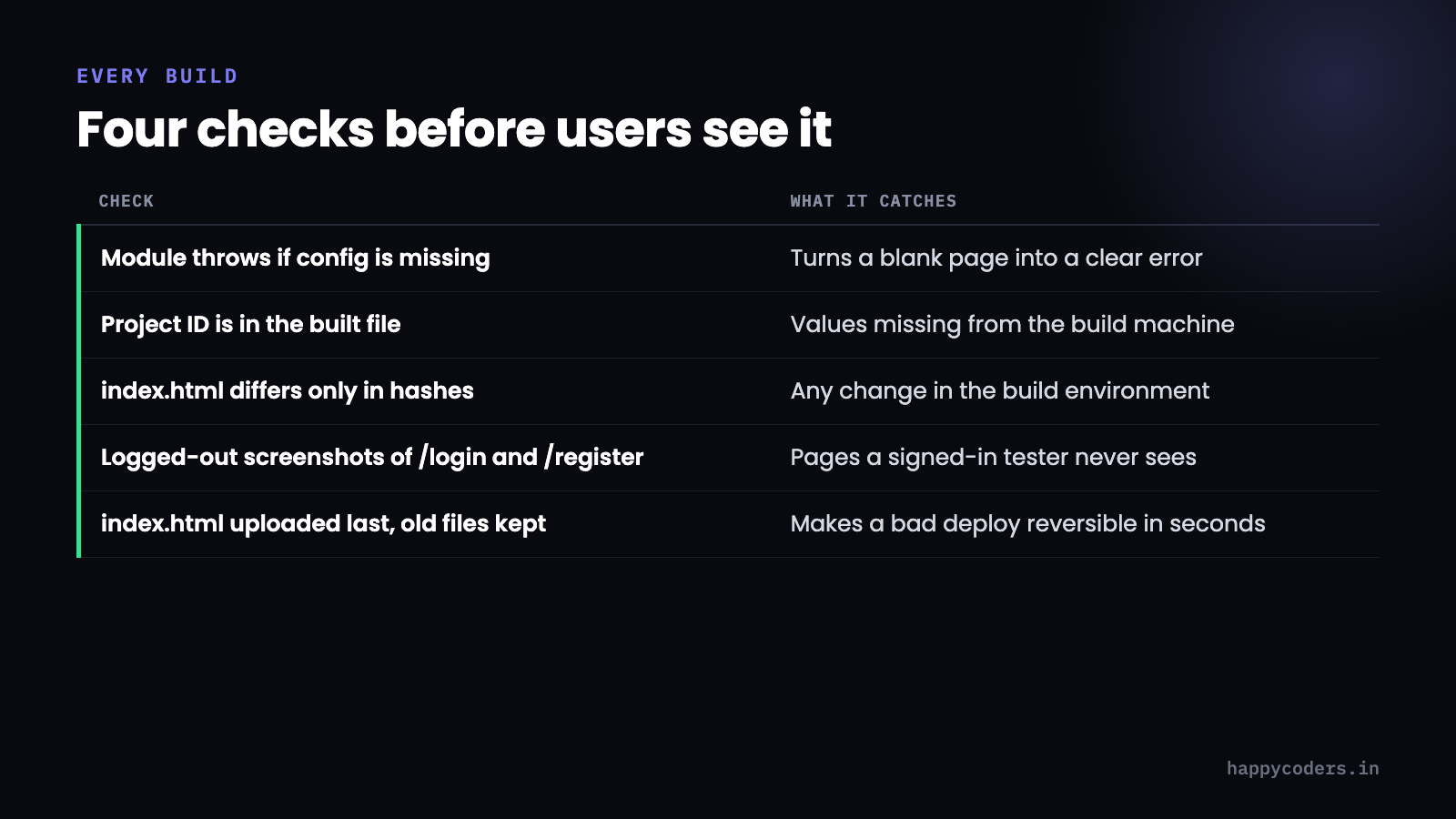
This does not prevent a bad build. What it does is turn a mystery into a sentence. Instead of an opaque error from inside a library, the browser console now names the exact missing values and the fix. A failure that explains itself takes minutes to fix. One that does not can take an afternoon.
It is worth adding a check like this for every value your front end cannot work without: the API address, payment keys, analytics IDs, map keys. Check the few that matter, not every variable, and say in the message what to do.
Fix two: check the bundle, not the settings file
The second change was to how we build and deploy. The rule is simple: the settings file is not the thing that ships, so do not trust the settings file. Check the built output, which is the thing that ships. Our routine on every build of the web app:
# 1. Before building: are the keys there at all?
grep -c '^VITE_FIREBASE_' .env.production        # we expect 7

# 2. Build exactly the way production is built.
npx vite build --mode production

# 3. After building: did the value actually land in the bundle?
grep -l 'our-firebase-project-id' dist/assets/firebase-*.js || echo "STOP: not in bundle"

# 4. Compare with what is live. Only the hashed file names should differ.
diff dist/index.html deployed-index.html
Step 3 is the one that would have caught the original problem. It searches the built sign-in file for our Firebase project’s ID. If the value made it into the bundle, the file contains it. If it did not, nothing matches, and we stop before uploading anything.
Step 4 is a broader safety net. Our build is reproducible: building the same code with the same settings produces the same files. So if we build without code changes and compare the new index.html with the live one, the only difference should be the hashed file names. Any other difference means the build environment has changed, and we want to know why before we deploy.
Fix three: deploy so a bad build can be undone in seconds
Vite gives every built file a name that includes a hash of its contents, such as firebase-QEb5kLX-.js. Change the contents and the name changes. We use that to make deploys safe to reverse.
We upload only the new hashed files first, and leave the old ones where they are. Then we upload index.html last. That one small file is the switch: it decides which set of hashed files visitors load. Until it changes, everyone keeps running the old version. Anyone with the app already open in a tab keeps working too, because the files their page asks for still exist. The web app’s assets folder now holds over a thousand files from earlier builds, which costs almost nothing in disk space.
This is also what got us out of the original problem quickly. Because the previous build’s sign-in file was still on the server, the correct configuration values were still sitting in it. We read them back out of the old bundle, restored them to the settings file, rebuilt, and confirmed the project ID was in the new bundle before switching index.html.
Fix four: look at the pages nobody looks at
After every deploy we load the login page and the sign-up page in a headless browser, signed out, and look at the screenshots. It takes under a minute. A blank login page is obvious in a screenshot and invisible to someone clicking around the app while signed in.
The general lesson is to make a short list of the pages that matter most to someone who is not your developer: sign-in, sign-up, password reset, checkout, the public pricing page. Check those specifically after every deploy, logged out, because those are exactly the pages your own testing skips.
Are these values secret?
No, and it is worth being clear about this, because people sometimes respond to this problem by trying to hide the values. Anything baked into a front-end bundle is public: anyone can open the browser’s developer tools and read it. Firebase’s web configuration is designed to be public. It identifies the project; it does not grant access to anything on its own.
The security sits on the server. When someone signs in with Google, the browser receives a token and sends it to our API, and the API checks that token with Google before trusting it. A copied configuration lets someone show a Google sign-in box. It does not let them sign in as anyone else.
The flip side matters just as much: never put a real secret in a VITE_ variable. Payment secret keys, database passwords and private API keys belong on the server. Vite only exposes variables with the VITE_ prefix to browser code, precisely so that a secret in the same file is not shipped by accident. Do not defeat that by renaming a secret to fit.
A checklist for any Vite app
- Remember that
import.meta.envvalues are fixed at build time. Changing them later means rebuilding. - Know which
.envfiles your production build reads, and watch for.localfiles and shell variables that override them. - Make essential configuration fail loudly at load time, with a message that names the missing value.
- After building, check the bundle for a value you expect, and compare
index.htmlwith the live one. - Upload hashed files first and
index.htmllast, and keep old hashed files so a deploy can be reversed. - After deploying, check the logged-out pages: sign-in, sign-up and anything a new customer sees first.
- Keep real secrets out of
VITE_variables entirely.
Questions we were asked
Why not read the configuration from the server at runtime instead?
It is a reasonable design: the app fetches a small JSON file of settings when it starts. It means one build can serve several environments. The cost is an extra request before the app can do anything, plus a new failure mode if that request fails. For one product with one production environment, a checked build was the simpler fix.
Would TypeScript have caught this?
No. TypeScript checks the code, and the code was correct. The problem was a missing value in the build environment, which only exists when the build runs.
Does this affect the desktop apps?
No. The Happy Tracker desktop apps for Windows, Mac and Ubuntu are built separately. This was only the web app.
Happy Tracker is our time tracking, leave and attendance system for service businesses, free for up to five users. See how it works.
Related articles
Empty Means Everyone: Designing Per-Person Leave Eligibility Without Locking Anyone Out
Per-person leave eligibility looks like a checkbox. Underneath is one decision: what a person with no rows is entitled to. Why no rows has t…
Desktop App or Browser: Deciding Where Your Team Can Clock In
Four of five people clocked in from a browser, so the screenshots were empty. How to choose between browser, desktop-only and desktop-with-e…
The Project Is Going Over and You Have Not Told the Client
Week six, forty per cent over, and the conversation has not happened. How to have it now, and what the tracker should have told you in week …