


A tracker gets installed on a Monday. By Thursday somebody has found the setting that records every key pressed, switched it on because it was there, and the company has quietly become a different kind of employer than it was on Friday.
Nobody decided that. It happened because the feature existed and no one had written down which features the company was going to use. That is how most monitoring goes wrong — not through a decision to spy on people, but through the absence of a decision not to.
So it is worth being specific about what belongs in a productivity tracker and what does not, because the difference is not a matter of degree. Some things measure work. Other things watch a person. They look similar on a settings page and they are not remotely the same thing.
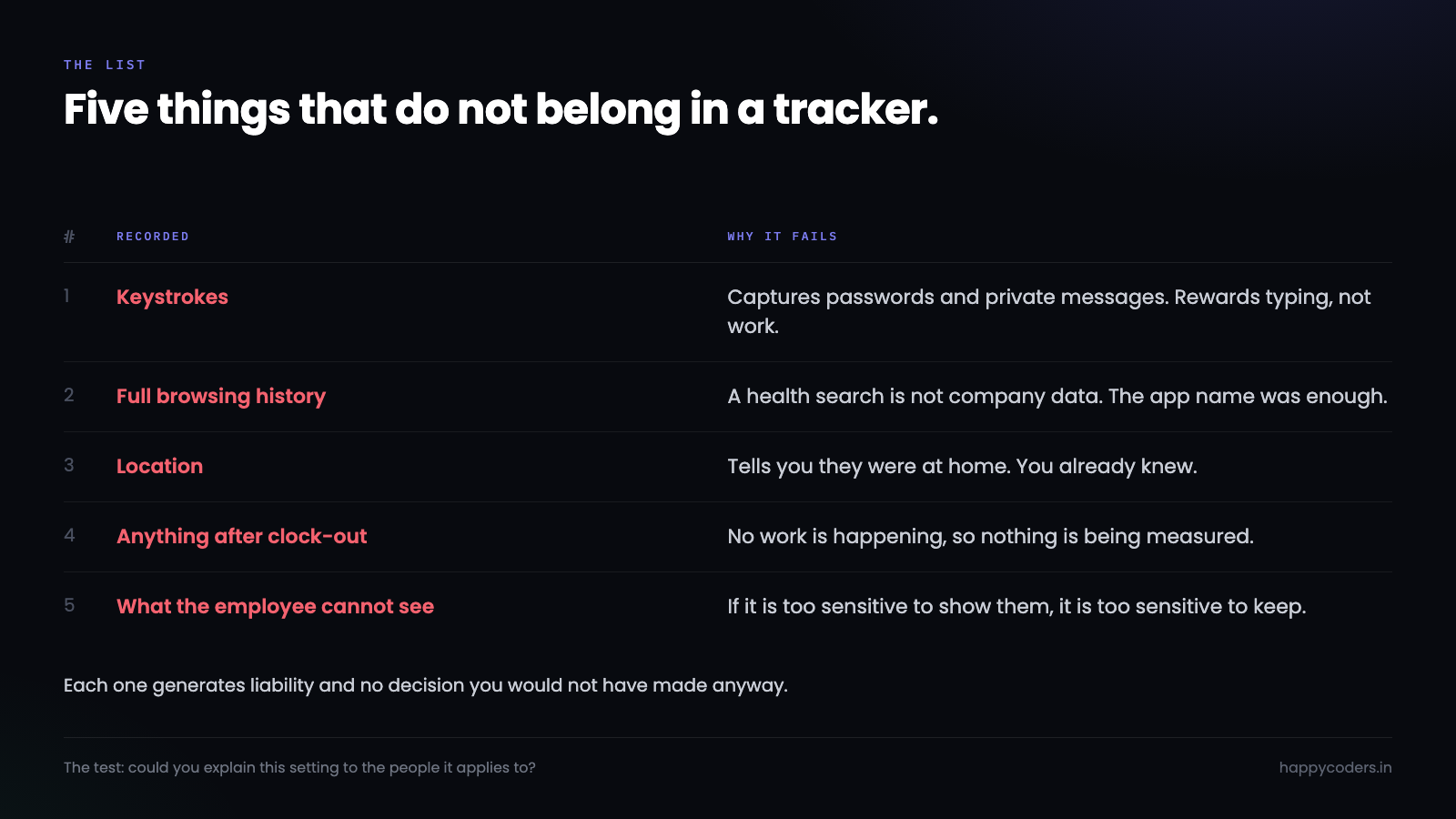
Keystrokes
Keystroke logging is the clearest line in the whole subject, and it is worth understanding why rather than just accepting it.
A keylogger does not record work. It records everything typed on the machine, and that includes a password typed into a personal bank account at lunchtime, a message to a doctor, a resignation letter drafted and deleted, a card number. Once that stream exists, it exists. It is in a database, it is in a backup, and it is one breach away from being somebody else’s.
Set aside the ethics for a moment and look at it as a liability. You now hold credentials to systems you do not own, belonging to people who did not knowingly give them to you. There is no version of a data breach involving that table that ends well, and there is no business justification that survives being read out afterwards.
Then there is the practical problem: it does not even work. Keystroke counts measure typing, and typing is not the job. A developer who spends two hours reading code and then writes twelve lines that fix the bug has produced the best work of the week and the worst keystroke number in the team. A person who reformats a document repeatedly looks superb. You have built a metric that rewards the wrong behaviour, and people notice quickly and start typing.
Personal browsing
A tracker that categorises activity has to know something about what was on screen. There is a real difference between knowing that forty minutes went to a browser and recording every URL in it.
The honest version records the application and, where it matters for categorising work, the site. The dishonest version keeps a full browsing history for the working day, which means it keeps the health search someone did at 3pm, the thing they looked up about their child’s school, the job board they opened out of curiosity.
The test is simple and it is not about technology. If somebody on your team read the log of their own day, would they feel measured, or would they feel exposed? Forty minutes in a browser is measurement. A list of everything they read is exposure, and no report you generate from it is worth what it costs you.
There is a version of this that is legitimate and worth saying out loud, because the answer is not that a tracker should be blind. Knowing that someone spent six hours in the code editor and ninety minutes in documentation is genuinely useful, to them as much as to anyone. Knowing which documentation page is not.
Location
GPS tracking has almost no honest use in an office or a remote software team, and it gets included in products because it is easy to build and sounds impressive in a feature list.
What does it actually tell you? That an employee was at home, which you knew. That they worked from a cafe, which does not affect the output. That they were somewhere else on Saturday, which is not your business and should not be in your database.
Field teams are the genuine exception — a technician visiting sites, a delivery route. There, location is the work, and tracking it is no more intrusive than a job sheet. Even then it should run during the shift and stop at the end of it, because the justification ends at the same time the shift does.
For everyone else, location is a feature that generates risk and no insight. If your team sits at desks, physical or otherwise, the map adds nothing to a single decision you will make.
Anything after clock-out
This is the one that gets broken by accident more than any other, and it is the one people are angriest about when they find it.
A tracker that keeps recording after the working day has ended is not monitoring work, because there is no work happening. It is monitoring a person’s evening on a laptop the company happens to own. The distinction the employee will draw, correctly, is that they agreed to be measured while working and did not agree to anything else.
Most of the time it is not deliberate. The tracker has no clear notion of a session ending, someone forgets to clock out, and screenshots keep arriving at 11pm. The company never intended it and the employee has no way of knowing that.
The fix is a design decision, not a policy one. Tracking should be explicitly started and explicitly stopped, idle time should end a session on its own after a sensible gap, and nothing should be capable of running in the background without a visible indicator that it is running. If the only thing standing between your company and recording somebody’s evening is that they remembered to click a button, that is not a safeguard.
Private messages and personal accounts
Screenshots are the sharpest part of this, because a screenshot does not know what is on the screen. It captures a personal chat window exactly as faithfully as it captures a spreadsheet.
Three things make this survivable. Blur, first — a tracker that blurs screenshots by default still tells you whether someone was in a code editor or a video, and stops telling you the contents. Second, the person being recorded should be able to see their own screenshots, all of them, and delete any that caught something personal. If a capture is too sensitive for them to see, it is too sensitive to keep. Third, retention — captures should age out automatically, so a screenshot from eight months ago is not sitting in storage waiting to be misused by somebody who was not even in the room when it was taken.
Without those three, a screenshot feature is a slow-motion incident. With them, it is a reasonable record of how a day was spent.
The line, stated plainly
Everything above comes down to one distinction that is easier to apply than any list of features.
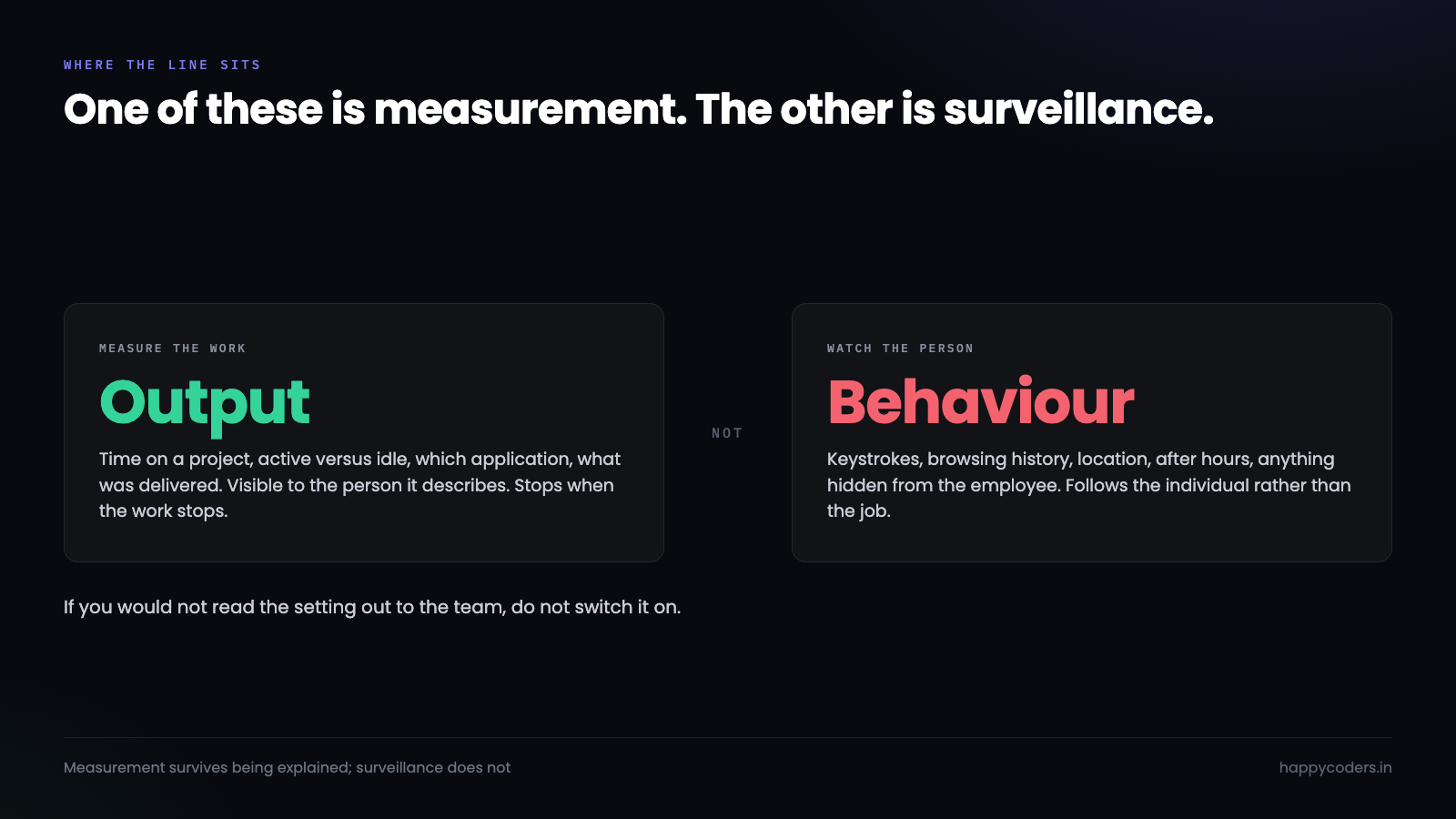
Measure the work. Time on a project, which application, active versus idle, what was delivered. All of it is about output, all of it is visible to the person it describes, and none of it follows them anywhere.
Do not watch the person. Keystrokes, full browsing history, location, anything after hours, anything the employee cannot see about themselves. All of it is about the individual rather than the work, and none of it survives being read out loud in a room with the team in it.
That last part is the whole test. If you would not be comfortable explaining a setting to the people it applies to, in plain words, with them able to ask questions — do not switch it on. Not because it is illegal, though it sometimes is, but because you will lose more in trust than you will ever gain in data.
Write it down, then hand it over
A policy nobody has read is not a policy. What follows is short on purpose, because a document people actually finish is worth more than a thorough one they skim.
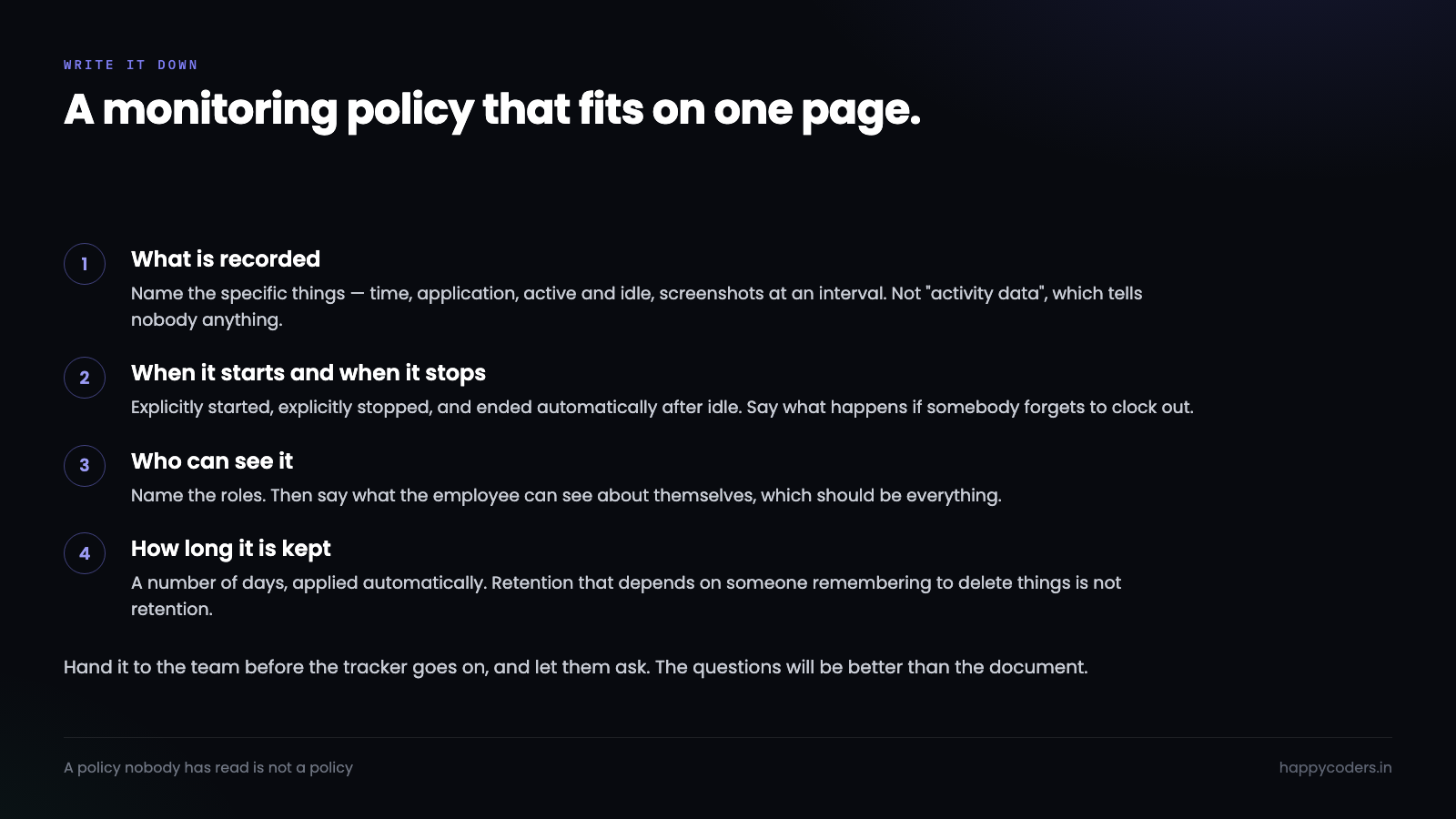
Four paragraphs is enough. What is recorded, in specific terms rather than “activity data”. When recording starts and when it stops. Who can see it, and what the employee can see about themselves. How long it is kept before it is deleted automatically.
Then do the part most companies skip: give it to the team before you switch the tracker on, and let them ask about it. The questions you get will be better than the policy you wrote. Somebody will ask what happens if they forget to clock out, and you will realise you do not have an answer, and that is exactly the sort of gap that turns into a grievance six months later.
Why the restraint pays
The argument for all of this is usually made on ethics, and the ethics are real, but there is a straightforwardly commercial case as well.
Surveillance changes behaviour, and not in the direction you want. People who feel watched optimise for looking busy, because looking busy is what is being measured. You lose the thinking time, the reading, the conversation that prevents a week of wasted work. What you gain is a dashboard that goes up while delivery stays flat, which is the worst of both outcomes because it looks like success.
Restraint also makes the data better. A team that trusts the tracker uses it properly — clocks in honestly, categorises time, fixes an entry when it is wrong. A team that does not trust it games it, and then every number you have is fiction you paid for.
And the numbers you give up are the ones that were never worth having. Nobody has ever made a good decision from a keystroke count. Plenty of companies have made good decisions from knowing that a project quietly consumed four hundred hours against a two hundred hour estimate, and that number requires none of the things on the list above.
If you are choosing a tracker
Ask what it cannot do. A vendor that lists keystroke logging, invisible mode and location as selling points has told you who their product is designed for, and it is not a team that trusts each other.
Then check three specifics, because these separate products that thought about it from products that did not. Can the employee see everything recorded about them? Does tracking stop by itself when the work does? Do captures get deleted on a schedule, without anyone having to remember?
If the answer to all three is yes, the rest of the feature list matters much less than it appears to.
Happy Tracker does not record keystrokes, does not track location and has no invisible mode — those were decisions, not gaps. Members see their own time and their own screenshots, tracking stops when the work does, and captures are deleted automatically on a retention schedule you set.




