


A fully remote team is straightforward to track. So is a fully office-based one. The awkward case is the one most companies are actually in: some people in on Tuesdays and Thursdays, some never, one person in a different timezone, and a couple who move between the two depending on the week.
What breaks is not the software. It is that the same working day now gets recorded two different ways depending on where somebody sat, and by the end of the month you have a report comparing numbers that were never measured the same way.
Most comparison articles about this will hand you a feature grid. The grid is not the problem — every product in this category has roughly the same features. The differences that matter are in how four specific things behave, and none of them appear on a pricing page.
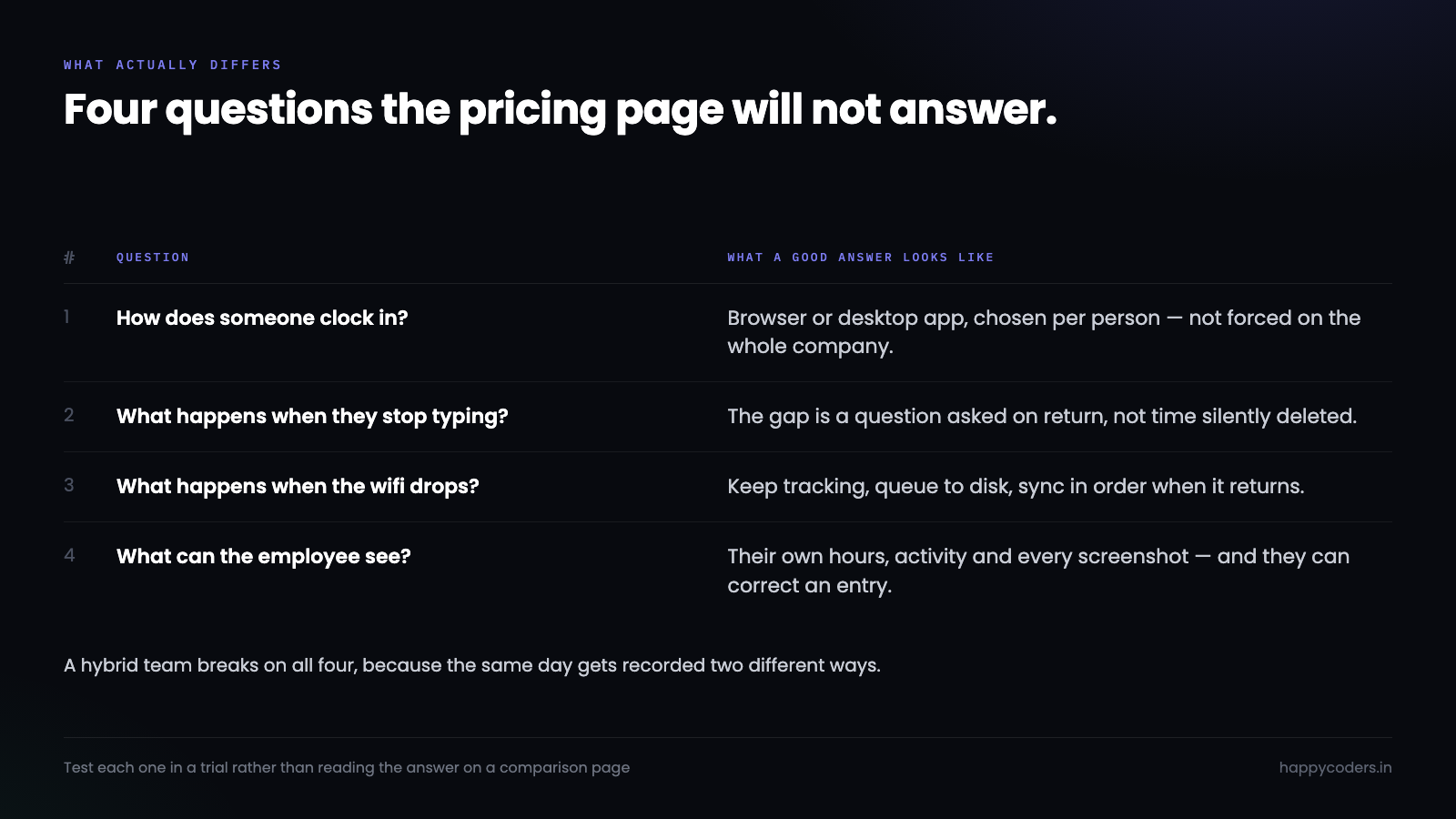
How somebody clocks in
This is the first real fork, and a lot of teams get it wrong by not deciding at all.
A browser clock-in is one click and works from anywhere, on any machine, including a phone. It is also completely unverified. Someone can clock in from bed. For a team of professionals paid for output that may be entirely fine — plenty of companies track hours for billing and project costing, not for attendance, and for them the browser is the right answer and the discussion ends there.
A desktop app clock-in ties the session to a machine, and is the only way to get activity data or screenshots, because a browser tab cannot see what other applications are doing. It is more accurate and more intrusive, in that order.
The hybrid problem is that different people reasonably need different answers. The designer who needs activity tracked for client billing should be on the desktop app. The salesperson who works from a phone between meetings should not be, because forcing them onto a laptop tracker produces a worse record than no record.
So the thing to check is not which method a product supports. It is whether the choice can be made per person. A product that forces one method across the whole company will be wrong for part of your team on day one, and the way that failure shows up is people not tracking at all rather than complaining.
What happens when somebody stops typing
Idle handling is where these products differ most and advertise least, and it is the single biggest source of distrust in a tracker.
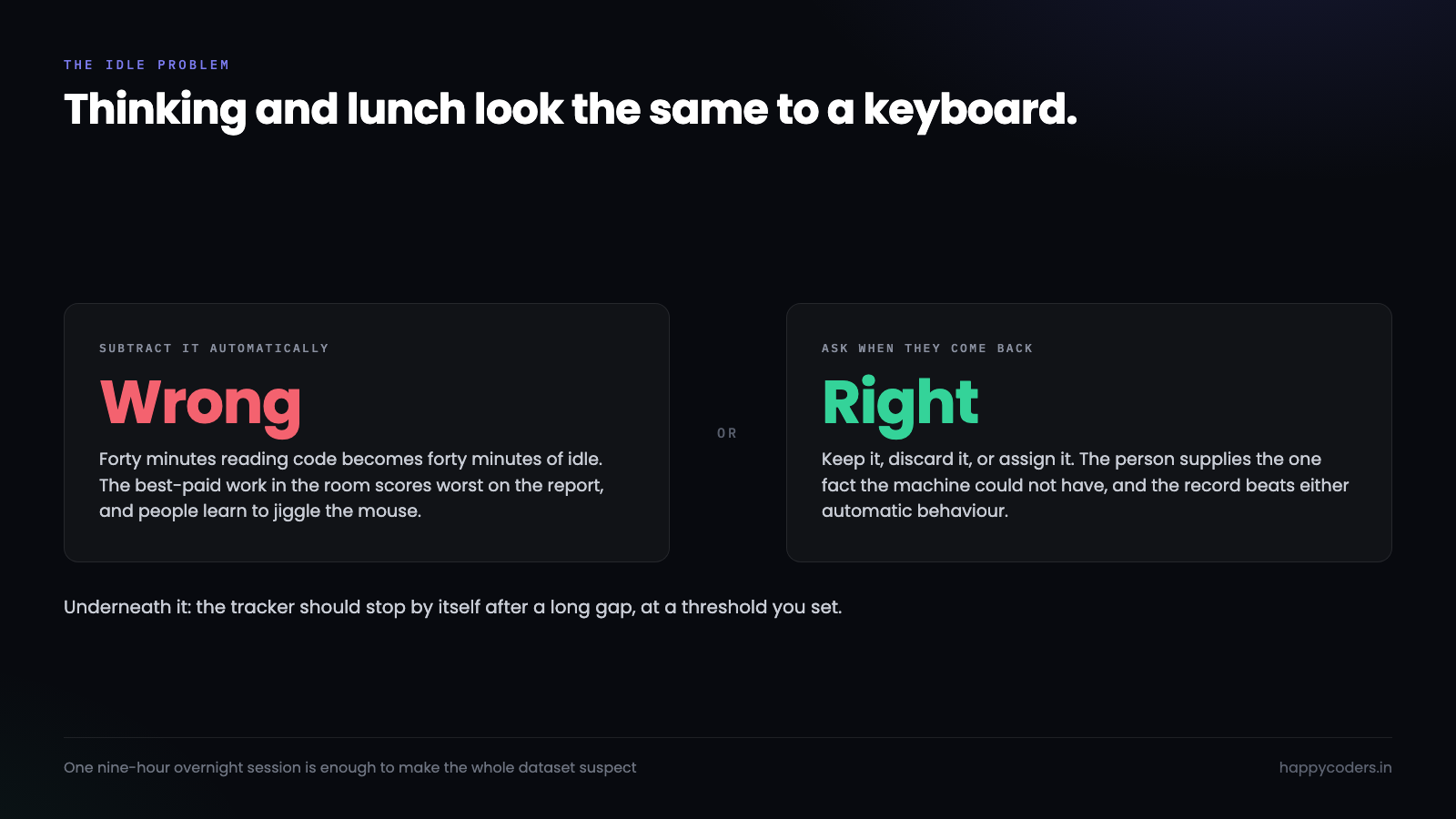
The naive implementation counts any period without keyboard or mouse input as idle and subtracts it. That is wrong in a specific, infuriating way: reading a specification, watching a recording, being on a call and thinking about a problem are all work, and all of them look identical to an idle timer. A developer who spends forty minutes reading code before writing anything is the best-paid person in the room and the most idle on the report.
What a well-designed tracker does instead is treat idle as a question rather than an answer. It notices the gap, and when the person comes back it asks what it was: keep it, discard it, or assign it to something. The person who was on a call says so and the time stays. The person who went to lunch discards it. The record is better than either automatic behaviour, because a human supplied the one piece of information the machine could not have.
There is a second decision underneath: does the tracker stop on its own after a long gap, or keep running? It should stop, and the threshold should be configurable. A tracker that runs all night because someone forgot to clock out produces a nine-hour day that everyone knows is fiction, and one of those is enough to make the whole dataset suspect.
What it does when the connection drops
Home internet fails. Trains have tunnels. Cafe wifi makes you accept terms every twenty minutes. A tracker for a hybrid team is going to lose its connection regularly, and what it does in that moment is worth more than most of the feature list.
The bad behaviour is to silently stop recording and resume when the network returns, leaving a hole. Worse is to lose the current session entirely. Either way the employee has lost work they actually did, and their trust in the tool goes with it.
The correct behaviour is to queue locally and sync later. Tracking continues, entries are written to disk, and when the connection comes back everything uploads in order. The person should not have to know it happened.
Two details separate the products that thought about this. Screenshots are large, so a tracker that queues them needs a disk budget and a sensible order — upload the time entries first, because those are what the invoice depends on, and the images afterwards. And the sync has to survive a laptop sleeping mid-upload and waking up on a different network, which is the normal case, not an edge case.
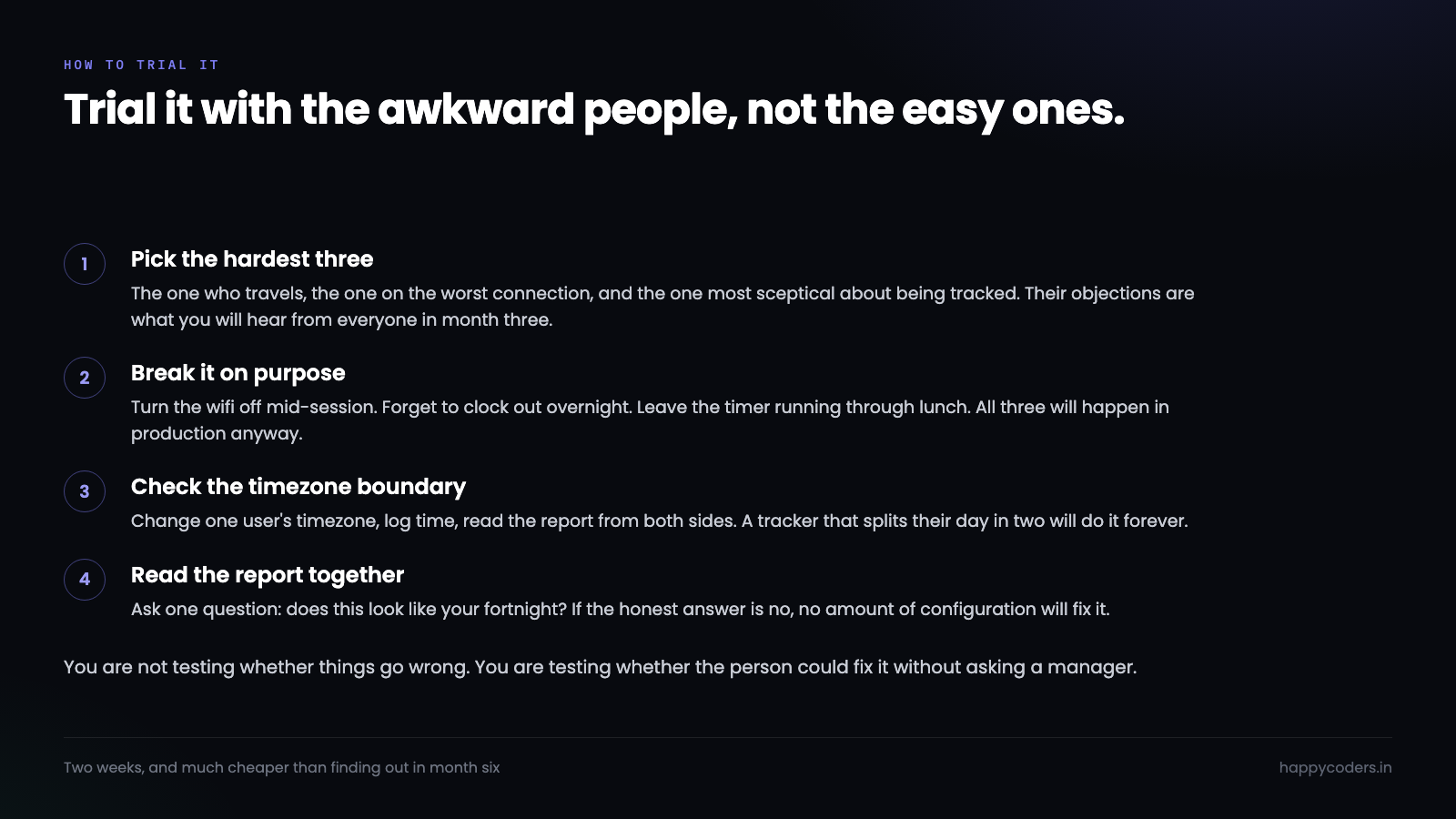
This is worth testing rather than reading about. Turn the wifi off, work for ten minutes, turn it back on, and look at what arrived.
What an employee can see about themselves
This one is not a technical criterion and it predicts adoption better than any of the others.
If a person can open the tracker and see their own hours, their own activity summary and every screenshot taken of their screen, the tracker is a tool they use. If that information only flows upward, it is a tool used on them, and the difference shows up in behaviour within a fortnight.
It matters more in a hybrid team than anywhere else, because the office half get informal credit for being visible. Someone at a desk is seen making coffee, talking through a problem, staying late. The person at home gets none of that and is represented entirely by whatever the tracker recorded. If they cannot see what it says about them, they are being assessed on evidence they are not allowed to read.
The specific things to check: can they see their own screenshots, all of them? Can they delete one that caught something personal? Can they correct an entry that is wrong, with the correction visible rather than silent? A product where the answer is yes has decided what kind of tool it is.
Two things that sound important and are not
Worth saying, because they consume a lot of evaluation time.
Screenshot frequency. Every product advertises an interval and teams debate it at length. In practice the difference between a capture every three minutes and every ten is not information, it is storage. Neither tells you anything about the quality of the work. If you find yourself in a long discussion about this, the discussion is a symptom of not having agreed what the screenshots are for.
Integration count. A long list of integrations mostly matters if you will genuinely use two or three of them. Check those two or three specifically and ignore the number. A tracker that exports clean CSV covers more real cases than one with forty logos on a page.
The timezone thing nobody checks
One genuine technical trap, and it stays hidden until it bites.
If any of your team works in a different timezone, ask what the daily report boundary is. A tracker that stores local time and reports on the company’s day will split that person’s Tuesday across two rows, permanently. It looks like they worked two half days, every day, forever.
The correct design stores an absolute point in time and renders it in whatever timezone the viewer is in. Most products get this right now. The ones that do not, get it wrong in a way that is very hard to fix afterwards, because the underlying data is already ambiguous.
Test it before you commit: change one user’s timezone, log some time, and look at the report from both sides.
Run a two-week trial with the awkward people
The mistake in evaluating these products is trialling them with the team members who will have no problem. A cooperative person on a desktop machine with good internet will make any tracker look fine.
Pick the opposite. The person who travels. The one on the worst connection. The one who is most sceptical about being tracked, because their objections are the ones you will hear from everybody else in month three.
Two weeks is long enough for the real failures to appear — the forgotten clock-out, the dropped connection, the day where the timer ran through lunch. What you are looking for is not whether those things happen, because they will. It is whether the tracker made them easy to fix, and whether the person could fix them without asking a manager.
Then read the report together and ask one question: does this look like your fortnight? If the honest answer is no, no amount of configuration will save it, and it is much cheaper to find that out in week two than in month six.
Happy Tracker lets you choose browser or desktop clock-in per person rather than for the whole company, keeps tracking through a dropped connection and syncs afterwards, and shows every member their own hours, activity and screenshots.




