


Every time tracker with screenshots makes you choose how often to take one. The range is usually wide — from one every ten minutes up to twelve in the same period — and the field gives you no guidance at all. People pick the middle, or they pick the highest because it feels thorough, and both are guesses.
It is worth more thought than it gets, because this single number does more to decide whether a rollout survives than any other setting in the product.
What the numbers actually mean
The interval sounds abstract until you convert it into images.
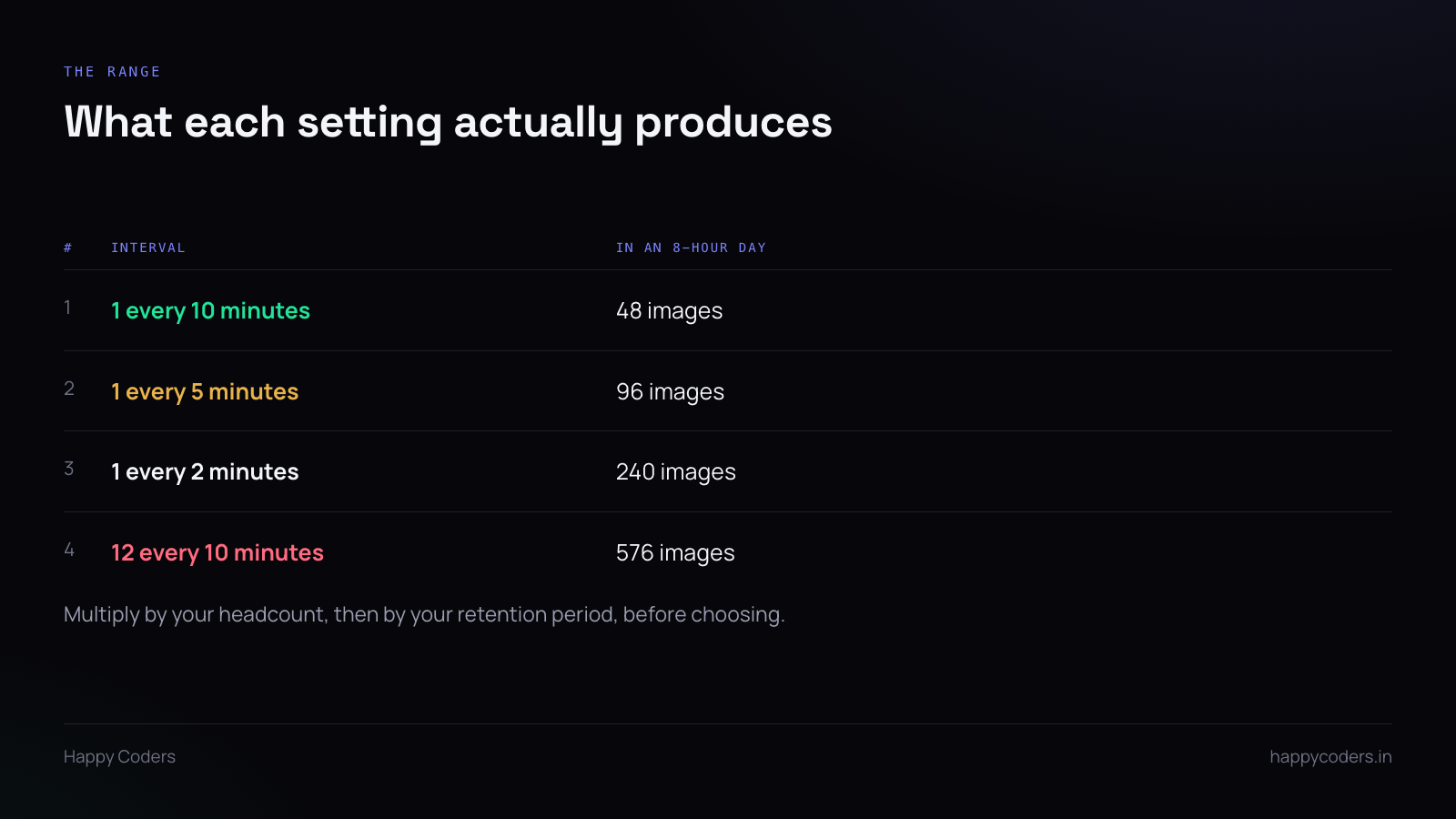
One every ten minutes gives you forty-eight images for an eight-hour day. Twelve every ten minutes gives you five hundred and seventy-six. For a team of ten that is four hundred and eighty images a day against five thousand seven hundred and sixty — and whatever your retention period is, you are storing and someone is potentially scrolling through all of them.
Nobody reviews five thousand images a day. The high setting is almost never used for what it captures; it is used because it was there. That is the clearest sign the number was picked without a reason.
Start from the reason, not the number
Ask what the screenshots are for, in one sentence, and the interval usually picks itself.
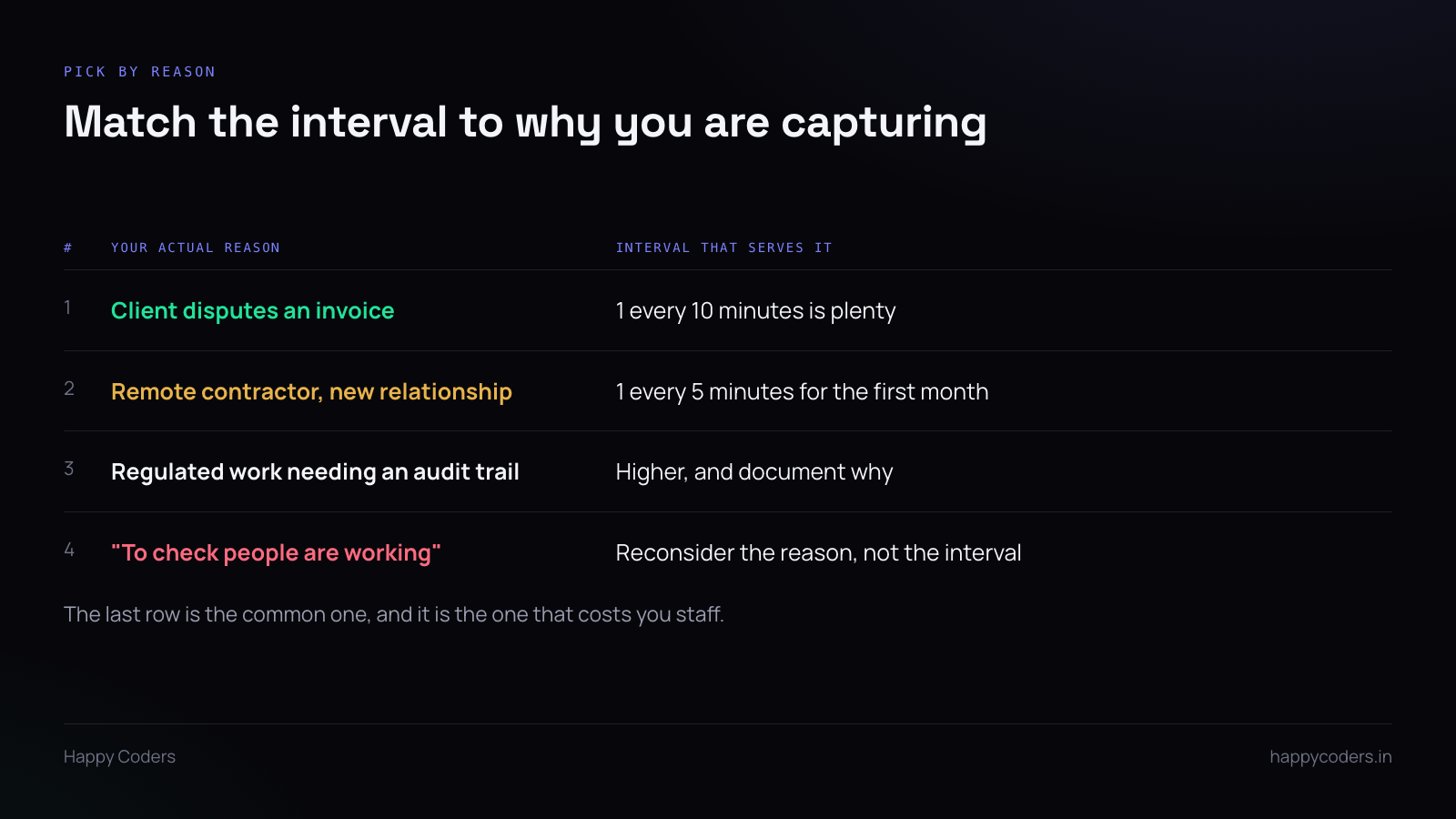
If it is invoice disputes — a client asks what those six hours on Tuesday were — then one every ten minutes is more than enough. You need evidence that work happened on the thing you billed for, and forty-eight images across a day is abundant evidence.
If it is a new remote contractor you have not worked with before, a tighter interval for the first month is defensible, and so is saying out loud that it will loosen after that. A temporary setting that is announced as temporary reads very differently from a permanent one.
If it is a regulated or audited environment, the requirement will tell you the number, and you should write down which requirement, because somebody will ask in a year.
If the reason is “to check people are working”, the interval is not your problem. No screenshot frequency fixes a trust question, and the higher you set it the more clearly you broadcast the question. That one is worth resolving before touching the setting.
The cost nobody models
Storage is the obvious cost and usually the smallest one. The real costs are quieter.
Nobody looks at them. A high interval produces an archive that is never reviewed, which means you are carrying the full social cost of monitoring and getting none of the benefit. If you are honest about how often anyone actually opens a screenshot, the number is probably “when there is a dispute, a few times a year.”
Retention multiplies it. Interval and retention compound. Five hundred and seventy-six images a day kept for fifteen days is eight thousand six hundred and forty images per person on disk at any moment. Keeping more for longer is a decision about liability as much as about storage — every image is something you now hold and may have to produce.
People notice the rhythm. At a tight interval, staff become aware of the capture. They start timing their breaks around it, or they stop opening personal things entirely during work hours, which sounds like a win until you realise it also means they stop clocking in for the twenty minutes they used to work in the evening.
A setting worth more than the interval
If the product supports blurring, it often solves the problem the interval was being used to solve. A blurred screenshot still shows that work was happening and roughly what kind — a code editor, a design tool, a spreadsheet — without being readable.
For invoice evidence that is entirely sufficient, and it changes the conversation with staff completely. When blur is applied on the employee’s own machine before upload, an unblurred copy never leaves their computer, which is a genuinely different promise from “we have the image but we will not look closely.”
Blur plus a ten-minute interval is a better combination than no blur at a two-minute interval, for almost every reason a small company actually has.
How to pick it, practically
Three steps, in this order.
First, write the reason in one sentence. If you cannot, stop here; the interval is not the decision you need to make.
Second, pick the loosest interval that satisfies that sentence. Looser is the default, not the compromise. You can tighten later with a reason; loosening later looks like a retreat.
Third, say the number out loud to the team and write it down. A setting that everyone knows is a policy. A setting nobody mentioned is something they will find out about, and finding out is the part that causes damage.
Changing it later
You can change the interval whenever you like, and the only thing that matters is whether people hear it from you first.
Tightening it without explanation reads as a response to something — and everyone will assume they know what. If you tighten it, give the reason in the same breath. If you loosen it, say that too; it is one of the few management announcements that costs nothing and buys goodwill.




