


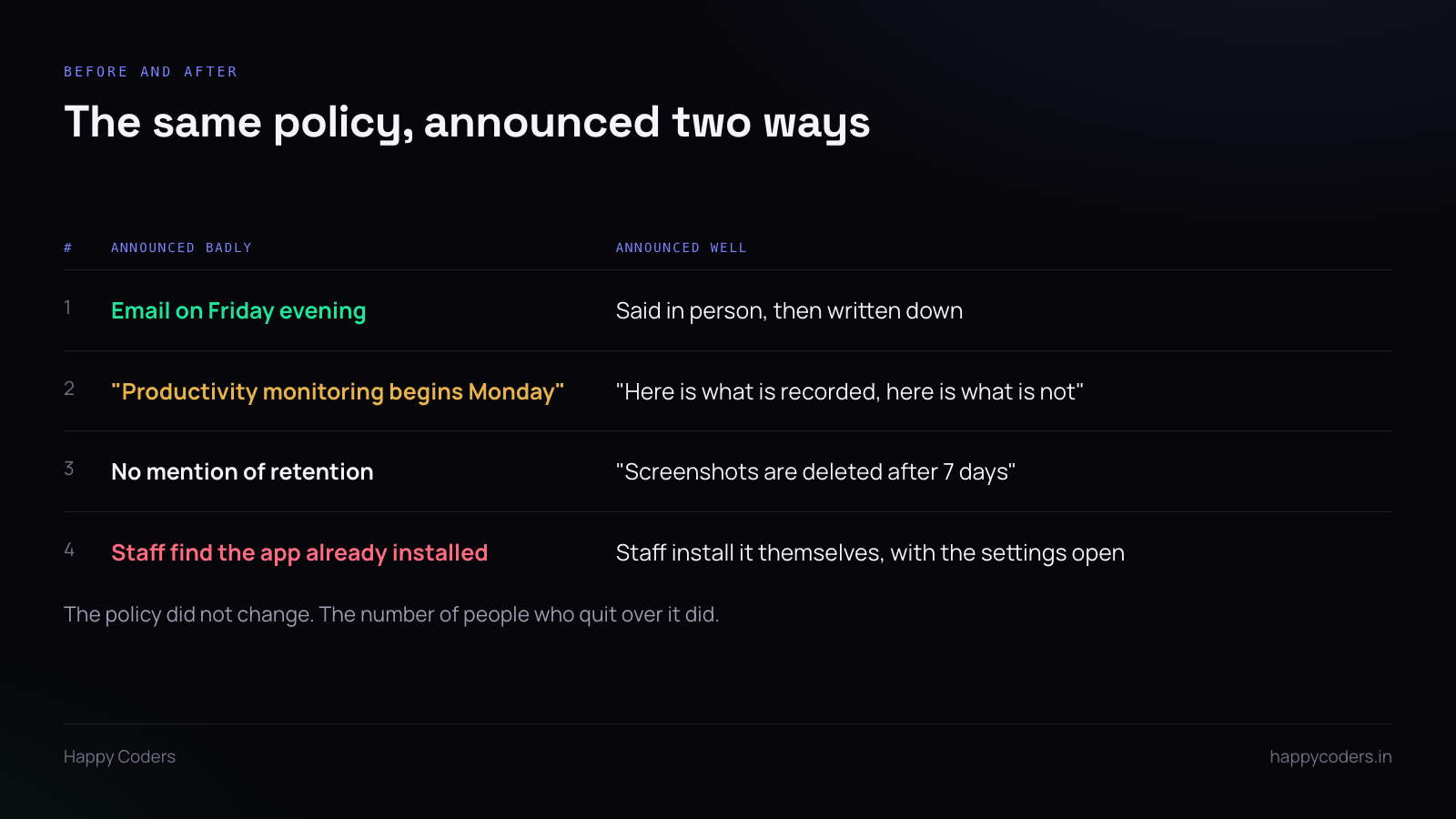
There is a version of this that goes wrong, and it is common enough to be predictable. Somebody signs up on a Friday, pushes the desktop app out over the weekend, and on Monday morning eleven people discover at the same moment that their screen is being captured. By Wednesday two of them have started looking for other jobs, and the tracker gets quietly uninstalled a month later.
Nothing in that story is about the software. The same tool, announced differently, becomes unremarkable within a week. The difference is one conversation, held before anything is installed rather than after.
Why the order matters more than the words
People do not object to being measured. They object to finding out they were being measured. The first is a policy; the second is a discovery, and a discovery feels like something was being hidden. Once that feeling arrives you are no longer explaining a tool, you are defending yourself, and nothing you say lands cleanly after that.
So the rule is simple and it is about sequence, not wording: nobody should learn about monitoring from the monitoring. They should have heard it from you, in a room, before the installer exists on their machine.
The four questions
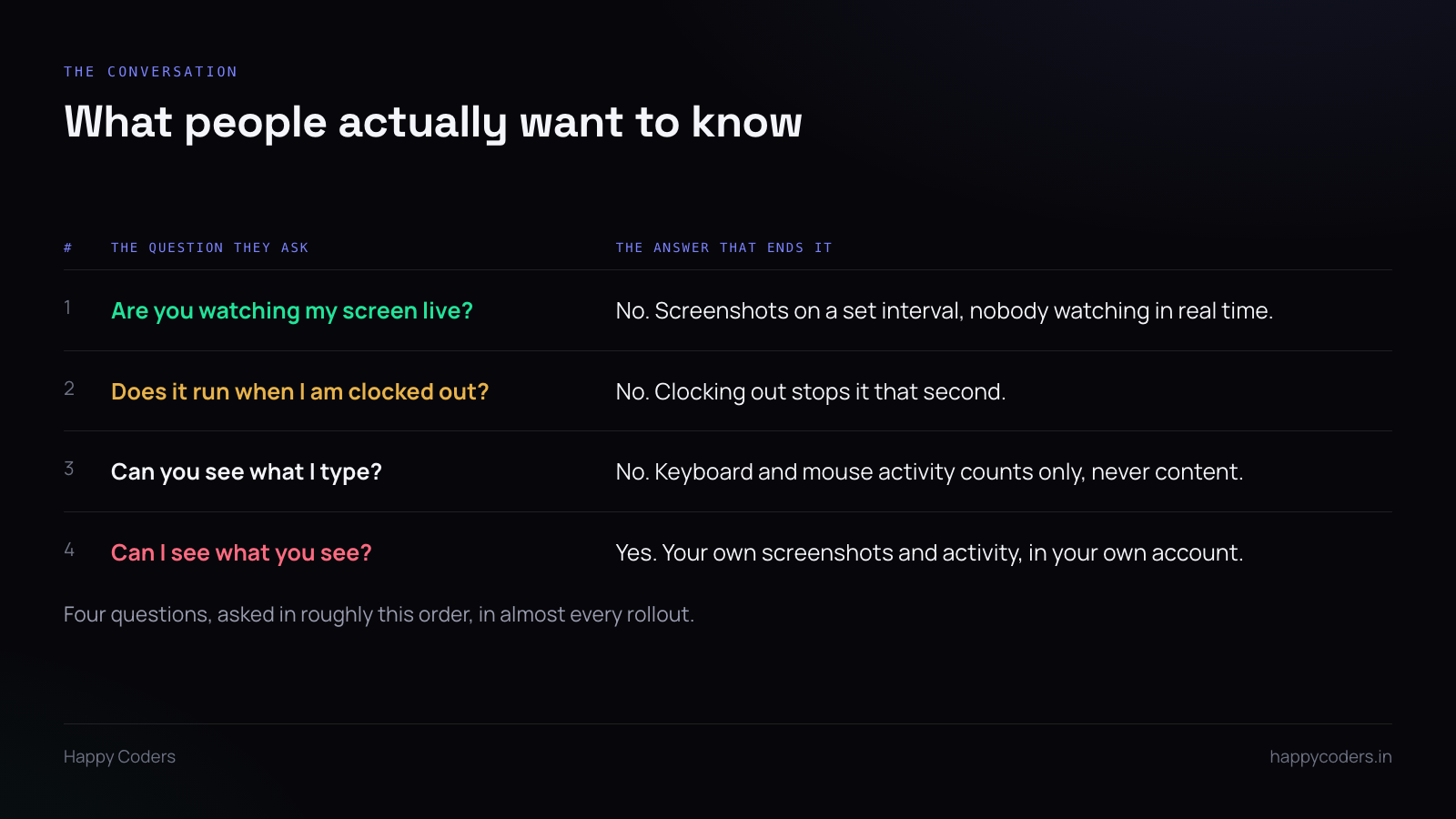
These come up in almost every rollout, roughly in this order, and usually from the person who is least worried about their own work. Have the answers ready and give them plainly. Hedging on any of these costs more than the honest answer would.
“Are you watching my screen live?”
No. A time tracker takes screenshots on an interval — typically one every ten minutes — and uploads them. There is no live view, nobody is sitting in front of a wall of monitors, and the admin sees the same still images hours later that the employee can see in their own account.
If your tool does have a live view, say so. If it does not, say that clearly, because most people are picturing the live view and will keep picturing it until you correct them.
“Does it run when I am clocked out?”
No, and this one is worth demonstrating rather than stating. Clock in, let a screenshot happen, clock out, and show that nothing more is captured. Breaks are the same. The app stops when the work stops.
This is the question behind the question. What people are really asking is whether their own evening is being recorded, and a demonstration answers it in a way a sentence does not.
“Can you see what I type?”
No. Activity tracking records how much keyboard and mouse activity there was and which application was in use. It does not record the content of what is typed. There is no keylogger, and a product that has one should say so loudly rather than leaving people to assume.
Be precise here, because the distinction is real and it matters. “We can see you typed for four minutes in a browser” is a different thing from “we can see what you wrote,” and most people conflate them until someone separates them out loud.
“Can I see what you see?”
Yes, and this is the answer that does the most work. Every person can open their own screenshots, their own activity breakdown and their own timesheet in their own account. There is no admin-only view of their day that they cannot look at themselves.
Symmetry is what makes monitoring tolerable. The moment there is a record about someone that they are not allowed to see, it stops being measurement and starts being surveillance, and people can feel the difference long before they can articulate it.
Show the settings screen
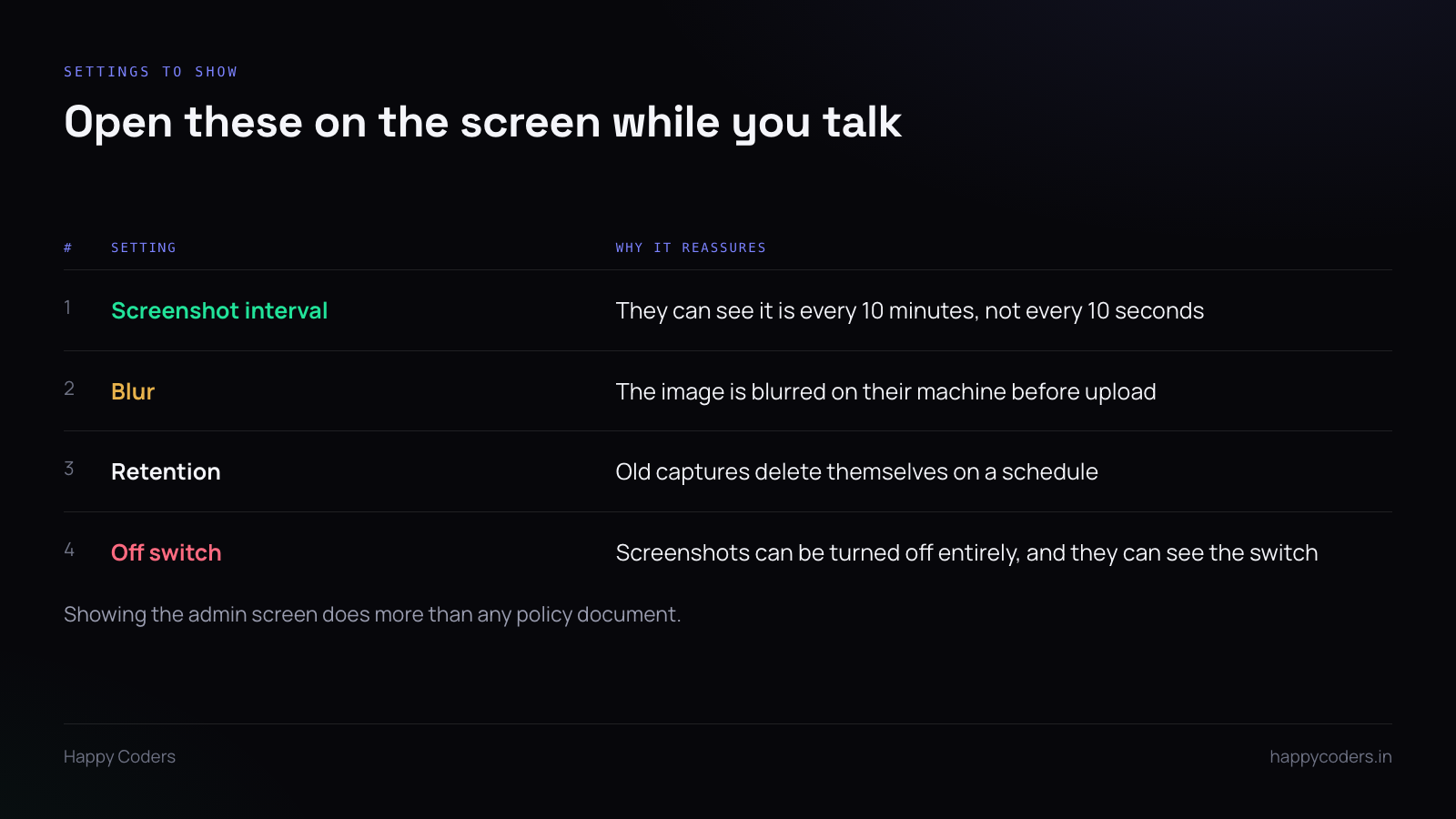
The single most effective thing in any rollout meeting is to put the administrator settings on a screen and walk through them. Not a policy document, not a paragraph in the handbook — the actual controls.
Four of them matter.
The screenshot interval. Seeing “one every ten minutes” written in a field is more convincing than being told it. It is also the moment to make a decision in the room rather than behind a closed door: if ten minutes feels intrusive to the people in front of you, ask what does not, and set it to that.
Blur. If your plan supports it, blurring happens on the employee’s own machine before the image is uploaded, which means an unblurred copy never leaves their computer at all. That is a meaningful technical distinction and it deserves to be explained rather than listed.
Retention. Old screenshots delete themselves on a schedule. Say the number — seven days, fifteen days, whatever the plan gives you. An indefinite archive is what people assume by default, and the assumption is worse than the reality.
The off switch. Show that screenshots can be switched off entirely. You may not intend to switch them off, but the existence of the switch changes how the whole thing reads. A capability you choose not to use is different from a capability you do not have, and people treat a visible off switch as evidence of good faith.
Write it down afterwards
The conversation does the work, but the written note is what survives the person who joins in March. Keep it short — a page, not a policy. What is recorded, what is not, how long it is kept, who can see it, and who to ask.
Two lines that are worth including verbatim, because they answer things people will not ask you directly:
- Nothing is recorded when you are clocked out or on a break.
- You can see everything that is recorded about you, in your own account.
What not to do
Do not install it silently. Some tools support a hidden mode. If a product offers one, that tells you something about who it was built for. Using it converts a management decision into a thing you did behind people’s backs, and that is not recoverable with a later explanation.
Do not promise you will not look. You will look, eventually, usually when something goes wrong. Promising otherwise is a small lie that becomes a large one at the worst possible moment. Say instead what you will look at and when — “when a client disputes an invoice” is a reason people accept.
Do not announce it as a productivity push. Framing it as “we need to improve productivity” tells everyone that somebody is considered unproductive, and every person in the room will spend the next week wondering whether it is them. The honest framing is usually duller and lands better: we bill clients for hours and we need the hours to be accurate.
The Monday after
A rollout that was explained properly is boring, and boring is the goal. People install the app, clock in, and stop thinking about it within about three days.
The one thing worth doing in that first week is checking that the settings you demonstrated are the settings that are actually running. If you told the room that screenshots are every ten minutes and kept for seven days, open the admin panel on Friday and confirm that is what it says. Someone will check eventually. It is much better if that someone is you.




