


You need to let users upload a file to S3. The documented answer is composer require aws/aws-sdk-php, which pulls in about sixty megabytes of vendor directory and several hundred classes, so that you can sign one HTTP request.
If you are using twenty AWS services, that is a fair trade. If you need presigned uploads and nothing else, the signature is about forty lines of PHP and there is a real benefit to writing them: the upload stops going through your server at all.
The shape that matters more than the code
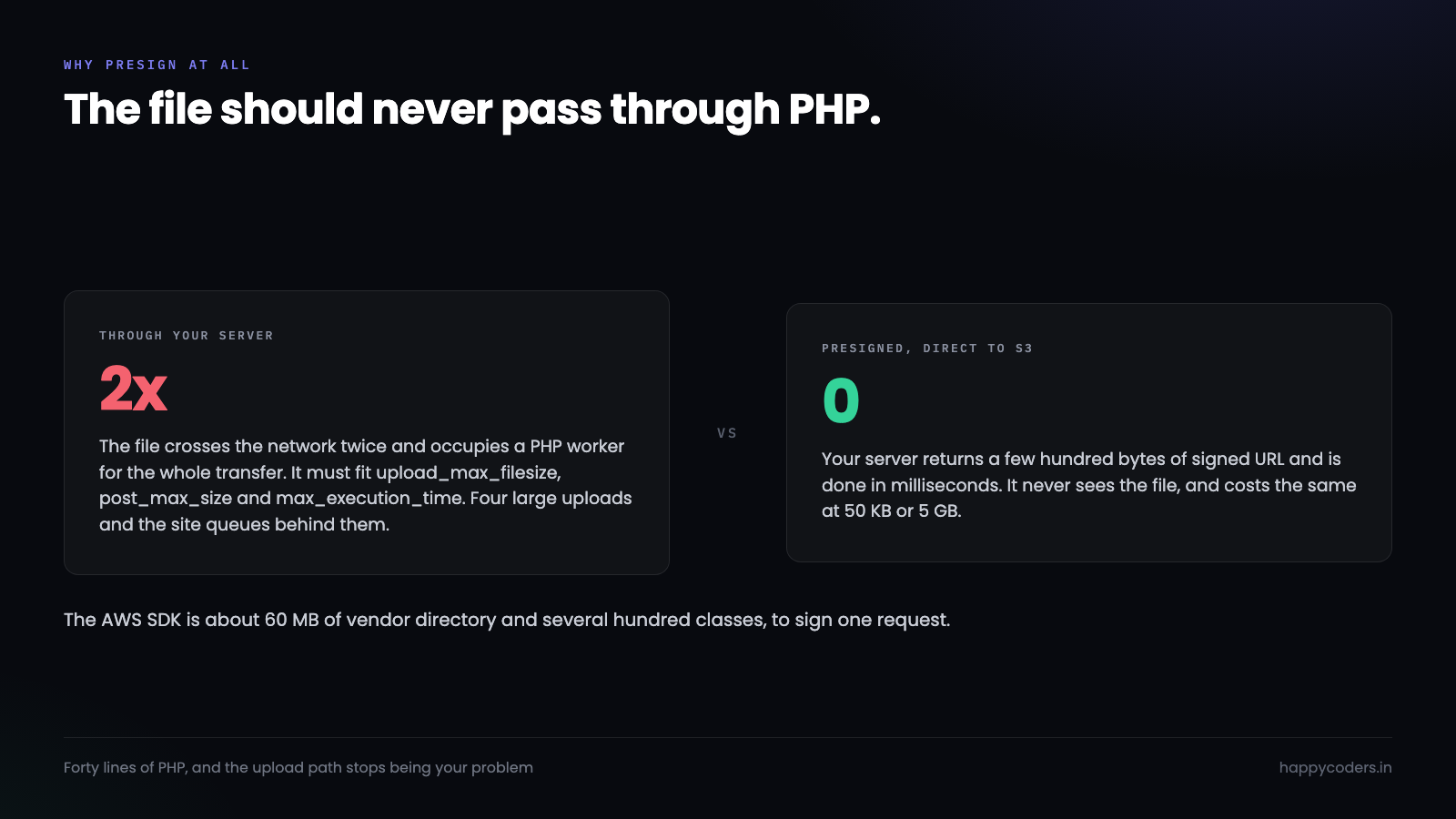
The naive flow is the one most applications start with. The browser posts the file to PHP, PHP receives it into a temp file, PHP uploads it to S3. A 50 MB file crosses the network twice, occupies a PHP worker for the whole transfer, and has to fit inside upload_max_filesize, post_max_size and max_execution_time. Four large uploads at once and your whole site is queuing behind them.
A presigned upload inverts it. Your server produces a signed URL — a few hundred bytes — and the browser PUTs the file straight to S3. Your PHP process is finished in milliseconds and never sees the bytes. It costs you nothing at 50 MB or at 5 GB.
That is the reason to do this. Dropping the SDK is a pleasant side effect.
What a presigned URL actually is
An ordinary S3 URL with a signature in the query string. The signature covers the bucket, the key, the HTTP method and an expiry, and it is computed with your secret key — so S3 can verify it came from you without the browser ever seeing that key.
S3 checks four things: that the signature is valid, that it has not expired, that the method matches, and that the key matches. Anything else about the request, it does not care about — which is the source of the main mistake later on.
Signing it
AWS Signature Version 4 looks intimidating and is mostly string assembly. Four steps: build a canonical request, hash it, build a string to sign, derive a key and sign.
function s3_presigned_put(
    string $bucket, string $key, string $region,
    string $accessKey, string $secretKey, int $expires = 900
): string {
    $host      = "{$bucket}.s3.{$region}.amazonaws.com";
    $now       = new DateTimeImmutable('now', new DateTimeZone('UTC'));
    $amzDate   = $now->format('YmdTHisZ');
    $dateStamp = $now->format('Ymd');
    $scope     = "{$dateStamp}/{$region}/s3/aws4_request";

    // Query string, sorted by key, every value encoded
    $params = [
        'X-Amz-Algorithm'     => 'AWS4-HMAC-SHA256',
        'X-Amz-Credential'    => "{$accessKey}/{$scope}",
        'X-Amz-Date'          => $amzDate,
        'X-Amz-Expires'       => (string) $expires,
        'X-Amz-SignedHeaders' => 'host',
    ];
    ksort($params);
    $query = http_build_query($params, '', '&', PHP_QUERY_RFC3986);

    // Each path segment encoded, but the slashes kept
    $canonicalUri = '/' . implode('/', array_map('rawurlencode', explode('/', ltrim($key, '/'))));

    $canonicalRequest = implode("n", [
        'PUT',
        $canonicalUri,
        $query,
        "host:{$host}n",
        'host',
        'UNSIGNED-PAYLOAD',
    ]);

    $stringToSign = implode("n", [
        'AWS4-HMAC-SHA256',
        $amzDate,
        $scope,
        hash('sha256', $canonicalRequest),
    ]);

    // Derive the signing key, one HMAC per scope component
    $k = hash_hmac('sha256', $dateStamp, 'AWS4' . $secretKey, true);
    $k = hash_hmac('sha256', $region,    $k, true);
    $k = hash_hmac('sha256', 's3',       $k, true);
    $k = hash_hmac('sha256', 'aws4_request', $k, true);

    $signature = hash_hmac('sha256', $stringToSign, $k);

    return "https://{$host}{$canonicalUri}?{$query}&X-Amz-Signature={$signature}";
}
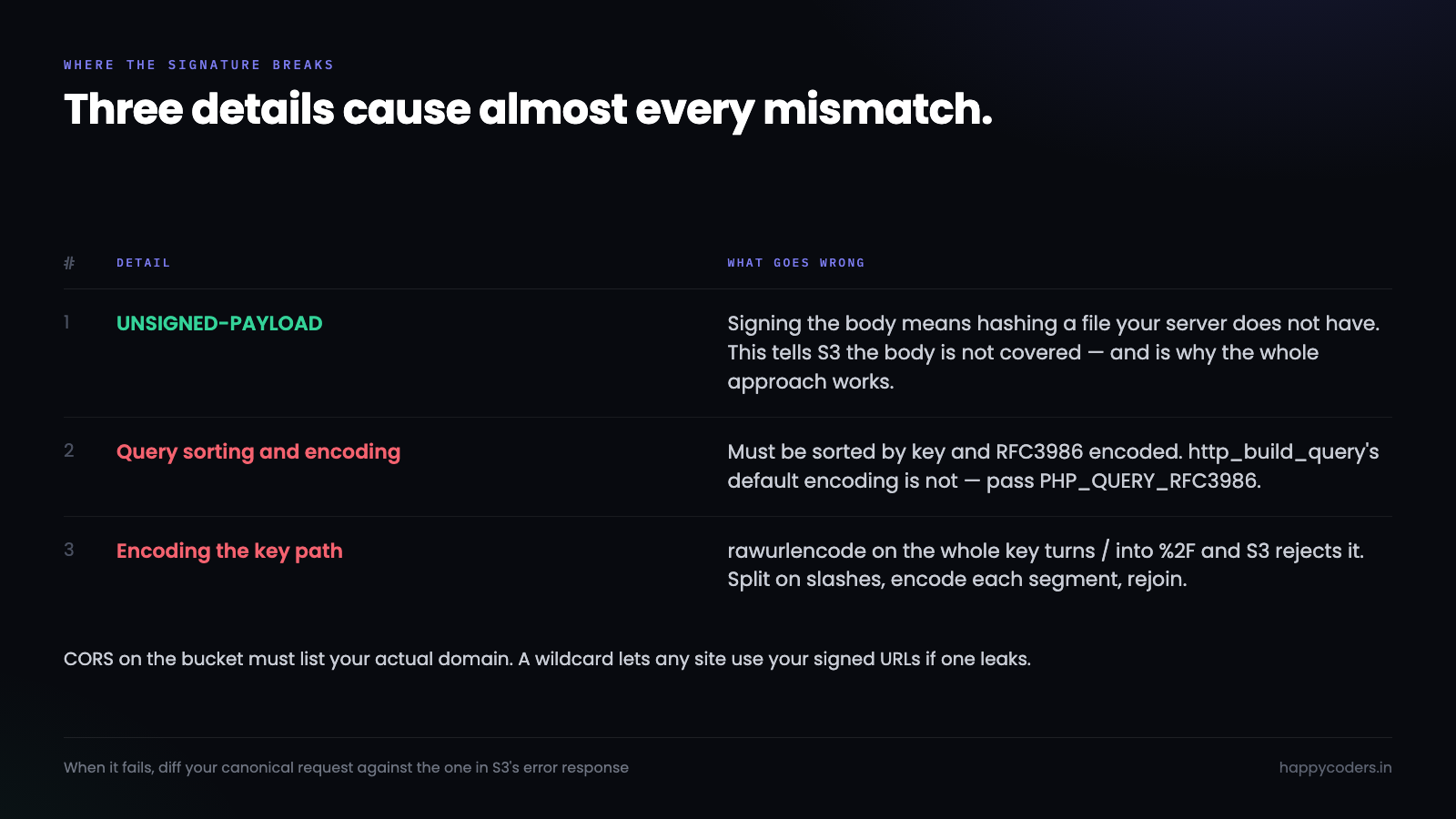
Three details that cause almost every failed signature.
UNSIGNED-PAYLOAD. Signing the body would mean hashing the file, which your server does not have. This tells S3 the body is not covered — fine for a presigned PUT and the reason the whole approach works.
The query must be sorted and RFC3986 encoded. http_build_query‘s default encoding is not RFC3986; pass the flag. One wrong space encoding and the signature does not match, with no clue as to why.
Encode path segments, keep the slashes. rawurlencode on the whole key turns / into %2F and S3 rejects it. Split, encode, rejoin.
Debugging a mismatch is unpleasant, so when it fails, print your canonical request and compare it byte for byte with the one in S3’s error response. The difference is almost always a newline or an encoding.
Using it from the browser
// Your endpoint returns { url, key } — and decides both
const { url, key } = await fetch('/api/upload-url', {
    method: 'POST',
    headers: { 'Content-Type': 'application/json', 'X-CSRF-Token': token },
    body: JSON.stringify({ filename: file.name, size: file.size, type: file.type }),
}).then(r => r.json());

await fetch(url, { method: 'PUT', body: file });

// Only now tell your server the upload finished
await fetch('/api/upload-done', {
    method: 'POST',
    headers: { 'Content-Type': 'application/json', 'X-CSRF-Token': token },
    body: JSON.stringify({ key }),
});
The bucket needs CORS for this, or the browser blocks the PUT before it is sent:
[{
  "AllowedOrigins": ["https://yoursite.com"],
  "AllowedMethods": ["PUT"],
  "AllowedHeaders": ["*"],
  "ExposeHeaders": ["ETag"],
  "MaxAgeSeconds": 3000
}]
Set AllowedOrigins to your actual domain. A wildcard lets any site use your signed URLs if one leaks.
Stopping somebody uploading 4 GB
This is the part that gets skipped, and it is the reason presigned uploads sometimes get a bad reputation.
A presigned PUT has no size limit. S3 checks the signature and the expiry, and accepts whatever arrives. A client-side check on file.size stops an honest user and nobody else — the URL can be used with curl.
The real fix is a presigned POST policy instead of a PUT. A POST policy is a signed JSON document, and it can carry conditions that S3 enforces:
$policy = [
    'expiration' => $now->modify('+15 minutes')->format('Y-m-dTH:i:sZ'),
    'conditions' => [
        ['bucket' => $bucket],
        ['starts-with', '$key', "uploads/{$userId}/"],   // their own prefix only
        ['content-length-range', 1, 10 * 1024 * 1024],   // S3 enforces this
        ['starts-with', '$Content-Type', 'image/'],
    ],
];
$base64  = base64_encode(json_encode($policy));
$signature = hash_hmac('sha256', $base64, $signingKey);
content-length-range is the one that matters: S3 rejects anything outside it, so the limit is not advisory. The starts-with on the key is the other one — without it, a signed URL for one user’s folder can be pointed at another’s.
The trade is that POST is a multipart form rather than a plain PUT, so the front-end code is a little longer. For anything user-facing it is worth it.

Serving the files back
Uploading privately is only half of it. If the bucket is private, reading needs a signature too, and the same function does it with one word changed.
// Identical signing, GET instead of PUT, shorter expiry
$url = s3_presigned_get($bucket, $key, $region, $accessKey, $secretKey, 300);
Three things to decide when you wire that up.
Check permission before you sign. The signed URL itself carries no notion of who asked for it — once issued, anyone holding it can use it until it expires. So the authorisation happens in your endpoint, before signing, and the expiry bounds how long a leaked link lives. Five minutes for a document behind a login; longer only when the content is not sensitive.
Do not put a signed URL in an email. It will expire before half the recipients open it, and an expired link generates a support ticket. Link to a page on your site that checks the session and redirects to a fresh signed URL.
Signed URLs and a CDN do not mix by default. A CDN caches by URL, and every signed URL is unique, so the cache never hits. For public assets serve them without signing. For private ones, CloudFront’s signed cookies exist precisely for this and are a different mechanism from what is above.
Four things that will bite
Trusting the filename. Never use the uploaded name as the key. Generate it — uploads/{userId}/{uuid}.{ext} — and keep the original name in your database as a label. A user-supplied key is a path traversal and an overwrite waiting to happen.
Assuming the upload happened. Your server hands out a URL and never learns whether it was used. The browser can close mid-upload. Either have the client confirm afterwards, or have S3 send an event on object creation. A row that says “uploaded” because you created it optimistically will not always be true.
Content-Type from the client. The browser sends whatever it likes, and the file named .png may not be one. If it matters, check the bytes server-side after the fact — finfo on a downloaded head of the object — rather than believing the header.
A public bucket. The default should be private, with reads served through presigned GET URLs that expire. It is the same signing function with GET in place of PUT. Public-read is a decision, not a default, and it is the one that ends up in a news story.
When you should just use the SDK
Multipart uploads for very large files, where you are managing parts and retries by hand. Anything needing IAM role credentials that rotate, since the SDK handles the refresh. More than two or three AWS services. Or simply a team that would rather not maintain a signing function.
All of those are good reasons. “The documentation said to” is not, and neither is a sixty megabyte dependency for one signature.
The version worth keeping
One function to sign, one endpoint that decides the key and the limits, one confirmation call. No SDK, no file passing through PHP, and an upload path that costs the same whether the file is 50 KB or 5 GB.
The thing to get right is not the signature — that either works or it obviously does not. It is the conditions: a key prefix the user cannot escape, a size range S3 enforces, and a short expiry. Those three are what separate a presigned upload from an open door.




