


Buying time tracking software is the easy part. A week later the picture is usually the same everywhere: the app is installed on about half the machines, two people are clocking in, nobody has made a project, and the manager who pushed for it has started to look slightly embarrassed in meetings.
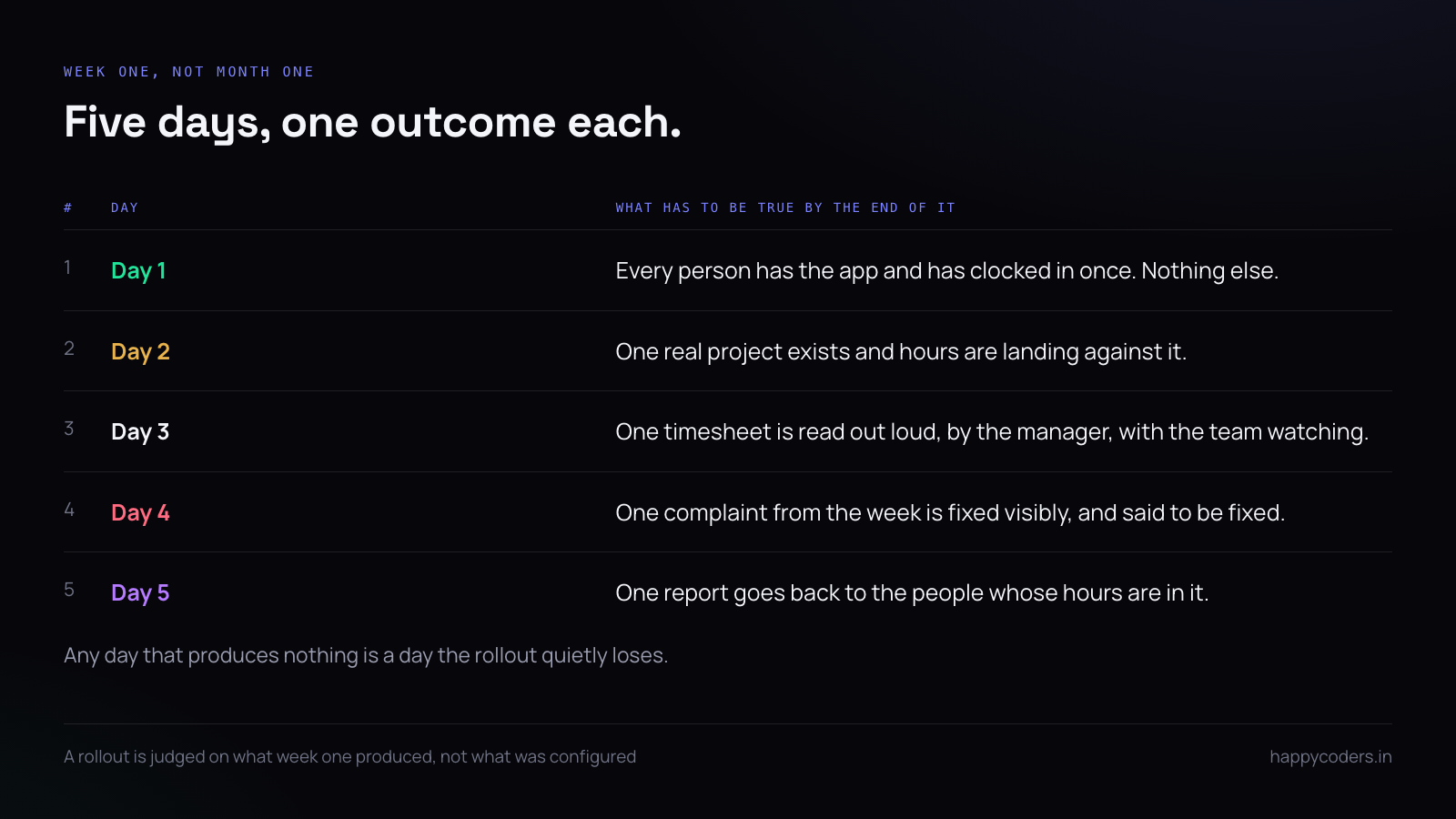
This is not a product problem and it is rarely a people problem. It is that nobody decided what the first week was supposed to produce, so everybody waited to be told. Below is a week that works, written as five days with one outcome each.
Before day one: decide the three settings
There are exactly three decisions worth making in advance, and every other setting can wait until somebody complains about it.
Screenshots: on or off. Not “on, blurred, every ten minutes, except for the design team” — just on or off, for everybody, for now. A policy with exceptions on day one is a policy nobody can explain in a corridor.
Who sees whose hours. Usually: a person sees their own, a manager sees their team, an owner sees everything. If you are about to invent a fourth arrangement, you are solving a problem you have not had yet.
What a working day is. Start time, end time, which days count. Attendance and leave are built on this and nothing downstream is right until it is set.
Why day one is deliberately almost empty
The temptation on day one is to explain everything: projects, clients, tasks, billable flags, the approval routine, what the screenshots are for. An hour of that and nobody remembers any of it, because none of it has happened to them yet.
One action, done by everybody, is worth more than an hour of explanation. Press start, work, press stop. They now have a thing that happened, and every later explanation attaches to it.
There is one piece of housekeeping worth doing while everyone is together: decide whether people clock in from the browser or only from the desktop app. The browser is convenient and records nothing except the start and stop times. The desktop app is the one that can see applications, idle stretches and screenshots. If you are billing clients by the hour, make the desktop app the rule on day one — changing it in week three looks like a tightening, when on day one it is just how it works.
Day one: everybody clocks in once
One outcome. Not a project structure, not a billing scheme — every person installs the desktop app, signs in, presses start, and presses stop. That is the whole day.
Do it in the room if you can, or on a single call. Fifteen minutes with everybody at once beats a week of individual troubleshooting, and the person who cannot get it working will say so out loud rather than quietly never doing it.
On macOS the app will ask for Screen Recording permission, which has to be granted in System Settings and then the app has to be reopened for the permission to take. People get stuck there. Say it before they hit it, not after.
Day two: one real project
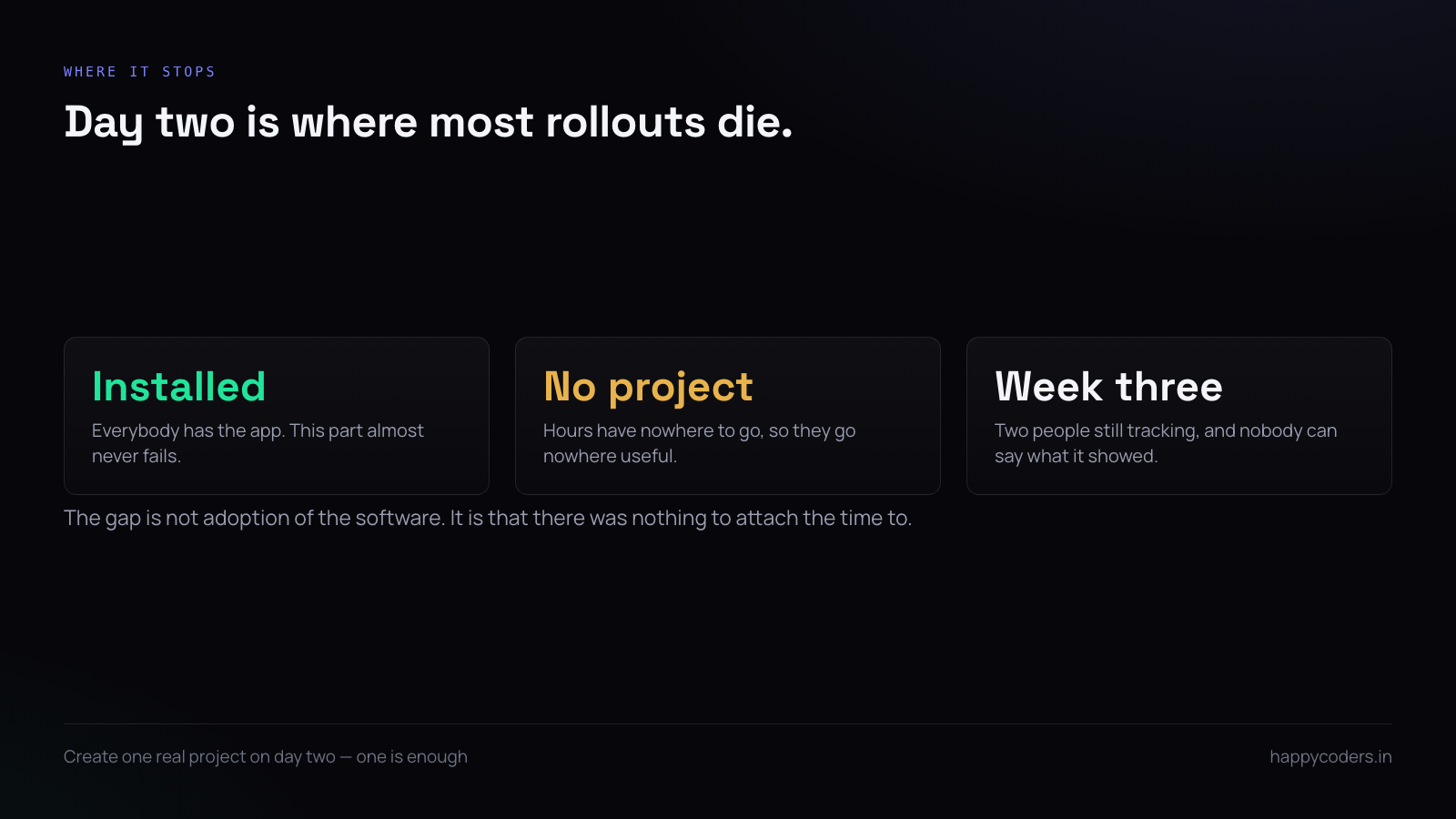
This is the day most rollouts die, and it dies quietly. Everybody has the app, nobody has anywhere to put the hours, so the hours go into a general blur that tells you nothing a week later.
Create one project — a real one, a client you are actually working for — and have the team attach their time to it for the rest of the day. One is enough. The instinct to model your entire client list before anybody tracks an hour is the instinct to delay.
Two practical notes. A project with a client attached is more useful than a project without one, because every report afterwards can be cut by client without anybody re-tagging anything. And a project that matches how you already talk about the work — the client’s name, not an internal code — is the one people will pick correctly without being asked twice.
If a person has nothing client-facing to attach their day to, make an internal project rather than leaving them unattached. An hour on “internal” is a real answer. An hour on nothing is a hole in the report.
Day three: read a timesheet out loud
Pull up one day’s timesheet, in front of the team, and talk through it. Not as a performance review. As a demonstration of what the data is going to be used for.
This is the single most useful hour of the week, and almost nobody does it. Until people have seen their own hours discussed, every one of them is privately assuming the worst about what the tool is for. One honest reading in week one is worth more than any policy document.
Say what you are looking at and what you are not. “I am looking at whether this project is eating more hours than we quoted. I am not looking at whether you took a long lunch.”
What to actually say
The announcement is the part people rehearse least and worry about most. It does not need to be long. It needs to answer the three questions everybody has and is not going to ask.
What is being recorded? Say it plainly. Hours against projects, and if screenshots are on, say screenshots, how often, and whether they are blurred. Vagueness here is read as something being hidden.
When does it stop? When you clock out. If that is true in your setup, say it — it is the single sentence that defuses most of the resistance, because what people are actually worried about is being watched after hours.
What is it for? Give the real reason. “I cannot tell which projects are losing money” is a reason people accept. “To improve productivity” is not a reason, it is a word, and it is heard as a threat.
Then say what you will not do with it. If you are not going to use it in appraisals, say so and mean it. If you might, say that too — people can work with an honest answer and cannot work with a surprise six months later.
Day four: fix the thing everybody complained about
By day four you will have a list. The idle timeout is too aggressive. Someone’s second monitor is not captured. A contractor cannot install the desktop app at all. The project list needs a second project.
Fix one of them visibly, that day, and say that you have. A rollout where the first complaint is acted on within a day gets the second complaint told to you honestly. A rollout where complaints go into a void gets silence, and silence is not agreement.
The contractor problem, which you will have
Somebody on the team cannot or will not install a desktop app: a contractor on their own machine, somebody on a locked-down corporate laptop, a designer who works across two machines. You will find this out on day one, and it is worth deciding in advance rather than making an exception under pressure.
Two workable answers. Let them clock in from the browser and accept that their hours carry no activity data — fine for someone you trust and bill at a fixed rate. Or keep them off the tool entirely and invoice their hours the way you did before, rather than half-tracking them and producing a report with a hole in it.
What does not work is pretending the exception does not exist. A report where one person’s hours are measured differently from everybody else’s is a report that gets argued with the first time it matters.
Day five: produce one number
Run a report. Hours by project, or hours by person, whichever answers a question somebody actually asked. Send it to the people whose hours are in it.
The point is not the number. The point is that the week produced something, and that the thing it produced went back to the people who made it rather than disappearing upwards into a management report they never see.
What a good first week looks like in the numbers
You do not need a dashboard to know whether it worked. Three things, checked on Friday:
- Everybody has at least one tracked day. Not a full week — one day. If somebody has none, the reason is almost always an install that silently failed, and it is fixable in five minutes once you know.
- Hours are attached to something. If more than a fraction of the week landed on no project, the project list was not ready on day two.
- Somebody asked a question about their own timesheet. This is the one that matters most and the one nobody measures. A question means a person looked at their own data, which means they believe it is about the work rather than about them.
If all three are true after five days, the rollout is done. The rest is habit.
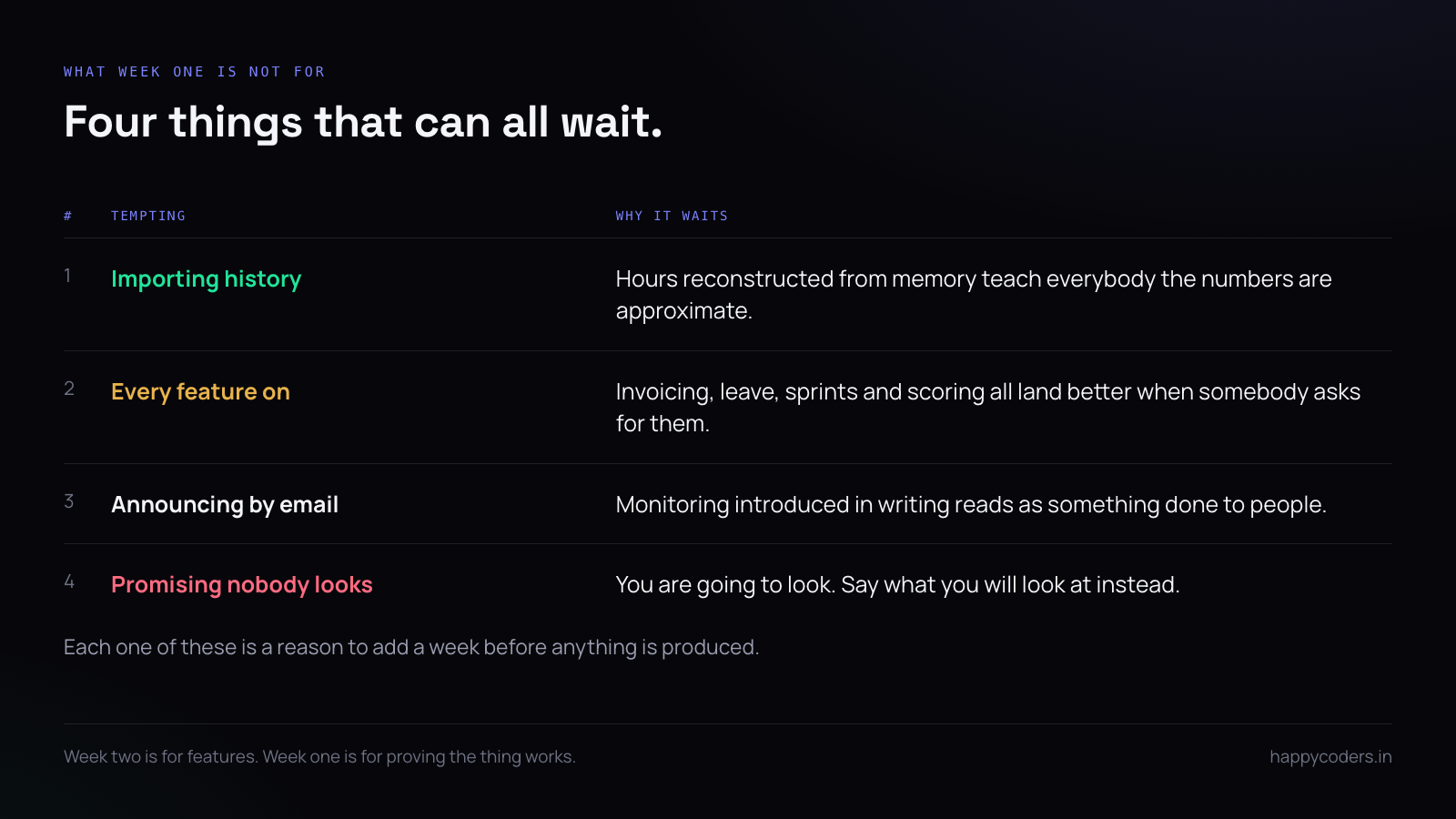
What not to do in week one
- Do not import a year of history. It can wait, and reconstructing old hours from memory makes the data worse while teaching everybody that the numbers are approximate.
- Do not turn on every feature. Invoicing, leave approvals, sprint boards, productivity scoring — all of it is better introduced when somebody asks for it than imposed on day one.
- Do not announce it by email alone. Monitoring software introduced in writing by someone who is not in the room reads as something being done to people.
- Do not promise nobody will look at it. You are going to look at it. Say what you will look at.
The second week
If the first week produced a timesheet somebody read and a number somebody used, the second week is just repetition, and that is the whole point. Add the rest of the projects. Set up the approval routine. Turn on whichever feature the team has started asking for.
If the first week produced nothing, adding features will not rescue it. Go back to day two and ask whether there was a real project to put hours against, because that is almost always where it stopped.
A short answer
Five days, five outcomes: everybody clocks in once, one real project exists, one timesheet is read out loud, one complaint is fixed in public, one number goes back to the team. Everything else — every setting, every feature, every other project — can wait until week two without costing you anything.
Happy Tracker is free for up to five people with no card and no time limit, and the desktop app runs on Mac, Windows and Ubuntu, so a first week costs nothing but the week.




