


A team that works nine to five is easy to track. Everybody starts at roughly the same time, the day has a shape, and a timesheet that says eight hours means eight hours on the day it says.
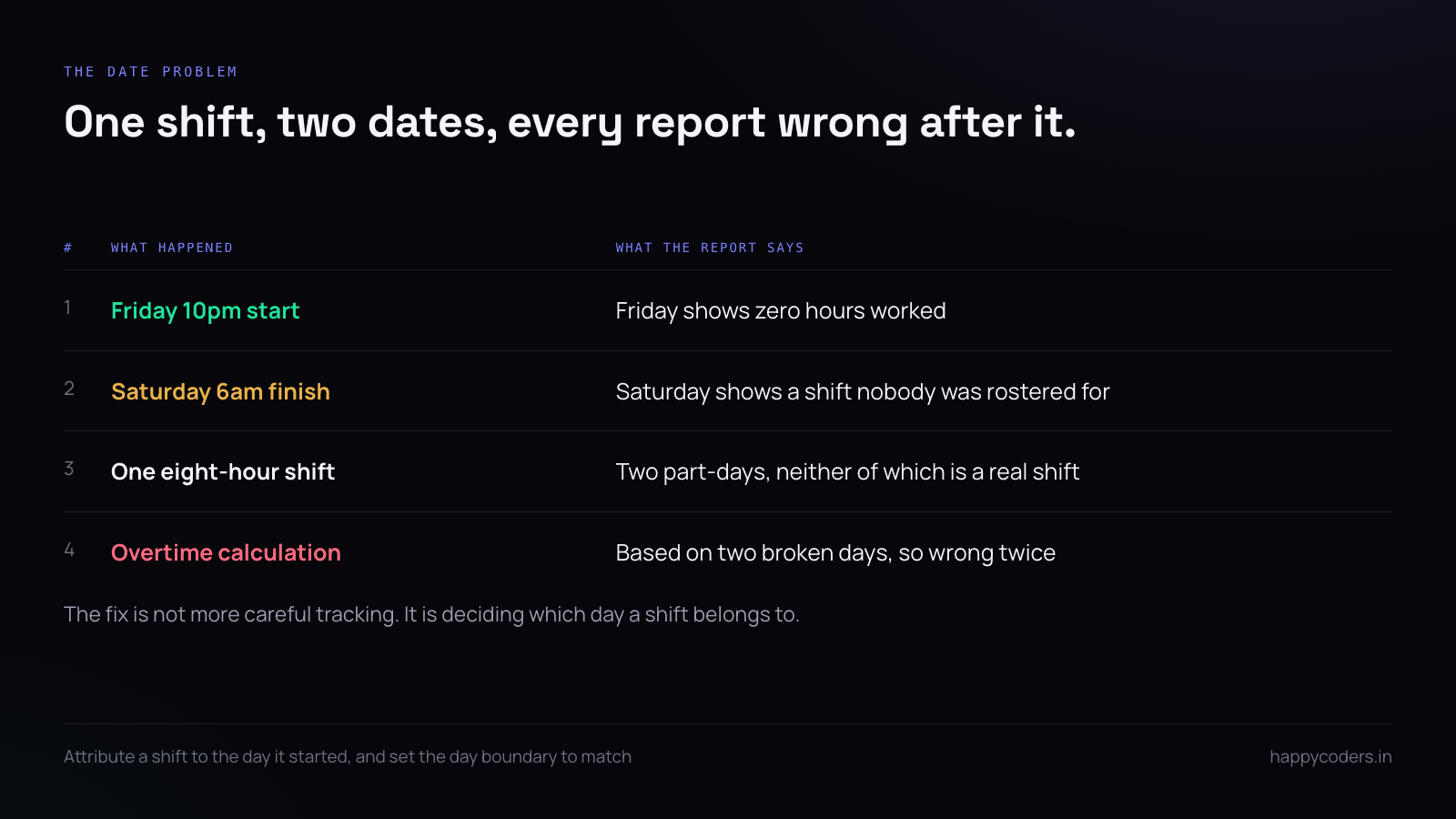
Shift work breaks all three of those assumptions, and most time tracking setups break with them. The night shift’s hours land on the wrong date. Somebody who starts at 10pm on Friday appears to have worked no hours on Friday and sixteen on Saturday. The attendance report says half the team was absent on a day they were all working.
None of this is exotic. Support desks, hospitals, logistics, security, manufacturing, anybody with a follow-the-sun arrangement — all of them hit it in the first month.
The date problem, which is the whole problem
A shift that starts at 10pm on Friday and ends at 6am on Saturday belongs to one working day. Your software almost certainly thinks it belongs to two.
That single disagreement produces everything else: wrong daily totals, wrong overtime, an attendance grid with holes in it, and a payroll export that somebody has to correct by hand every month. Fixing it is not about tracking more carefully. It is about deciding, once, which day a shift belongs to.
The usual answer is the day the shift started. A shift beginning Friday night is a Friday shift, however far into Saturday it runs. Pick that, write it down, and make sure the software’s day boundary agrees with it rather than defaulting to midnight.
Why the default settings are wrong for you
Almost every time tracking product ships with a midnight-to-midnight day, a Monday-to-Friday week and an eight-hour expectation, because that is what most of its customers are. None of those three is right for a shift team, and all three are quiet — nothing warns you that the defaults do not fit, you simply get reports that are slightly wrong in a way that is hard to name.
The symptom people usually notice first is not the date problem. It is that the monthly total is right but the daily breakdown is nonsense, so nobody trusts the daily view and everybody goes back to the spreadsheet they were trying to stop using.
Set the working day before anybody clocks in
Four settings decide what a working day means, and they are worth getting right in the first week rather than the third month:
- Day start and end. Not when people arrive — when your day boundary falls. For a night-shift team this is often something like 6am to 6am rather than midnight to midnight.
- Which days count. A six-day week and a five-day week produce different overtime from identical hours.
- Expected hours. What a full shift is, so anything over it is visible without a calculation.
- The time zone the company runs in. One, chosen deliberately, even if people are in several.
These four are upstream of every report you will ever run. Changing them later rewrites history, which is survivable once and painful twice.
Rotating shifts: track the shift, not the pattern
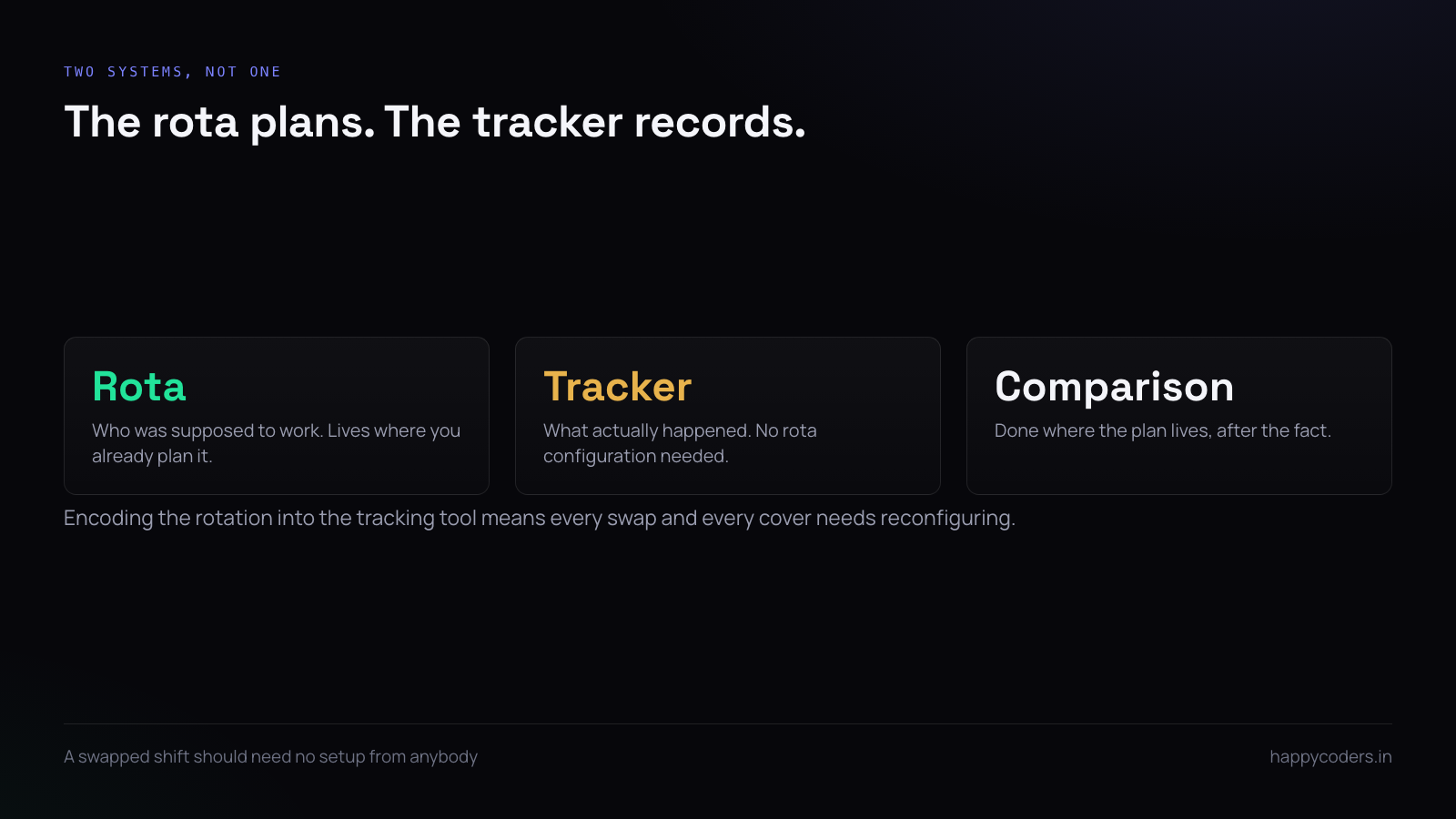
Teams on a rotating pattern — four on, four off, or a weekly rotation through mornings, afternoons and nights — often try to encode the whole rota into the tracking tool. It is almost always a mistake.
The rota lives in whatever your team already uses to plan it. The tracking tool records what actually happened. Keeping those separate means a swapped shift or a covered absence does not require anybody to reconfigure anything; the hours simply land where they land, and the comparison against the plan happens where the plan lives.
Handover between shifts
Where one shift ends and the next begins there is a window — fifteen minutes, half an hour — in which two people are both on the clock for the same work. That is real, it is usually necessary, and it should be recorded rather than squeezed out.
Two shifts overlapping by twenty minutes is not double-counting if the handover is part of the job. What causes trouble is one team recording it and the other not, so the same twenty minutes appears once a day for the morning shift and never for the night shift. Decide who records the handover, tell both shifts, and let the number be what it is.
If the overlap is large enough to matter financially, make it its own project or task. Then it is a line somebody can look at and decide about, rather than a difference buried inside two totals.
Breaks in the middle of the night
A long shift has real breaks in it, and whether they are paid changes the number at the bottom of the timesheet. Two rules keep this out of trouble.
First, let people record breaks rather than inferring them. An idle timer that stops tracking after fifteen minutes of no input will treat a monitoring shift — where somebody is watching a screen and not typing — as absence. That is wrong and the person will tell you it is wrong, correctly.
Second, decide once whether breaks are inside or outside the shift, and make the report say which. “Eight hours including an unpaid half hour” and “eight hours of work” are different numbers and both are reasonable; what is not reasonable is nobody knowing which one the report means.
What idle time means on a night shift
Activity measurement assumes typing and clicking are a proxy for work. On a night shift that assumption is often false. Somebody watching an alert dashboard at 3am is working hard and producing almost no input.
If you track activity at all for a shift team, say out loud that low activity on a monitoring shift is expected and is not a problem. If you cannot say that honestly, turn the measurement off for those people rather than collecting a number you will have to keep explaining away.
Overtime that is visible on the day, not at month end
The expensive version of this is discovering at month end that somebody did eleven extra hours across three shifts. The cheap version is seeing it on the day it happened.
Any tool that knows the expected shift length can show the difference daily. The useful discipline is for a manager to look at it the following morning, not the following month — a shift that overran once is information, and a shift that overrun pattern is a staffing problem that gets more expensive the longer it is invisible.
Public holidays, which are worse than they look
A holiday on a shift rota raises a question an office rota never does: does the holiday apply to the shift that started the night before, or the one that starts on the day itself?
Pick the same rule you picked for dates — the shift belongs to the day it started — and holidays follow it without a second decision. A shift beginning at 10pm on the night before a public holiday is a normal shift; one beginning at 10pm on the holiday is a holiday shift. It is arbitrary, it is defensible, and most importantly it is consistent, which is the only property that actually matters once payroll is involved.
Write it down next to the leave policy. It is the second question people ask after the one about which day their shift counts as.
Attendance when “present today” is ambiguous
An attendance grid is built on the idea of a day a person was present. For a night shift team you have to decide what that means before the grid means anything.
If a shift is attributed to the day it started, somebody who worked Friday 10pm to Saturday 6am is present on Friday and absent on Saturday — and that is correct, as long as everybody reading the grid knows that is the rule. Write the rule into the same document as the leave policy; it is the first question anybody asks when they see their own row.
What to tell a shift team
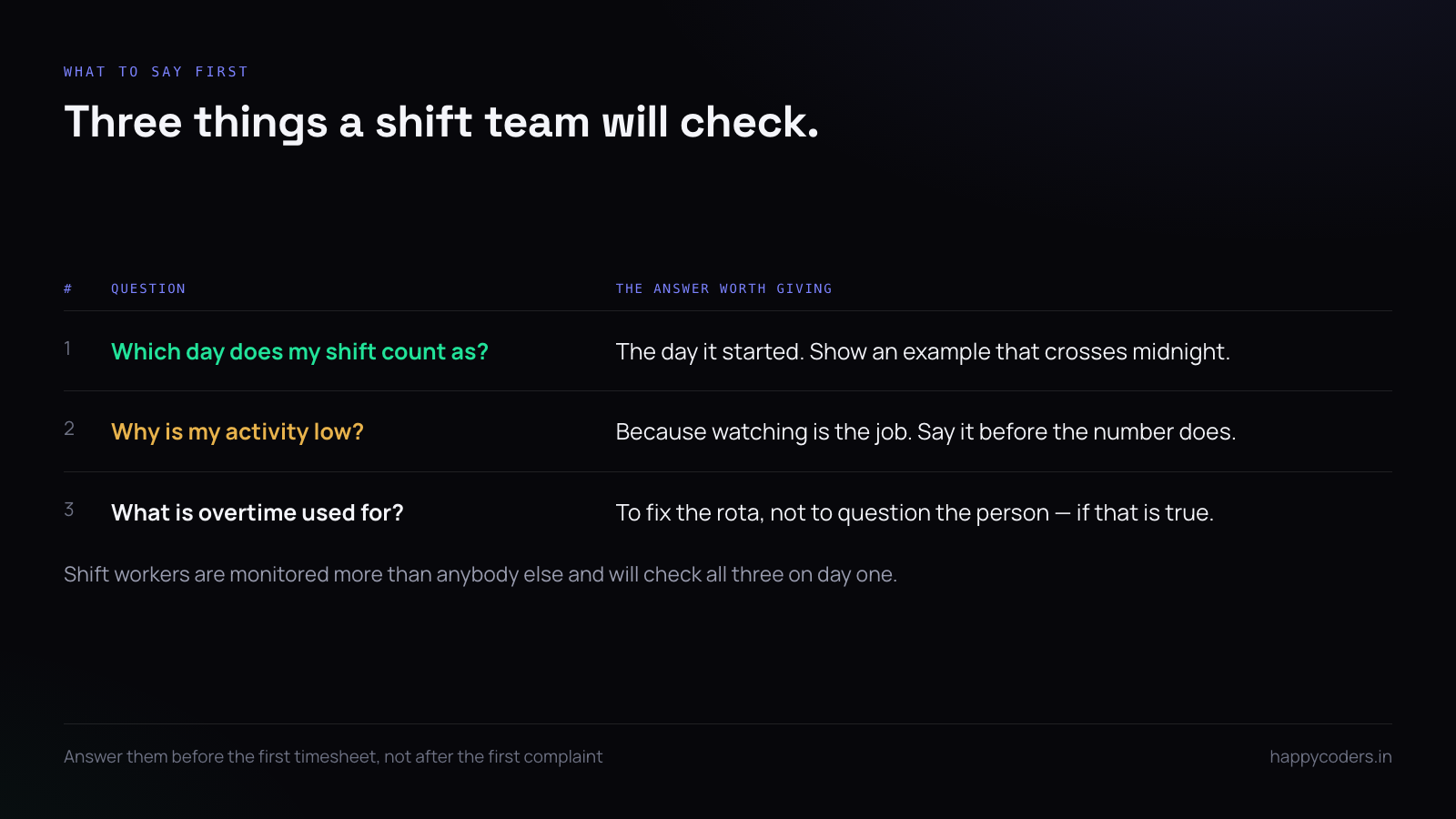
Shift workers are more often the subject of monitoring than any other group, and they know it. Three things are worth saying at the start.
Say which day their shift counts as, with an example that crosses midnight, because they will check. Say what happens to the activity number on a quiet shift, because they are the people most likely to look bad on a metric that does not fit their work. And say what the overtime figure is used for — if it is to fix the rota rather than to question the person, that is worth saying out loud.
A month-end that does not need correcting
The test of a shift tracking setup is not whether the daily view looks right. It is whether anybody has to edit the monthly export before it goes to payroll.
If somebody is correcting it every month, the correction is almost always the same one, and it is almost always a setting rather than a behaviour. Find the correction, work backwards to which of the four working-day settings produced it, and fix that instead of fixing the spreadsheet again.
A setup that needs no manual correction for two consecutive months is finished. Everything after that is reporting, not configuration.
A short answer
Decide which day a shift belongs to, set the working-day boundary to match, keep the rota where it already lives, let people record their own breaks, and do not measure keyboard activity on a shift where watching is the job. Get those five right and a shift team tracks as easily as an office one.
Happy Tracker lets you set the working day, the counted days and the expected hours per organisation, and shows overtime against the shift rather than against a nine-to-five assumption.




