


Most service businesses run with a mix — a core team on payroll and a few freelancers who come and go with the work. The same time tracker usually covers both, with the same settings, because nobody thought about it.
That is worth thinking about, and not only for politeness.
The relationship is genuinely different
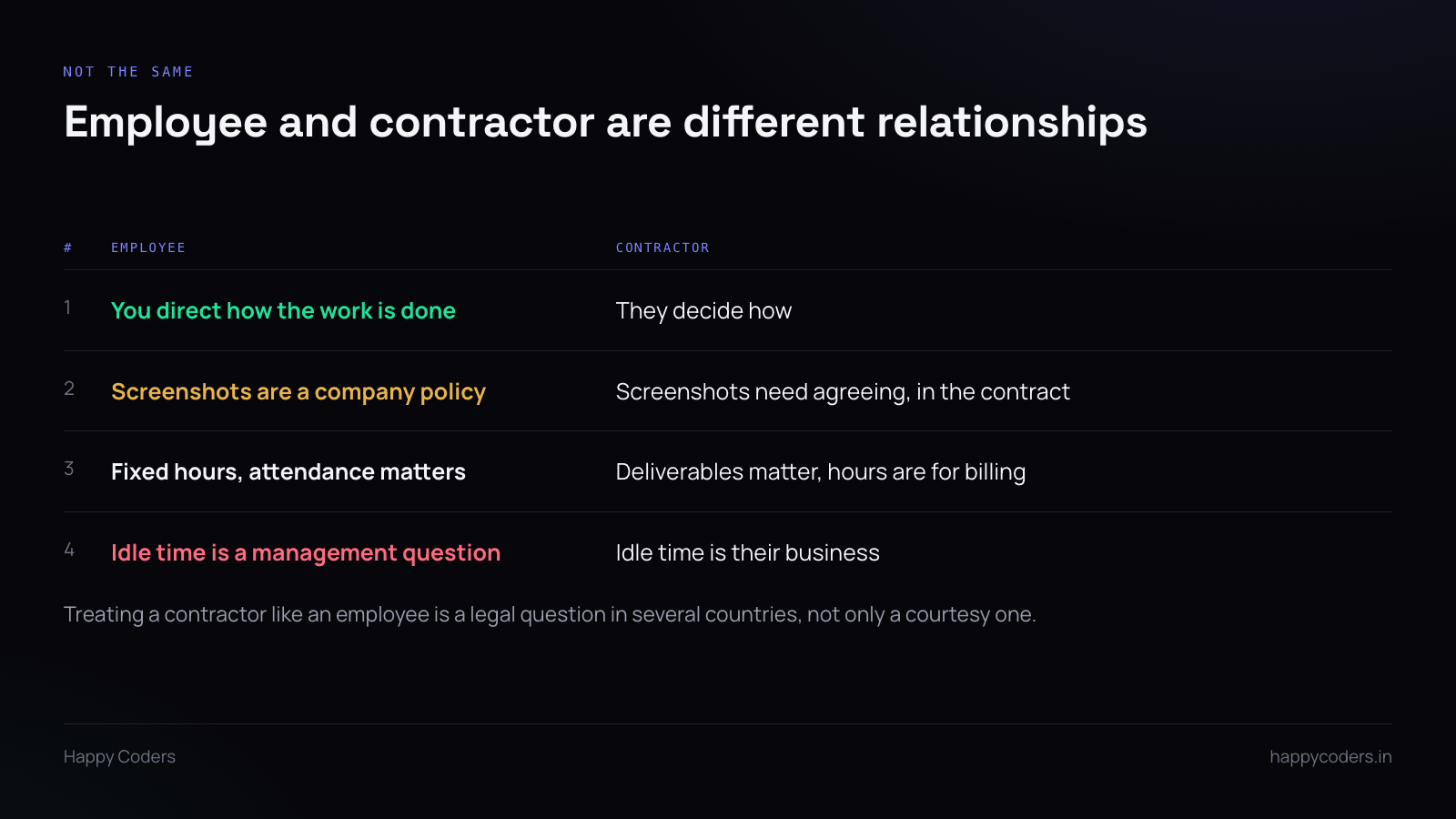
An employee works under your direction. You decide what they do and broadly how. Attendance, working hours and screen monitoring sit inside that relationship, with the usual obligations in both directions.
A contractor is a business selling you an outcome. You agreed a deliverable and a rate. How they produce it, when they work, and what their screen looks like at 3pm is not yours to manage.
In several countries the line between the two is a legal question with tax consequences, and one of the things that pushes a contractor towards being classified as an employee is being managed like one — fixed hours, supervision, monitoring. Worth knowing before you switch screenshots on for a freelancer.
What you can reasonably ask
Hours against projects and tasks. Entirely normal. You are being billed for time and you are entitled to know what it went on.
Timesheets submitted on a cycle. Weekly or monthly, before invoicing. This is just the paperwork of the arrangement.
Approval before payment. You look at the hours and agree them. This is the contractual equivalent of signing off a delivery note.
What you probably cannot, without agreeing it first
Screenshots. Capturing somebody’s screen is a significant thing to do to a person who is not your employee. If you want it, it belongs in the contract, in plain words, agreed before the work starts. Switching it on quietly on a tool they were asked to install is not that.
Activity scoring. Measuring keyboard and mouse activity is monitoring how they work, which is the part you specifically do not direct.
Attendance. A contractor who works at night and takes Wednesdays off is doing nothing wrong. Attendance reporting on a contractor measures a thing you did not buy.
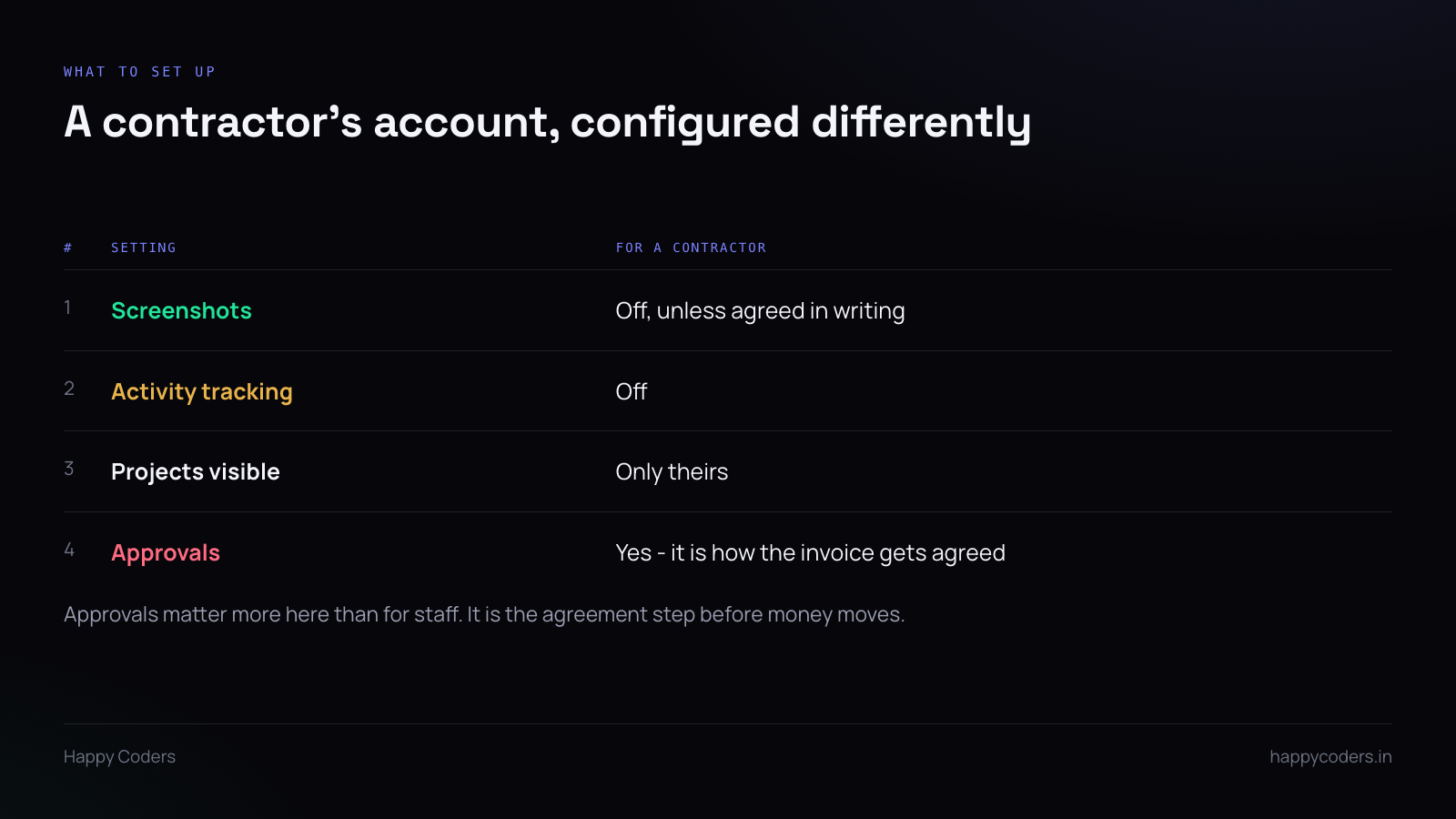
Set their account up differently
Most tools let settings vary per person. Use that.
Screenshots off. Activity tracking off. Visibility limited to their own projects, so they do not see your whole client list. Approvals on, because that is the step where you and they agree what gets invoiced.
That last one is more useful for contractors than for staff. For an employee, approval is an internal check. For a contractor it is the moment the number becomes agreed, before an invoice exists. It prevents the conversation where an invoice arrives for more hours than you expected.
Say it in the first email
One paragraph when you send the account invitation:
“We track time against projects so we can see what work went where. For contractors we do not take screenshots and we do not track activity — just hours against tasks. You will submit your timesheet at the end of each week and we will approve it before you invoice.”
Four sentences. It removes the uncertainty, and it means the contractor is not sitting there wondering whether their screen is being captured.
When the contractor already tracks their own time
Many good freelancers already use something. Asking them to run a second tracker means double entry, and double entry means one of the two is wrong.
Two reasonable options. Let them send their own report and enter the agreed hours yourself — fine for one or two people, tedious beyond that. Or ask them to use yours for your work only, and accept that they will keep their own for everything else.
What does not work is insisting on yours and expecting them to be diligent about it. They are not your employee; the tracker is overhead you are asking them to absorb, and it is the first thing that slips.
When they leave
A contract ends and the person should lose access the same day. That is normal and nobody takes it personally.
What should not happen is their history disappearing with them. The hours they logged are the basis of invoices you have paid and work you have delivered. Deactivate the account; do not delete the person.
If your tool’s only option is a delete that removes their time entries too, find out before you use it rather than afterwards.




