


Most companies have a folder of training videos and most of those folders are dead. Somebody spent an afternoon recording a forty-minute walkthrough of the whole system, it got linked in the onboarding doc, and the view count is three — the person who made it, checking it uploaded.
The content is usually fine. The format is the problem.
Length decides everything
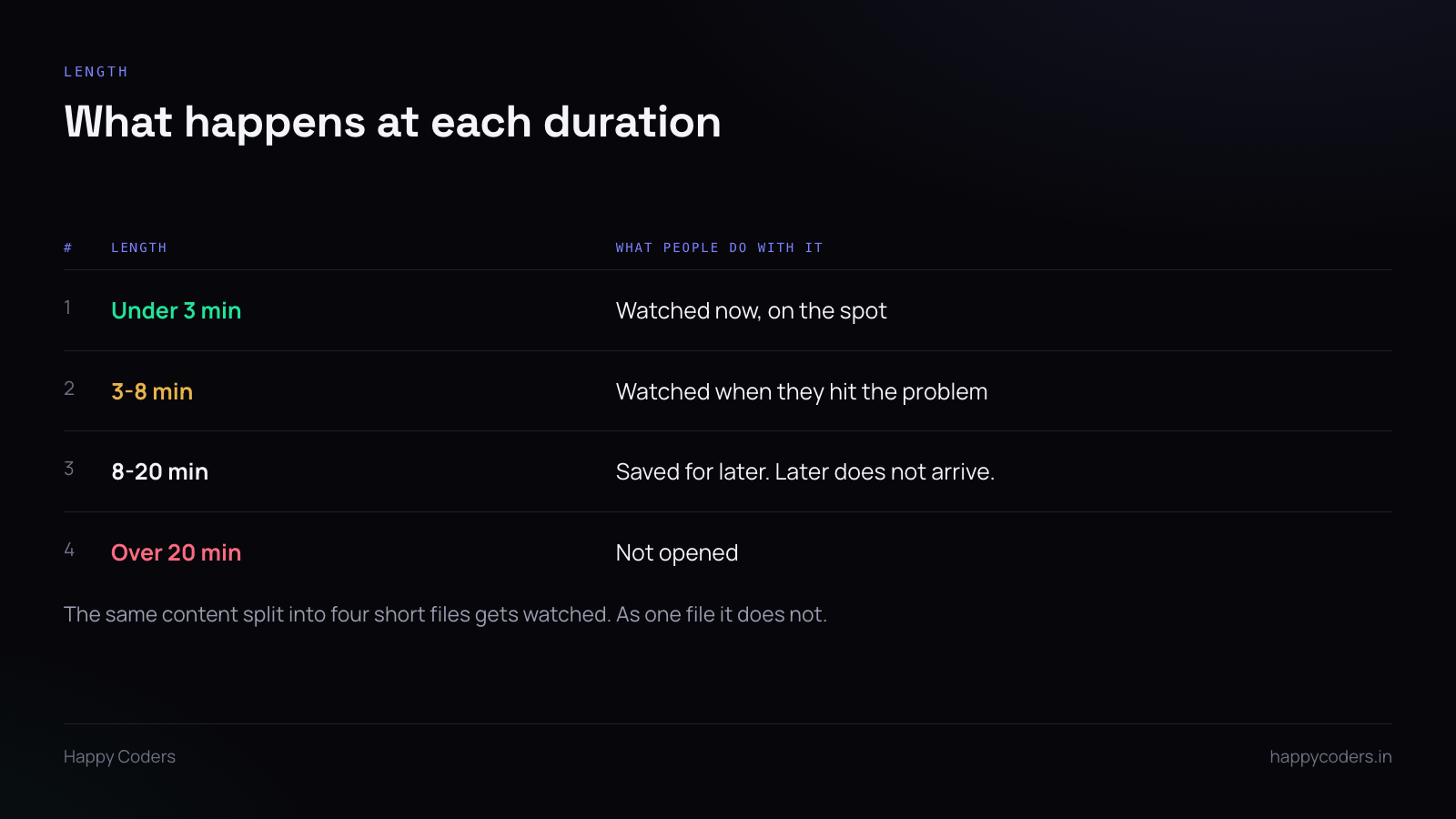
A three-minute recording gets watched on the spot. An eight-minute one gets watched when somebody hits the problem it solves. Anything over twenty minutes gets saved for later, and later is a place files go to be forgotten.
The instinct is to record everything in one session because that is efficient for the person recording. It is the opposite of efficient for everyone who has to watch it. Nobody needs the whole system at once; they need the one thing they are stuck on, now.
Same content, four files instead of one, and all four get used.
One recording, one task
The rule that makes the length work: each file does exactly one thing, and the title says what.
Not “Invoicing module overview”. That is a chapter heading, and nobody arrives wanting an overview. They arrive wanting to raise an invoice for a retainer client, and that is what the file should be called.
Titles that work are tasks, in the words the person would use:
- Raising an invoice for a retainer client
- Adding a new person and giving them the right access
- What to do when a deploy fails halfway
- Changing a client’s billing address
Each of those is three to six minutes and each is findable by searching for the thing you are trying to do, which is how people actually look.
The first ten seconds
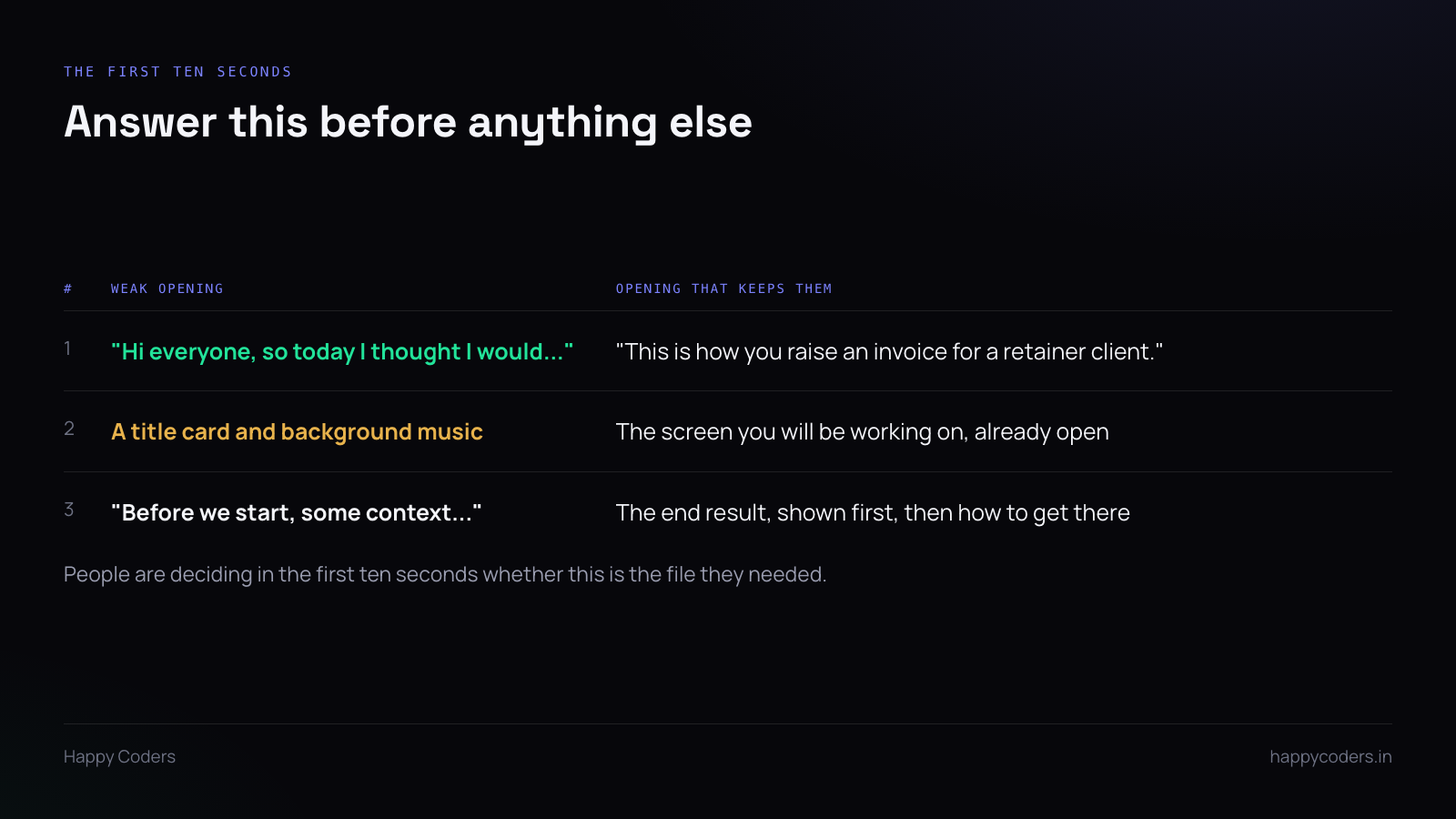
Somebody has opened the file because they think it might be the one. They are deciding, in about ten seconds, whether to keep watching or go back to the list.
So do not open with a greeting, do not open with context, and do not open with a title card. Open by naming the task in a sentence, with the relevant screen already in front of you.
“This is how you raise an invoice for a retainer client.” Then do it.
Showing the end result first is even better where it is possible. Ten seconds of the finished invoice, then “here is how to get there” — now they know they are in the right place and they know what they are aiming at.
Record the real thing, badly
The temptation is to rehearse, to write a script, to re-record because you said “um” twice. Resist all three.
An unrehearsed recording of someone doing the actual task is more useful than a polished one, because the polished version has edited out the pauses — and the pauses are where the real information is. When you say “hang on, this usually takes a few seconds to load” you have just saved the next person from thinking it has frozen.
Mistakes are content too. Clicking the wrong tab and going back teaches people what the wrong tab looks like.
The only thing worth re-recording is if you got something factually wrong. Everything else, leave in.
What to do about your face
For task recordings, the screen is the content and the face is optional. A small camera bubble in the corner helps some people talk more naturally, and it makes the recording feel like a person explaining rather than a system beeping.
Plenty of people do not want to be on camera, and that should not stop them recording anything. The options are a logo in the bubble instead, or an animated avatar that moves with your expressions while your actual camera image is never written to the file. Either way the voice does the work.
What matters far more than the face is the audio. A recording with a clear voice and no camera is useful. A recording with a camera and muddy audio is not.
Where they live
Two failures are common and both are about storage rather than content.
They live in the recorder’s own drive. Then the person leaves and the folder goes with them. Put them somewhere the team owns, on the day they are made.
They are named so they cannot be found. Recording 2026-10-09 14-32-11.mp4 tells nobody anything. Rename immediately, to the task. A file named after what it teaches is found by someone searching for that thing; a file named after when it was recorded is found by nobody.
Keep them current, cheaply
Training recordings go stale when the interface changes, and a video showing a button that no longer exists is worse than no video — it makes the viewer think they are doing something wrong.
The fix is not to maintain them. It is that they are cheap enough to replace. A four-minute recording that took five minutes to make can be redone in five minutes when the screen changes. That is only true because it is four minutes; the forty-minute one never gets redone, which is another reason it was the wrong format.
The actual test
Next time someone asks you a question you have answered before, do not type the answer. Record it while you answer, name the file after the question, and send the file.
Do that for a month and you will have a library that was built by real questions rather than by someone guessing what people needed. Those are the ones that get watched.




