


Very few people record in a studio. They record at a desk in an open-plan office, or at a kitchen table with someone else in the house, and the recording ends up with a colleague walking past in the background, a half-heard conversation about somebody’s weekend, and a notification from a client who is not the client this video is for.
None of that needs a different room. It needs four settings, decided once.
The four leaks
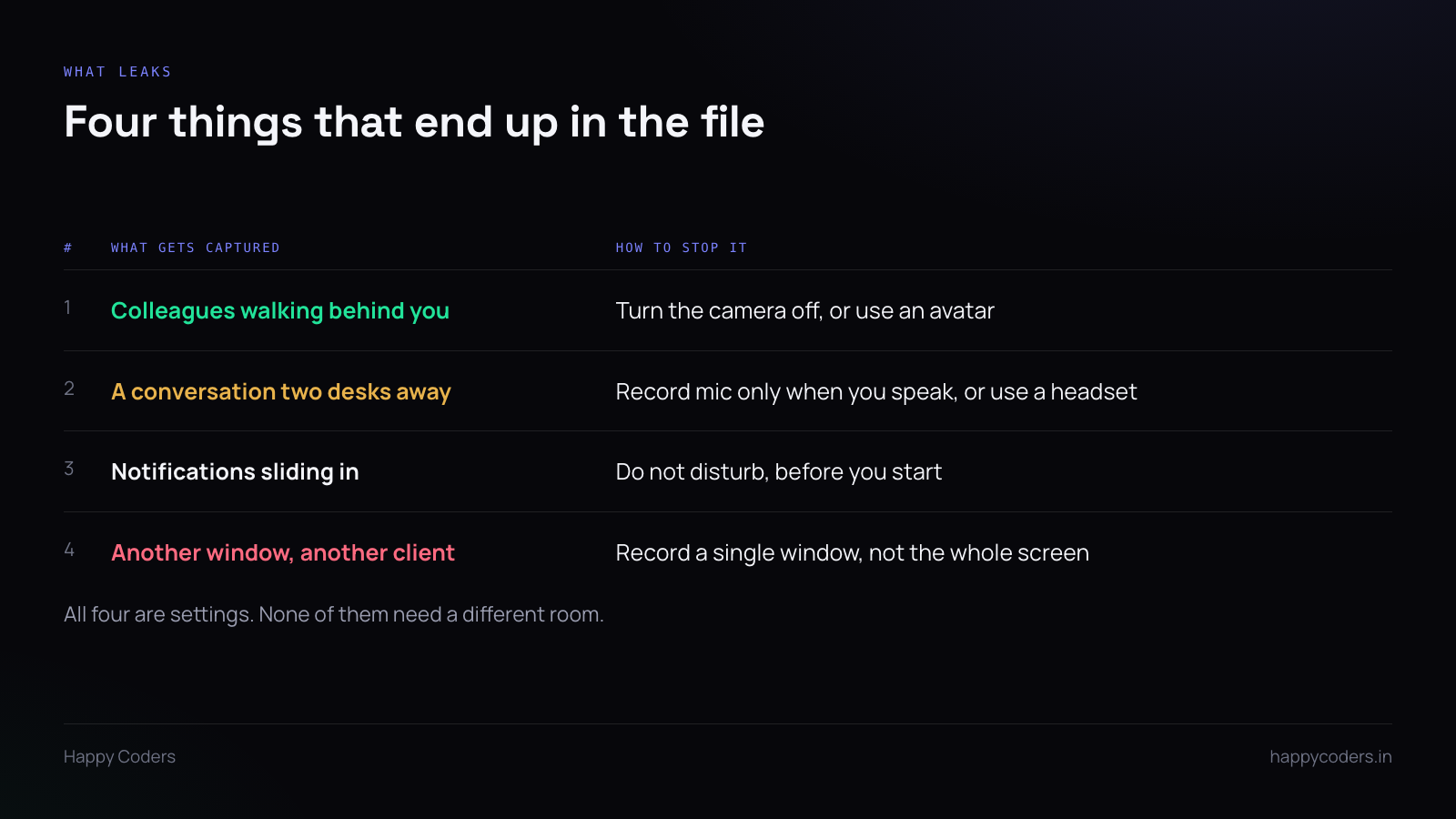
What is behind you
If the camera is on, everything behind you is in the file. In an office that is colleagues; at home it is whatever your home looks like, including people who did not agree to be in a work video.
The simplest answer is to turn the camera off. For a screen walkthrough it adds nothing — the screen is the content.
If having a face on screen genuinely helps, there are two ways to keep it without the room: a logo in the bubble instead of a camera feed, or an avatar that moves with your expressions while the camera image itself is never written to the file. With the second, face tracking runs on your own machine and the frames are used to drive the character and then discarded. The room never reaches the recording because the camera image never does.
What is around you
Microphones pick up more than you think, particularly the built-in one on a laptop, which is designed to find voices in a room. That is useful on a call and unhelpful here.
A headset with a close microphone fixes most of it, because a close mic can be turned down enough that it hears you and not the desk behind you. If you do not have one, sit closer and speak at a normal volume rather than projecting.
Also decide whether you need system audio at all. If you are not demonstrating something that makes a sound, turning it off removes a whole category of accidents — the notification chime, the music that was still playing, the video that autoplayed in another tab.
Notifications
Do not disturb, before you start. Every time.
This is the one that produces the genuinely awkward recordings: a message preview sliding in with a name and the first line of what they said, now permanently in a file you are about to send to a client. Most of these are harmless. The one that is not will be the one you do not notice until after you have sent it.
Worth closing as well: email, chat, and anything that shows an unread count in a tab title.
Other windows
Full-screen capture records everything on the screen, including the other client’s work in the window behind and the browser tab titles across the top.
Recording a single window instead means the rest of the screen simply is not in the file. It is the single most effective privacy setting in any recorder and it is the one people skip, because full screen is the default and the default is what gets used.
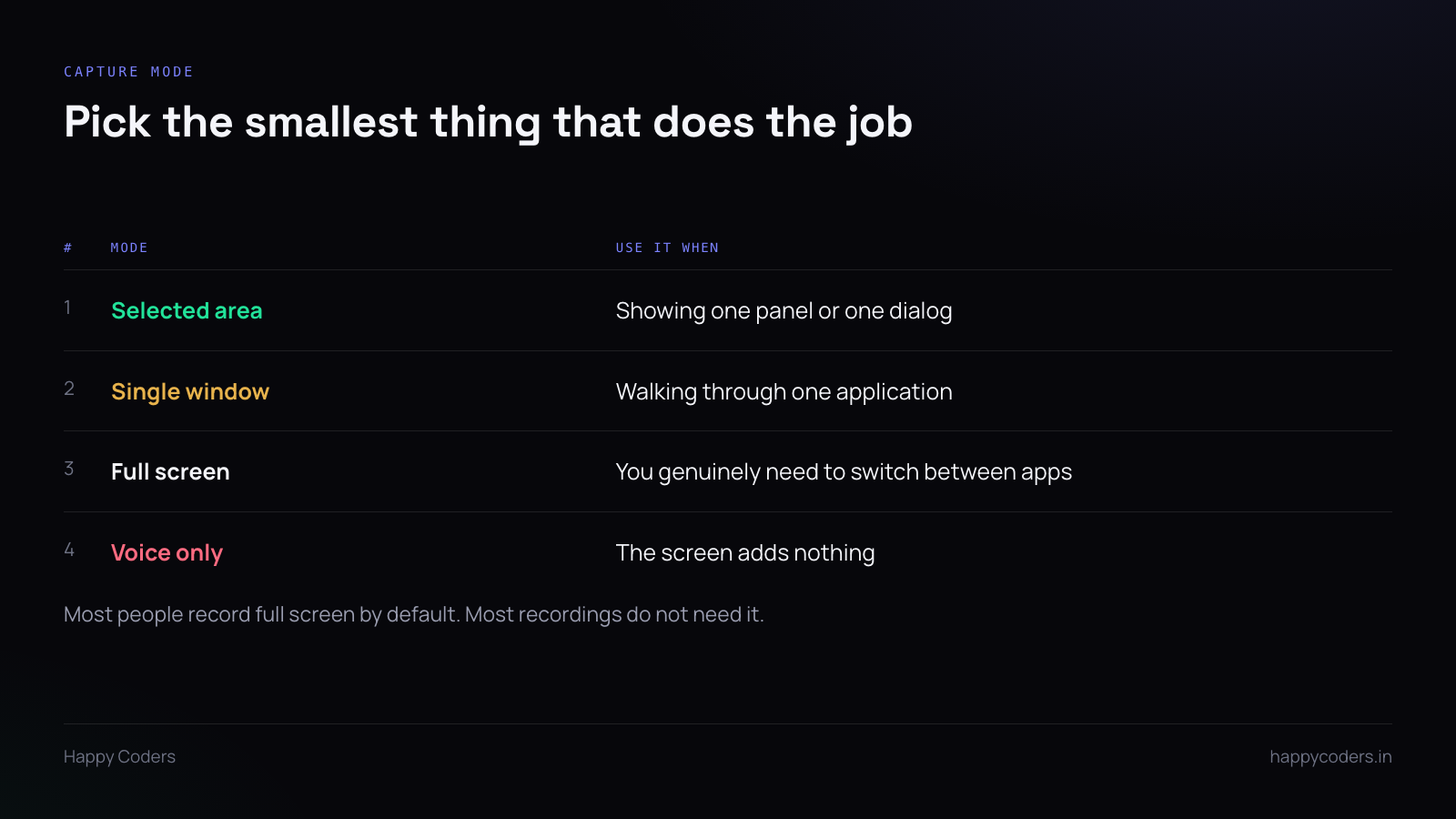
Record the smallest thing that does the job
Work down the list rather than up. Can this be a selected area? Then do that. Does it need a whole window? Fine. Does it genuinely need the full screen because you are switching between applications? Then use it, having tidied the screen first.
And if the screen adds nothing at all — you are explaining a decision rather than showing a system — record voice only. A two-minute audio file is faster to make, faster to listen to, and leaks nothing.
A thirty-second check before you start
This is faster than re-recording and it catches nearly everything.
- Do not disturb on.
- Close every window that is not part of this.
- Look at the top of the browser — are the tab titles readable, and do you mind?
- Glance behind you if the camera is on.
- Start the recording and say the first sentence. Stop. Play back ten seconds and listen to the audio.
That last step is the one that saves a whole re-record. Ten seconds tells you whether the microphone picked the right input, whether the room is audible, and whether your voice is loud enough — three things you otherwise discover at the end of a twelve-minute take.
If you share a desk with the subject
One more case worth naming: recording a screen in an office where the people on that screen can see you doing it.
Say what you are recording and why, to the room, before you start. It takes five seconds and it prevents the conversation where somebody noticed a recording indicator and spent an hour wondering what it was for. In a shared space the courtesy is not optional, and it is also just easier than explaining afterwards.
Where the files go
If the recording has anything in it that should not travel — a client name, an internal system, a colleague’s voice in the background that you did not manage to avoid — then where the file is stored matters as much as what is in it.
Recordings that stay on your machine until you deliberately move them are easier to control than ones that upload themselves somewhere on completion. Know which kind your recorder is before you record anything sensitive, not after.




