


Most project management software is built to answer one question: what is everyone working on? An agency has to answer a second one as well: what did that work cost, and can we bill for it? The right tool for an agency is the one that answers both, because an agency sells hours — and a board that does not know how long anything took cannot tell you whether a project made money.
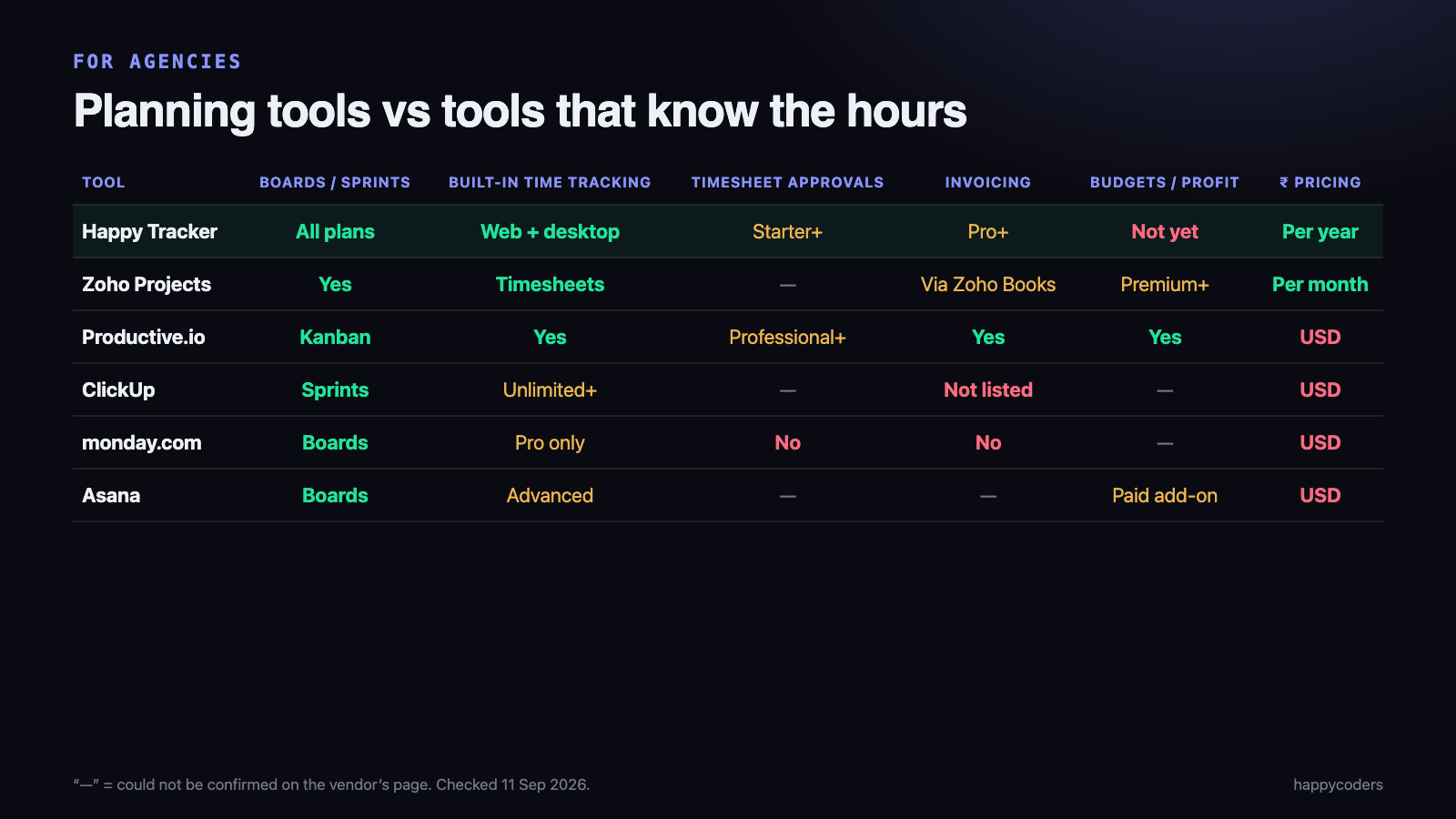
This guide sets out what a digital agency in India needs from project management software, then compares six tools against that list. We make one of them, Happy Tracker, so we have tried hard to be fair: vendor prices and features were checked on their own sites on 11 September 2026, and we say where other tools do more.
What an agency needs that a product team does not
- A board — tasks, stages and owners. Every tool here has one.
- Time tracked against the tasks on that board, not in a separate app. This is what lets you compare the estimate with what the work actually took.
- Timesheets with approvals, so the hours that reach a client invoice have been checked by somebody.
- Invoicing from billable hours, or at least a clean export to your accounting tool.
- Budgets or profitability — how much of a project’s money has been used, and whether it will finish with a margin.
- Pricing that makes sense for a team paid in rupees. Most tools in this category charge per seat per month in US dollars.
Planning tools are strong on the first item and weak on the rest. Time tracking tools are the reverse. The tools worth an agency’s attention are the ones that cover most of the list in one place.
The tools
Zoho Projects — the Indian all-rounder
Projects, boards and timesheets, with project budgets from the Premium plan and invoicing through Zoho Books or Zoho Invoice. It shows rupee prices: Premium ₹280, Enterprise ₹630 and Ultimate ₹980 per user per month, billed yearly, with a free plan for 5 users and 3 projects.
Best for agencies already running accounts and CRM on Zoho. Watch for the fact that billing lives in a separate Zoho app, and there are no screenshots or activity data if you need them.
Productive.io — built for agency profitability
Productive is the tool on this list designed most directly for agencies: time tracking, approvals from its Professional plan, invoicing, kanban boards, and budgets and profitability reporting. If profitability reporting is the reason you are switching tools, it deserves a trial.
Its pricing page showed conflicting figures for the same plans when we checked, so we are not quoting a price — confirm it with Productive directly. It is priced in US dollars, and the site mentions a minimum number of seats.
ClickUp — the flexible one
A very configurable workspace with sprints, time estimates, and native time tracking from its Unlimited plan ($7 per user per month billed yearly; Business $12). The free plan allows unlimited members with limited storage. Invoicing is not listed, so billing needs another tool.
Best for agencies that want to design their own workflow. Watch for setup time — flexibility is also configuration someone has to own.
monday.com — planning first
Clear boards and good client-facing views. Basic $9, Standard $12 and Pro $19 per seat per month billed annually; free for up to 2 seats. Time tracking is on Pro only, and there are no screenshots, approvals or invoicing. It is a planning tool, and a good one, but it does not know what the work cost.
Asana — planning, with time as an add-on
Starter $10.99 and Advanced $24.99 per user per month billed yearly. Estimated-versus-actual time tracking is on Advanced, and timesheets and budgets are a paid add-on ($5.99 annual). Strong for planning and cross-team work; the agency-specific pieces cost extra.
Happy Tracker — the board and the hours in one place
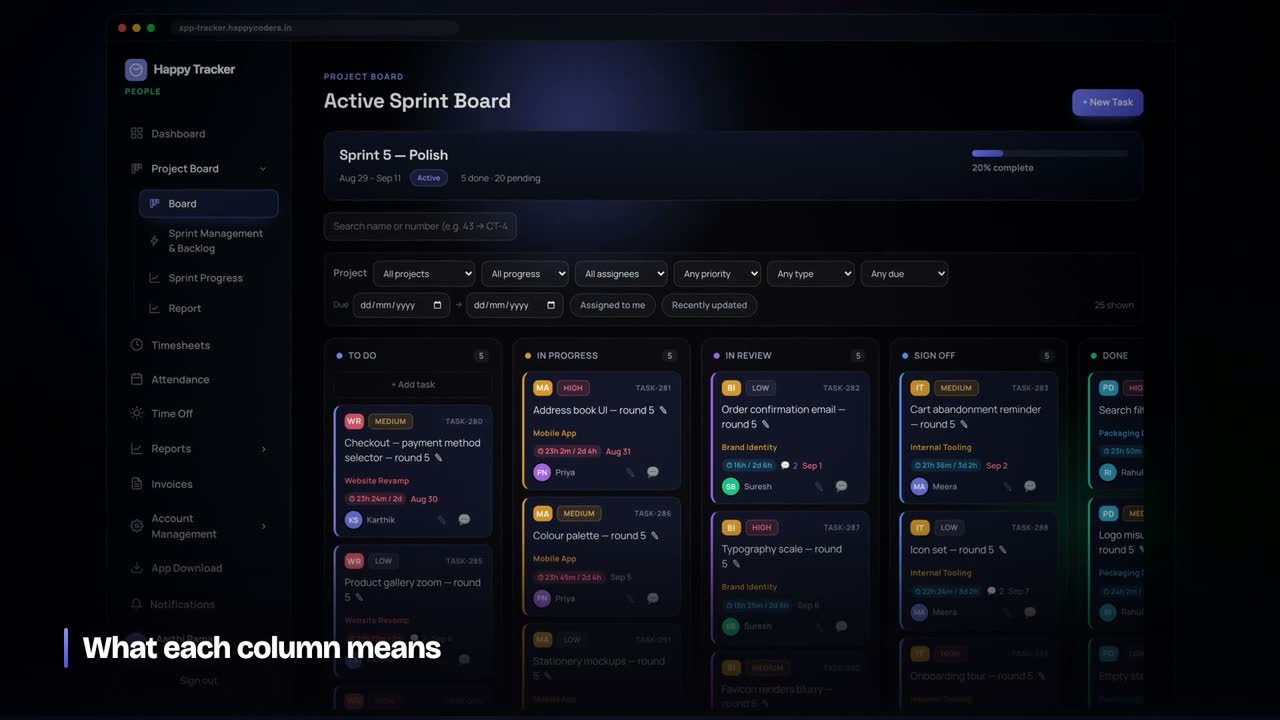
A sprint board where every task carries its estimate and the hours actually tracked against it, timesheets built from that tracked time, approvals from Starter, invoicing from billable hours from Pro, and desktop apps for Mac, Windows and Ubuntu. Priced per user per year in rupees: free for up to 5 users, then Starter ₹499, Pro ₹999, Business ₹1,499.
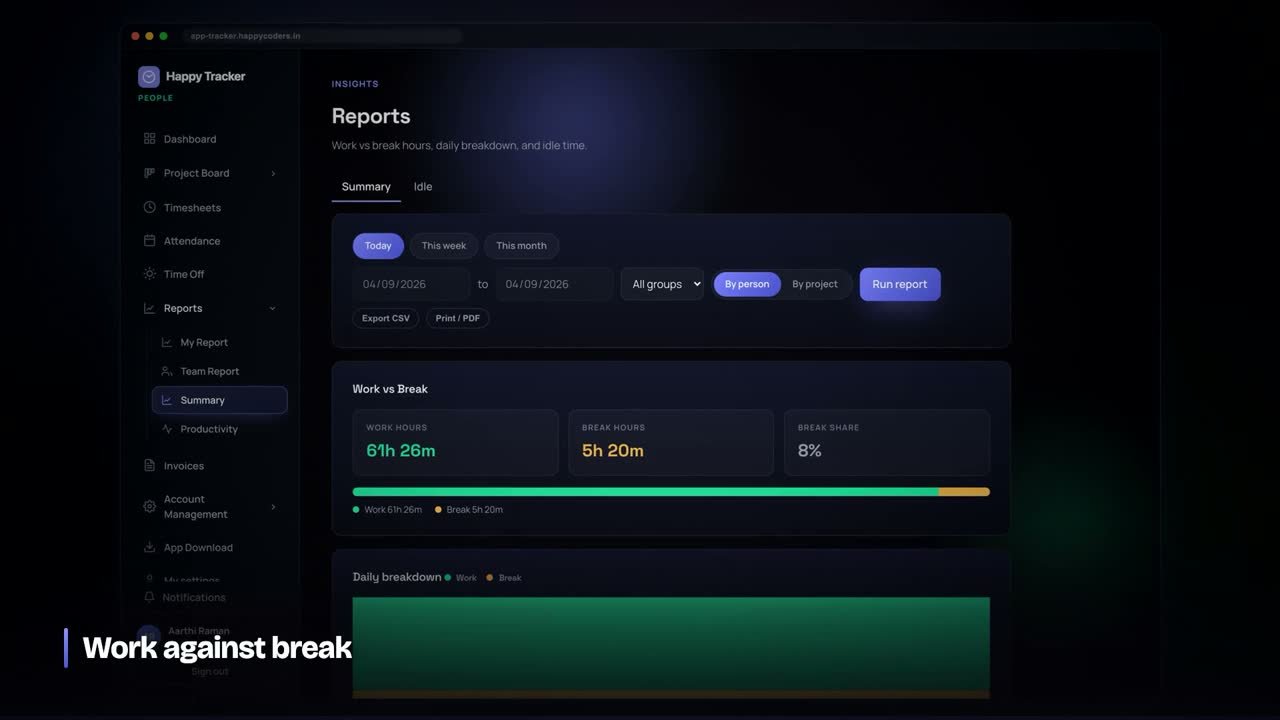
Honest limit: Happy Tracker does not have budget or profitability reports yet. It gives you the hours per project, client, person and task, billable versus non-billable, and estimate versus actual — the inputs to profitability — and you do the calculation. If built-in profitability is essential today, Productive or Zoho Projects Premium is the better fit.
Setting up an agency workspace in the first week
Whichever tool you choose, the order you set it up in decides whether the numbers are usable at month end. This is the order that works:
- Clients first, then projects under them, with each project marked billable or not. Hours logged against a project inherit that, so nobody has to decide per entry.
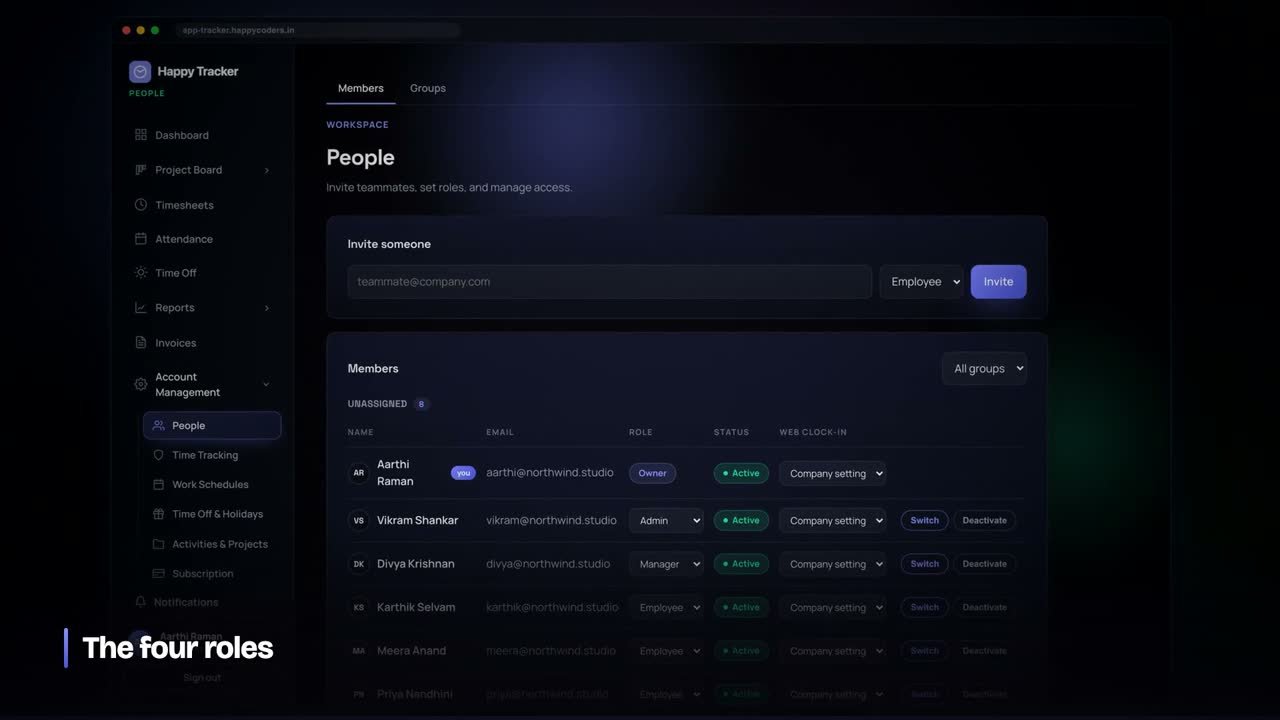
- Roles before invitations. Decide who can see rates and billing and who only sees their own work, then invite people into the right role.
- Rates per person. Set each person’s billable rate once. Invoices and reports then use the right rate without anyone re-typing it.
- Estimates on tasks from day one. An estimate added after the work is done teaches you nothing. Put it on the task when it is created.
- A weekly approval habit. Approving each week while it is fresh takes minutes; approving a whole month at once means nobody remembers anything.
- Start at the beginning of a month, so the first invoice comes entirely from the new tool.
Mistakes agencies make when choosing a tool
- Choosing on how the board looks. Every tool has a nice board. The difference is whether the board knows how long the work took.
- Testing with managers only. The people who track time are the team. If they find it tedious, the hours will be wrong and every report built on them will be too.
- Forgetting freelancers and contractors. If they need seats, count them in the per-seat price.
- Assuming billing is included. Check which plan invoices from tracked hours, or whether it needs a separate paid product.
- Switching mid-month. Half a month in each tool means the month-end numbers come from two places and match neither.
How to choose
- Already on Zoho for accounts? Zoho Projects, and keep everything in one account.
- Profitability reporting is the main reason to change? Trial Productive.
- You want the board and the hours together, priced in rupees per year? Happy Tracker.
- You mainly need to plan and show clients progress? monday.com or Asana, with time and billing elsewhere.
- You want to build your own workflow? ClickUp.
A test worth running before you decide
Pick one live project and one week. Put the project’s tasks on the board, track the team’s time against those tasks, and at the end of the week answer three questions from the tool alone: how many hours went into the project, how many of them were billable, and which tasks ran over their estimate.
If the tool answers all three without an export and a spreadsheet, it will work for an agency. If it cannot, it is a planning tool, and you will still be reconciling hours by hand at month end.
Frequently asked questions
What is the best free project management software for a small agency?
For a team of five or fewer, Happy Tracker and Zoho Projects both have free plans for up to five users, and ClickUp’s free plan allows unlimited members with limited storage. Check what the free plan leaves out — usually approvals, invoicing and history.
Do I need separate time tracking software?
Not if your project management tool tracks time against its own tasks. The problem with separate tools is that the hours and the tasks never line up, so you cannot see which work ran over.
Which tools price in rupees?
In this comparison, Zoho Projects (per user per month) and Happy Tracker (per user per year). The others price in US dollars.
Try Happy Tracker free for up to five users — no card, no time limit. Related: how to calculate project profitability, with a free template.
Sources
- Zoho Projects pricing
- Productive pricing
- ClickUp pricing
- monday.com pricing
- Asana pricing
- All checked 11 September 2026.




