


A manager opens the weekly timesheet. One person logged forty-one hours, another thirty-four. The obvious conclusion is available immediately, and it is usually wrong.
Hours are the easiest number on the report to read and the least informative. They tell you how long a timer was running. They do not tell you what happened during it, whether the work was any good, or whether the person was solving a hard problem or sitting in a meeting that should have been an email.
Every useful thing a timesheet can tell you comes from reading two or three columns against each other. On its own, each one lies in a different direction.
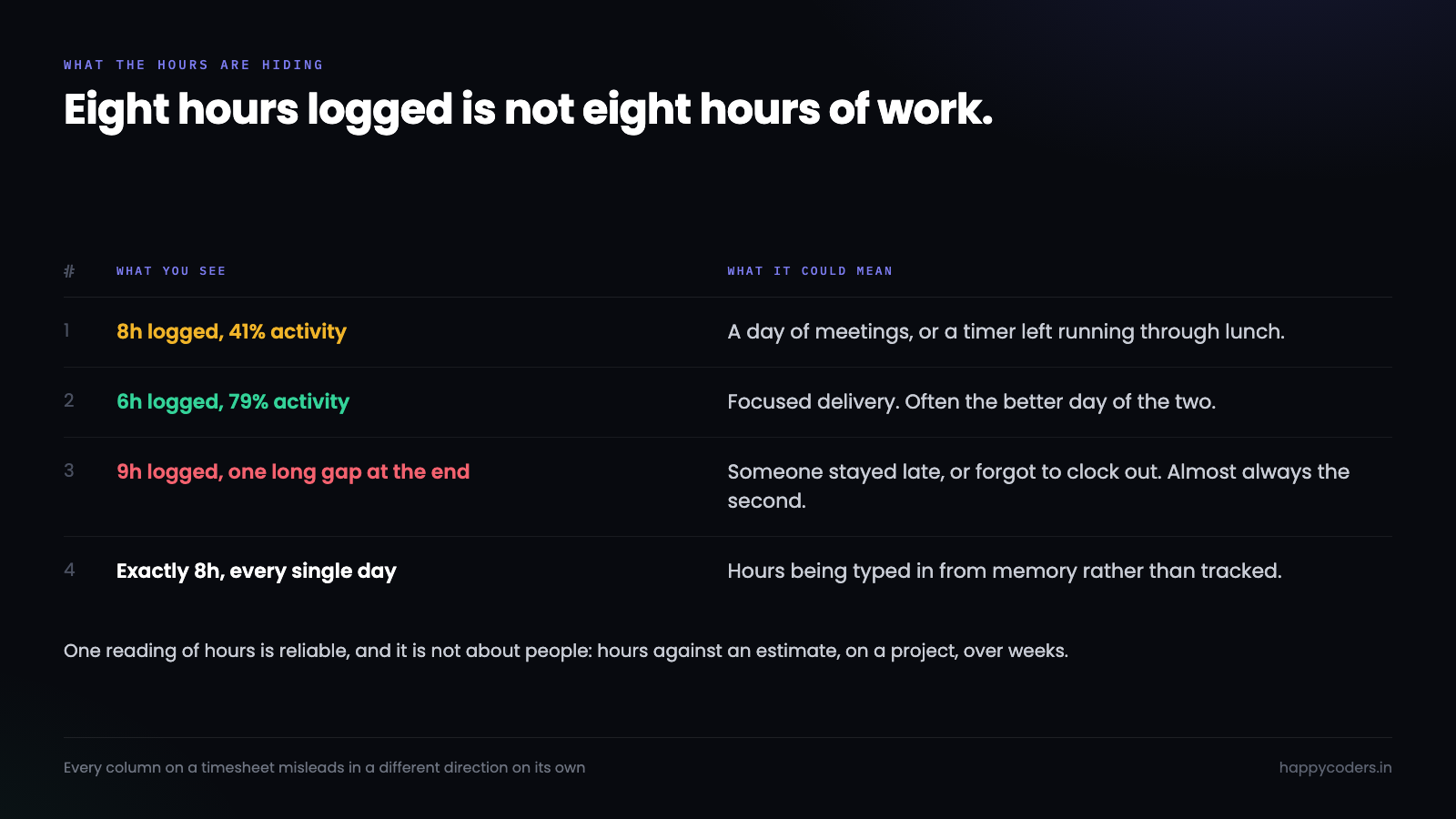
Hours tell you duration, nothing else
Start with what the hours column is actually measuring: elapsed time between a clock-in and a clock-out. That is all.
Long hours are the number most likely to be misread, because they look like commitment. Often they are. They are also what a person produces when they are stuck, when they are working through interruptions that destroy any continuity, or when the estimate was wrong and nobody has said so. A consistently long week is at least as likely to be a warning as a compliment, and the difference is not in the hours column.
Short hours get read as the opposite and deserve the same suspicion. Someone who logs six focused hours and ships the feature has had a better day than someone who logged nine and did not. Six hours can also mean somebody is disengaged. Again: not in this column.
There is one reading of hours that is reliable, and it is not about individuals at all. Hours against an estimate, on a project, over weeks, is a genuinely strong signal. A project quoted at two hundred hours that has consumed three hundred and twelve tells you something true that nobody has to interpret. That is the number the timesheet exists for.
Activity tells you how the machine was used
An activity percentage — the share of tracked time with real input and application use — is a better number than hours and is routinely over-read.
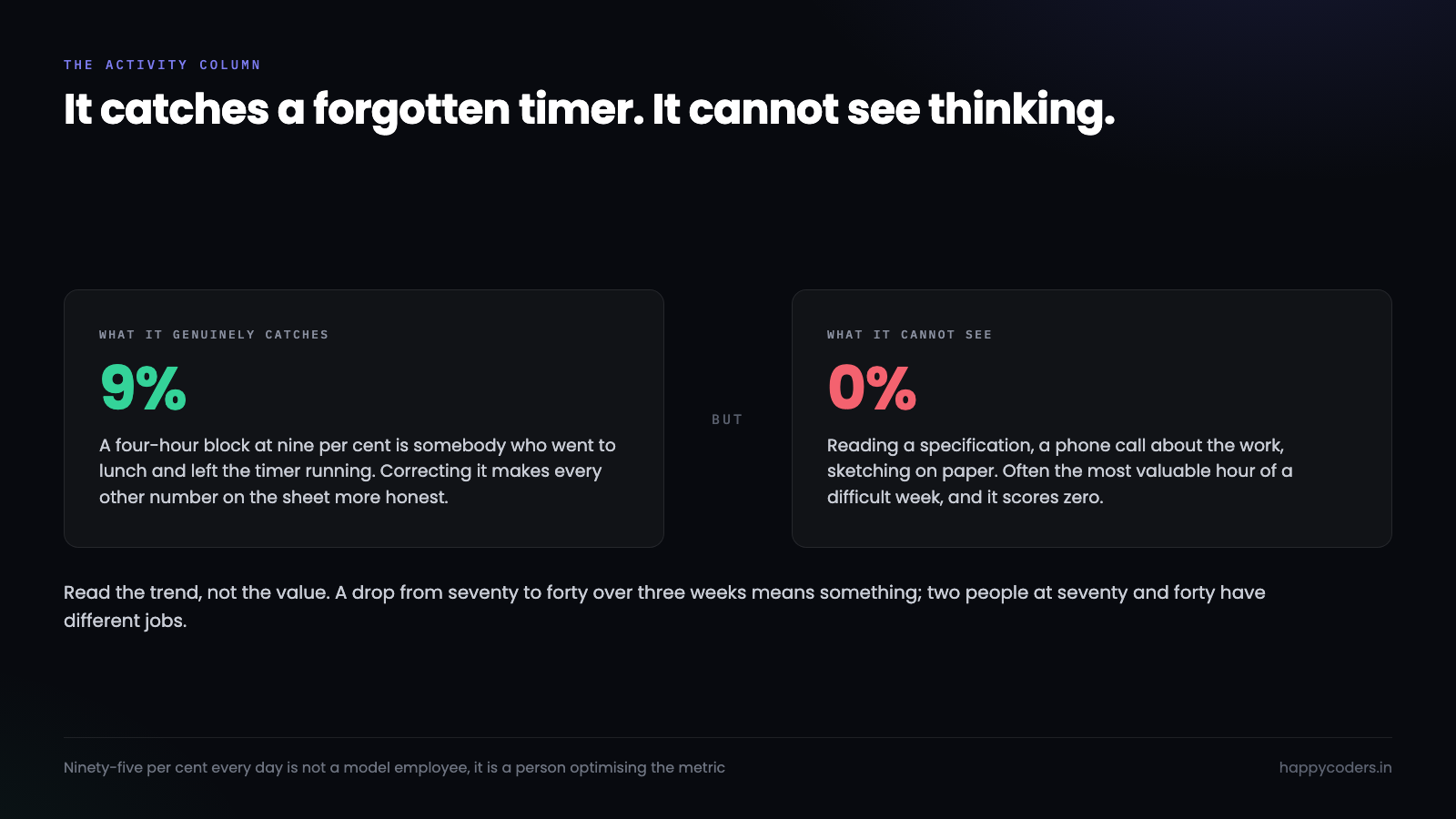
What it genuinely catches is the timer left running. A four-hour block at nine per cent activity is somebody who went to lunch and forgot, and correcting that makes every other number more honest. That alone justifies having the column.
What it cannot see is thinking. Reading a specification, watching a recorded call, sketching on paper, being on a phone call about the work — all real, all scoring close to zero. The most valuable hour in a difficult week is frequently the one where somebody stared at a diagram and worked out that the approach was wrong.
So a low activity score is a question, not a finding. High activity has its own failure mode: it is easy to produce by doing shallow work quickly, and someone who has worked out that the number is being watched can produce it deliberately. A person at ninety-five per cent every day is not a model employee, they are a person who has noticed what you are measuring.
Read the trend rather than the value. One person’s activity dropping from seventy to forty over three weeks means something. Two people sitting at seventy and forty respectively probably just have different jobs.
Idle is the most misread column of all
Idle time is a gap in input. That is the whole definition, and everything people conclude from it is inference.
A single long gap in the middle of the day is almost always a meeting, a call, or lunch. It is the least interesting kind of idle and the kind most likely to get a comment.
Frequent short gaps are more informative and get ignored. Someone whose day is broken into twenty-minute fragments is being interrupted, and interruption is the thing that destroys difficult work. That pattern is worth a conversation, and the conversation is about their environment rather than their effort.
Idle at the very end of a session is nearly always a forgotten clock-out. Idle that only appears on certain days usually maps onto the meeting schedule, and if it does, you have found something about the calendar rather than the person.
Read them together
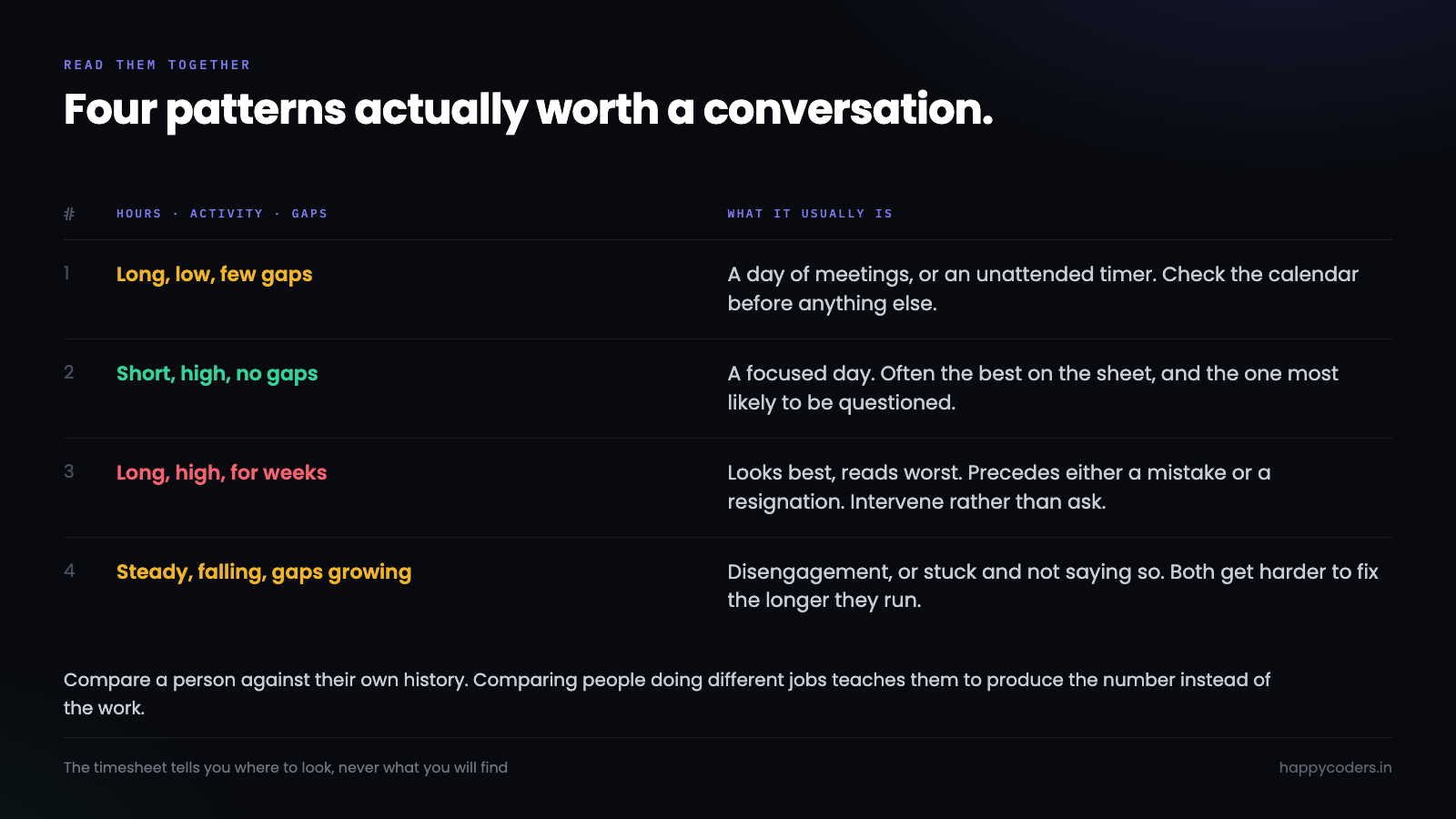
None of the three columns means anything in isolation. In combination they produce a small number of readable patterns, and these are the ones worth knowing.
Long hours, low activity, few gaps. Usually a day of meetings, or a timer that ran unattended. Check the calendar first. This is the single most common false alarm on any timesheet.
Short hours, high activity, no gaps. A focused, efficient day. Often the most productive day on the sheet and the one most likely to be questioned, because the hours number is low.
Long hours, high activity, sustained for weeks. The pattern that looks best and reads worst. Nobody works at that intensity indefinitely. It usually precedes either a mistake or a resignation, and it is the one entry on this list where the right response is to intervene rather than ask.
Steady hours, falling activity, growing gaps. Disengagement, or a person stuck on something and not saying so. Worth asking about early, because both get harder to fix the longer they run.
Notice that three of the four end in a question rather than a conclusion. That is not caution for its own sake. A timesheet records what a machine observed, and the reason for it is the part only the person has.
The correction is part of the data
Every timesheet has entries that are wrong, and how a team handles that determines whether the report is worth reading at all.
The wrong instinct is to treat a correction as an admission. If changing an entry feels like confessing to something, people stop changing them, and the sheet fills up with numbers everybody privately knows are false. Once that has happened for a month, no report built on it means anything, and the tool has become a ritual.
The better arrangement is that corrections are expected and recorded. A person fixes Tuesday, the original and the change are both visible, and nobody has to ask permission. That last part matters more than it sounds: a correction that needs approval is a correction most people will not bother making for twenty minutes, and twenty minutes a week across a team is the difference between a report you can bill from and one you cannot.
What you are protecting is not accuracy for its own sake. It is the ability to say, six months later, that the three hundred hours on a project were really three hundred hours — to a client, to a partner, or to yourself when deciding whether to take similar work again.
The comparison that does not work
Ranking a team by hours or by activity produces a number that feels objective and is not, because the jobs are not the same.
A developer doing deep work, a designer switching between tools, and an account manager on calls all generate completely different activity profiles while doing their jobs well. A leaderboard puts them on one axis, the one who happens to type most comes out on top, and everybody else learns what the company rewards.
Comparison against a person’s own history works. Comparison against people doing a different job does not, and publishing it teaches the team to produce the number rather than the work.
What to do when a number looks wrong
Ask before concluding, and ask about the day rather than the number. “I noticed Tuesday ran to eleven hours, what was going on?” gets you an explanation. “Your activity is low” gets you a defensive employee and no information.
Most anomalies have boring explanations. A forgotten clock-out. A machine left on. A day of interviews. A project that turned out to be much harder than the estimate. All four look alarming on a report and are entirely fine.
The entries that genuinely deserve attention are patterns that persist over weeks, and even then the timesheet has told you where to look, not what you will find.
Let people read their own
The single change that makes a timesheet more accurate has nothing to do with how it is read by managers.
When people can see their own hours, activity and idle, they correct their own data. They notice the forgotten clock-out on Tuesday and fix it. They see that a block was categorised to the wrong project and move it. The data improves because the person with the context is the one reviewing it, which is a better arrangement than a manager reconstructing the same week from a calendar.
They also read their own patterns, which is where most of the value actually is. A developer who notices their own Wednesday is fragmented into twenty-minute pieces will move their meetings. Nobody had to raise it, and nobody had to be managed into it.
A timesheet read only upward is a monitoring tool and will be treated as one. The same data, visible in both directions, is something people will keep accurate on their own — and accuracy is the only property that makes any of the rest of this worth doing.
Happy Tracker shows hours, activity and idle on the same view rather than in separate reports, and every member can read and correct their own — which is what keeps the numbers worth reading at all.




