


You open the timesheet on Thursday because an invoice goes out Friday, and one person’s week reads 13h 40m, 14h 02m, 13h 55m, 14h 10m. They did not work fifty-six hours. They closed their laptop lid each evening and the tracker kept running until something stopped it.
This is the single most common error in any tracked timesheet, and how you handle it matters more than the edit itself.
First, read it properly
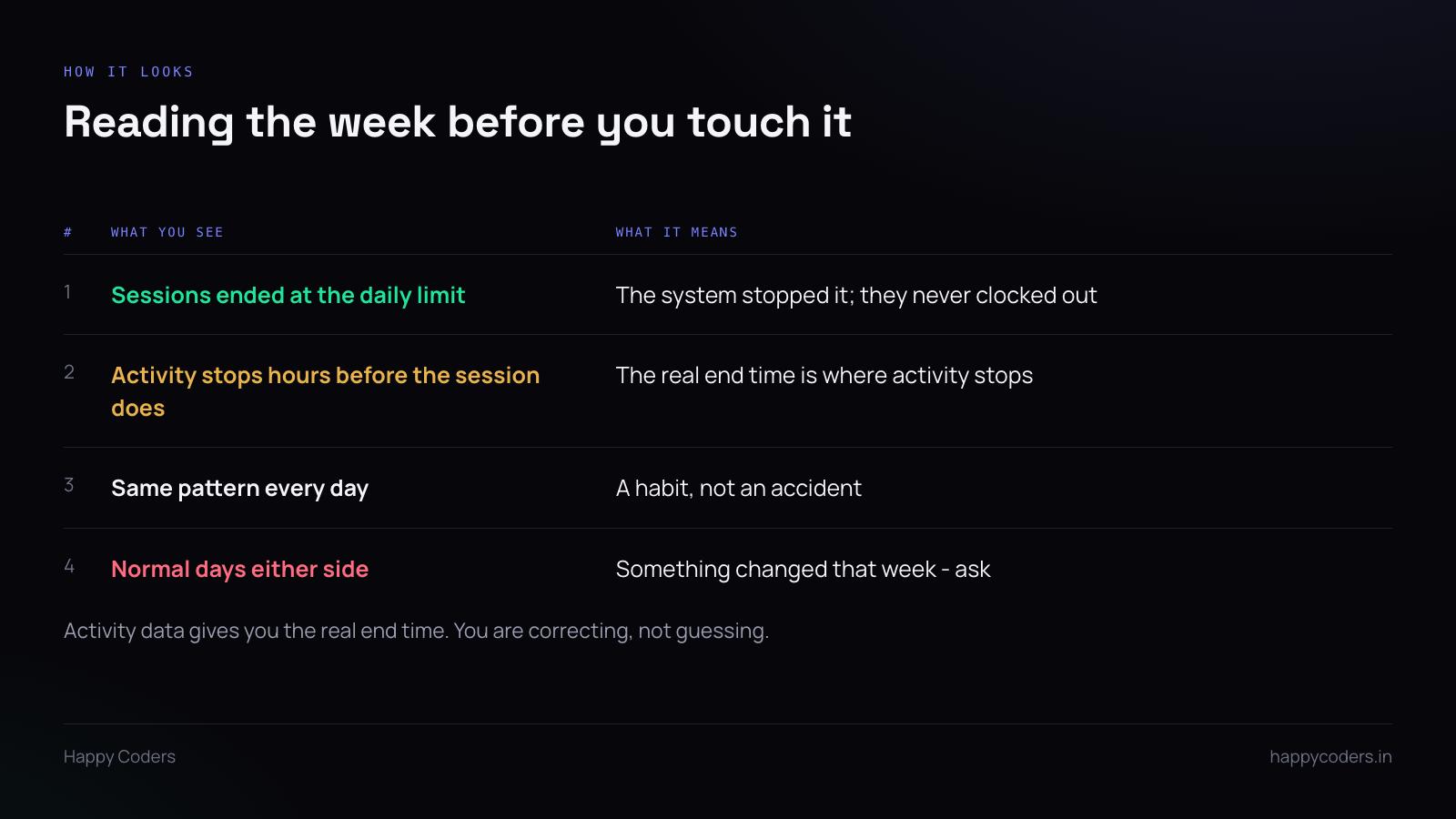
Look at how each session ended. A good tracker records this. “Closed at the daily hours limit” means the system stopped it — the person never clocked out at all. “Clocked out by the person” on a fourteen-hour day is a different thing and probably real.
Look at where activity stopped. If the tool records keyboard and mouse activity, the last block of real activity is the honest end of the working day. A session running until 23:00 with no activity after 18:40 ended at 18:40.
This matters because it means you are not guessing. You are correcting the entry to a time the system already recorded, which is a very different conversation from picking a number that seems fair.
Look at the shape of the week. One day is an accident. Five identical days is a habit — they are not clocking out at all, ever, and the first four days simply were not noticed. Normal days either side of a bad week usually means something specific happened: a new laptop, a changed routine, a project that ran late.
Then ask, before you edit
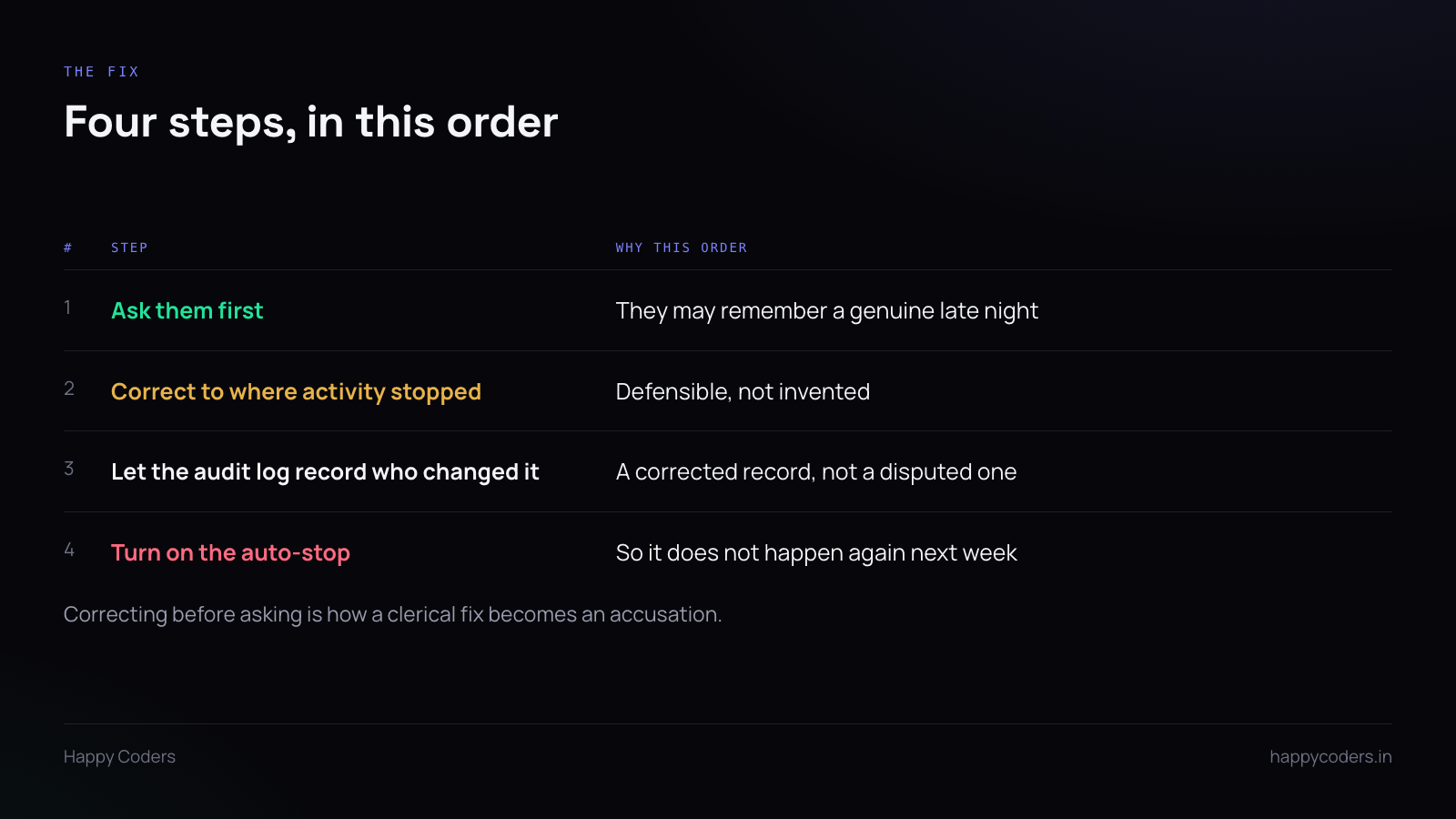
This is the step people skip, and skipping it is what turns a clerical correction into an accusation.
“Your hours look like the tracker kept running after you finished — can you tell me roughly when you stopped each day?” takes one message. Most of the time the reply is “oh, sorry, about six” and the whole thing is over.
Occasionally the reply is “no, I genuinely was working until ten on Tuesday, there was a deadline.” If you had already corrected it down, you would now be explaining why you reduced someone’s hours without asking. That is a conversation that damages something.
Correct to the evidence
Edit each entry to where activity stopped, or to the time they told you, whichever you have. Do not round everything to 6pm because it looks tidy — if activity ran to 18:42 on one day and 17:15 on another, use those.
Two things make this safe:
The audit log records who changed it. Every edit by an admin or manager should be written down with a name and a timestamp. Then the timesheet is a corrected record rather than a disputed one, and in six months nobody has to remember what happened.
The person can see the change. They can open their own timesheet and see the corrected entries. Nothing was done to their record behind a screen they cannot access.
Then stop it happening again
The correction fixes one week. The setting fixes the problem.
Idle auto-stop. If the machine has been idle for a set period, the session closes itself and the idle time is not counted. This is the real fix and most teams have it switched off without having decided to.
One caveat worth saying out loud to the team: idle is not the same as not working. Someone reading a printed document or on a long client call has an idle machine and is working. The auto-stop should be generous enough that it catches forgotten laptops and not phone calls — and anyone it catches wrongly should be able to say so and have the entry corrected.
The daily hours limit. A ceiling after which the system closes the session and marks it as closed automatically rather than recording a fourteen-hour day as though it were real. This is the backstop, not the fix — it still leaves hours to correct, it just stops them being absurd.
What not to do
Do not just invoice it. Fourteen-hour days on a client invoice will be queried, and when they are you will have to explain that they were wrong and you knew. One query like that costs more than the hours.
Do not delete the entries. The work happened; only the end time is wrong. Deleting loses the real hours along with the false ones, and leaves a gap that is harder to explain than a correction.
Do not make it a performance conversation. Forgetting to clock out is not a character flaw, it is a lid closing. Treating it as carelessness teaches people that the timesheet is a thing they are judged by, and the next lesson they learn is to manage what it says.
The useful habit
Look at the sessions once a week, on the same day, before anything is invoiced or approved. Two minutes a person.
Caught on Monday it is a question. Caught on Thursday with an invoice due it is a problem. Caught by the client it is a credibility issue, and that one takes a long time to repair.




