


Somebody is leaving. They have been on the project for two years, they are the only person who has ever deployed it, and they finish on Friday. The plan, as always, is that they will write a handover document.
They will. It will be four pages, written on Thursday afternoon between goodbyes, and it will be accurate for about a quarter. Then the deploy script changes, the log path moves, and nobody updates the document because nobody remembers it exists. Eighteen months later somebody finds it, follows it, and breaks production.
There is a better use of that Thursday afternoon, and it takes less effort than the document: record the screen while the person does the things they know how to do.
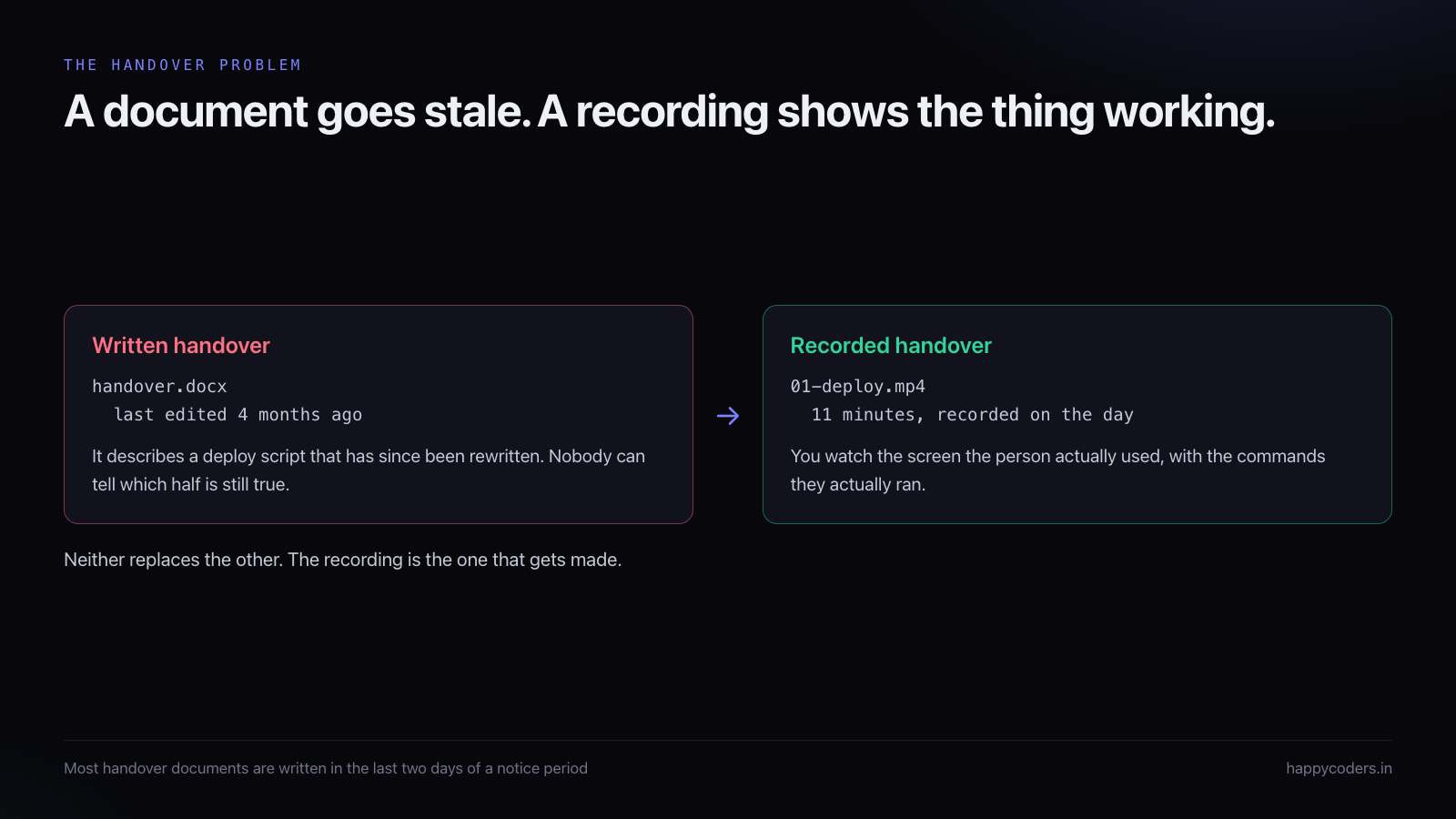
Why a recording survives better than a document
A written handover is a translation. The person doing the work knows a sequence of actions; they have to convert that into prose, and the reader has to convert the prose back into actions. Both directions lose information, and the loss is always the part that seemed too obvious to mention.
A recording skips the translation. The viewer sees the terminal, the exact command, the pause while it runs, the output that looked wrong but was fine, and the second command that was needed because the first one half-failed. None of that would have made it into the document, and all of it is what somebody needs at eleven at night when the deploy will not go through.
A recording is also honest about its own age in a way a document is not. Nobody mistakes a video made in March for current truth in December. A document, formatted neatly and sitting in a shared drive, reads as authoritative forever.
What to record, in what order
The instinct is to start at the beginning: what the system is, how it is put together, what the main components do. Resist it. Nobody reaching for a handover is asking an architectural question. They are asking an operational one, usually under pressure.
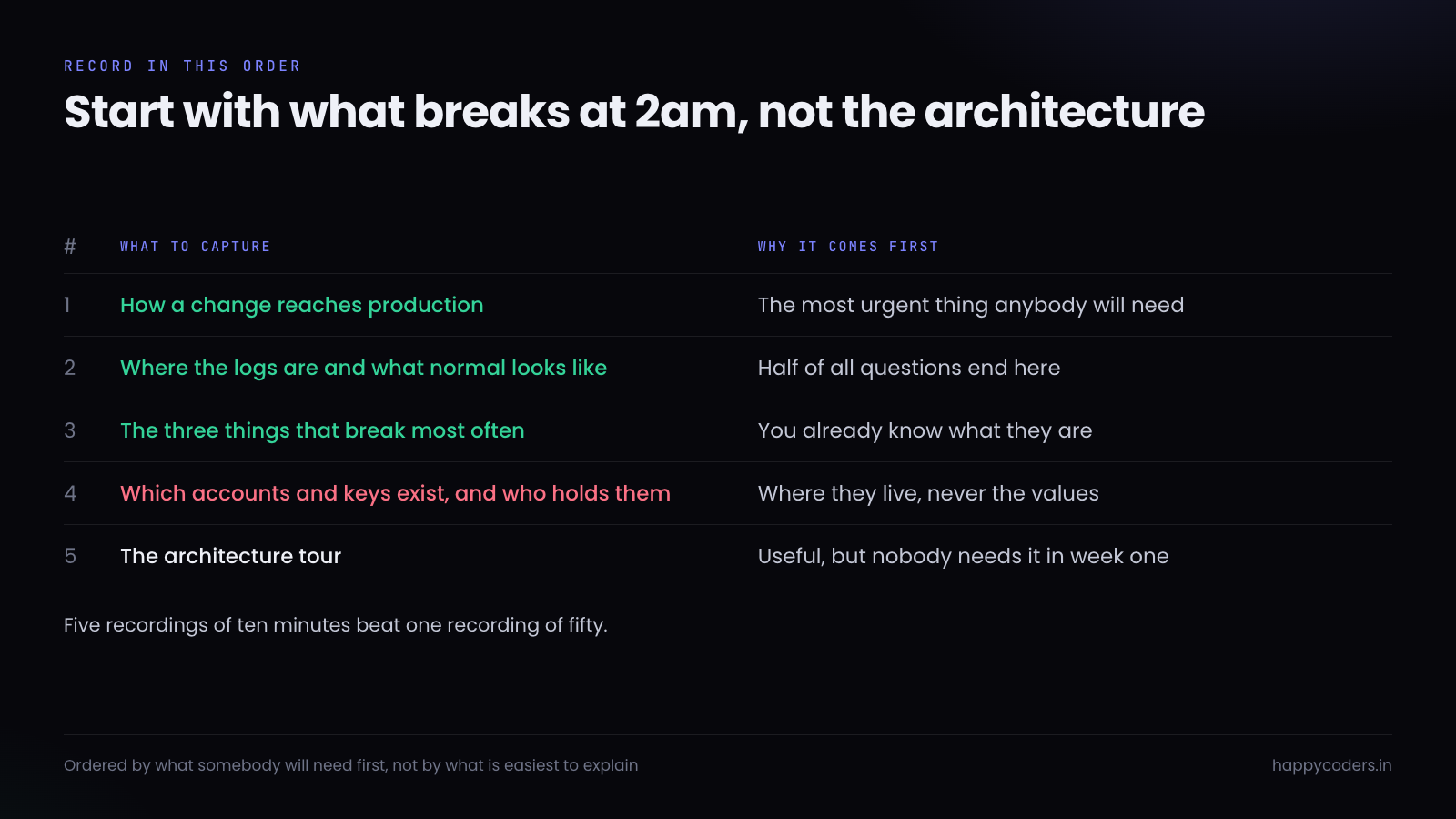
Record the deploy first, because it is the thing somebody will need soonest and the thing they can least afford to improvise. Record the whole path: where the code lives, what command builds it, what runs on the server afterwards, and how you know it worked. Include the wait. If the build takes four minutes, let the recording show four minutes of waiting, or at least say so out loud. A newcomer who does not know that will think it has hung.
Logs come second. Not where the files are, though say that too, but what a normal day looks like in them. Everybody can find a log. Far fewer people can look at forty lines of output and tell that thirty-nine of them are routine. Scroll through a healthy period and narrate it: this line is every cron run, this warning has been there for a year and is harmless, this one means something is genuinely wrong.
Third, the failures. Every project has three or four things that break more often than everything else combined, and the person leaving can name them without thinking. The disk fills. The payment webhook times out. The nightly import chokes on a file with a comma in a name field. Record each one: what it looks like when it happens, where you look to confirm it, and what you do about it.
Fourth, accounts and keys. Not the values, ever. Which services the project depends on, which account holds each one, who has access, and where the credentials are stored. This is a map, not a key ring.
The architecture tour goes last, and it is the one most likely to be skipped without much loss. If the first four exist, somebody can keep the system running while they work the fifth out for themselves.
The questions to answer, whether or not you think of them
Left to themselves, most people record what they find interesting. What a newcomer needs is narrower and duller, and it is worth writing the list down before you start so you do not drift.
How do I get access to everything? Not the passwords, but the list: which systems exist, who grants access to each, and what a normal set of permissions looks like. New people lose their first week to this more often than to anything technical.
What runs on a schedule? Every project has cron jobs or queued work that nobody thinks about because it works. Name them, say what each does, say roughly when, and say how you would know if one stopped. A silently dead nightly job is the classic six-months-later discovery.
What is fragile? Not broken — fragile. The import that only works if the file is UTF-8. The third-party API that rate limits without saying so. The page that times out if a client has more than two thousand records. These are the things the leaving person navigates around without noticing they are doing it.
What did we try that did not work? This is the most valuable and least recorded category of all. Somebody spent three weeks on a caching layer that was abandoned. Somebody evaluated two payment providers and rejected one for a specific reason. Without that, the next person spends the same three weeks and reaches the same conclusion.
Who do I call? For the hosting, the domain, the payment gateway, the client themselves. Names and what each person is responsible for, not just a list of email addresses.
What not to record
A handover recording is a document that will outlive your control of it. Some things should not be in it at all.
Never show a credential on screen, even briefly, even one you intend to rotate. Not in a terminal, not in an environment file you open to demonstrate its structure, not in a browser password manager. If you need to show the shape of a configuration file, blank the values first or use an example file. A key visible for two seconds in a video is a key that has leaked, and video is the hardest place to find it afterwards.
Do not walk through live customer data. It is somebody else’s information and it has no business being in a training file. Use a staging environment, or create two or three obviously fake records first.
Leave the opinions about people out. It is tempting, at the end of a project, to explain why a particular decision was made badly or who insisted on it. Whatever satisfaction that gives you on Thursday, the recording will be watched by people you did not expect, including possibly the person you were describing.
Keep each one short enough to survive
A fifty-minute recording is a file that gets opened once. Somebody watches eight minutes, gets called away, and never finds their place again. The same content as five ten-minute files gets watched properly, because each one is a decision to spend ten minutes rather than an hour.
Short files are also easier to replace. When the deploy process changes next year, somebody can re-record eleven minutes. Nobody re-records fifty.
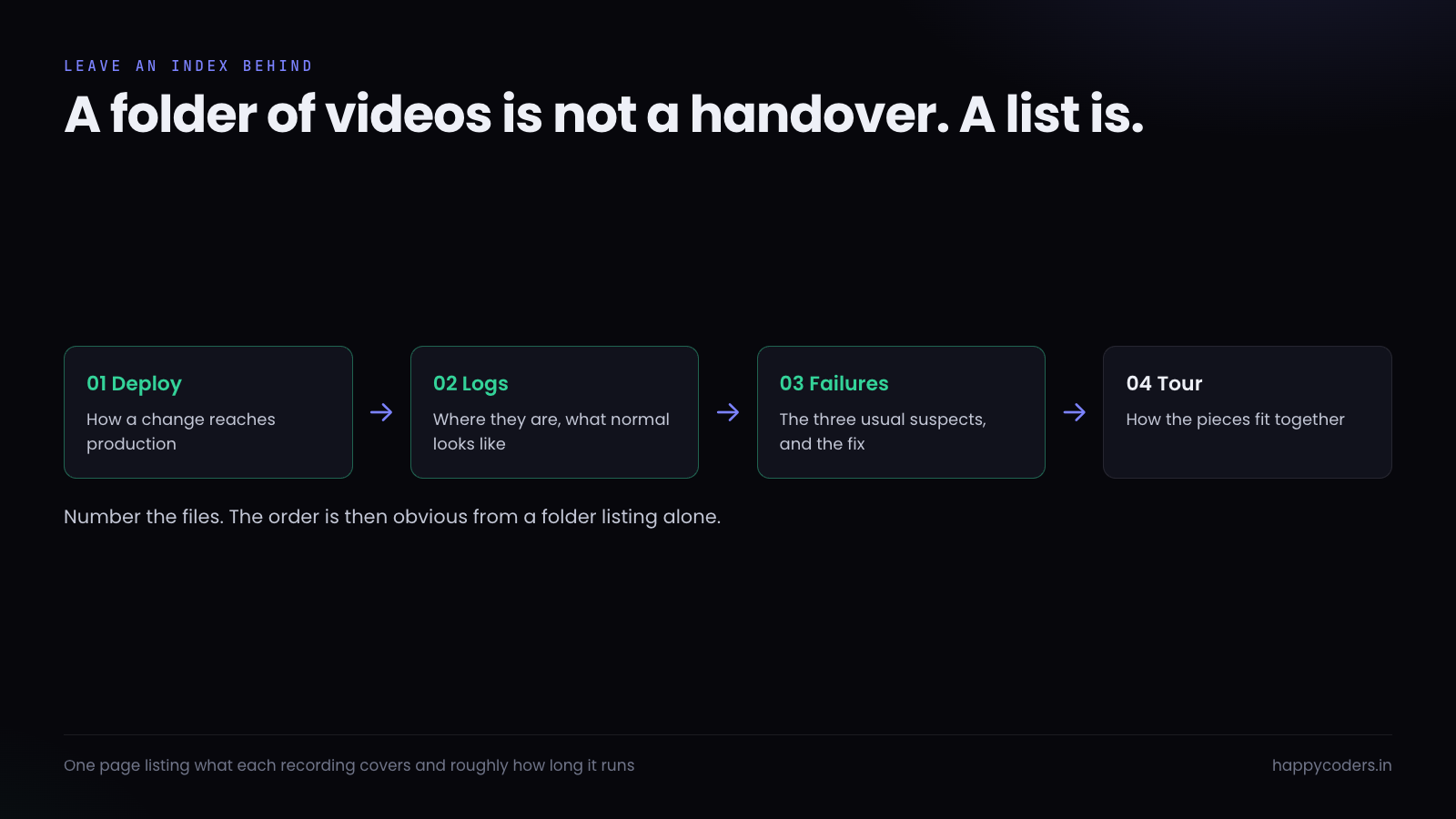
Number the files so the order is visible in the folder, and leave a short text file next to them listing what each one covers. Four lines is enough. Without it you have a folder of videos, which is not a handover; with it you have something a new person can work through in an afternoon.
The four minutes before you press record
Most re-records are caused by the same handful of things, and all of them are preventable.
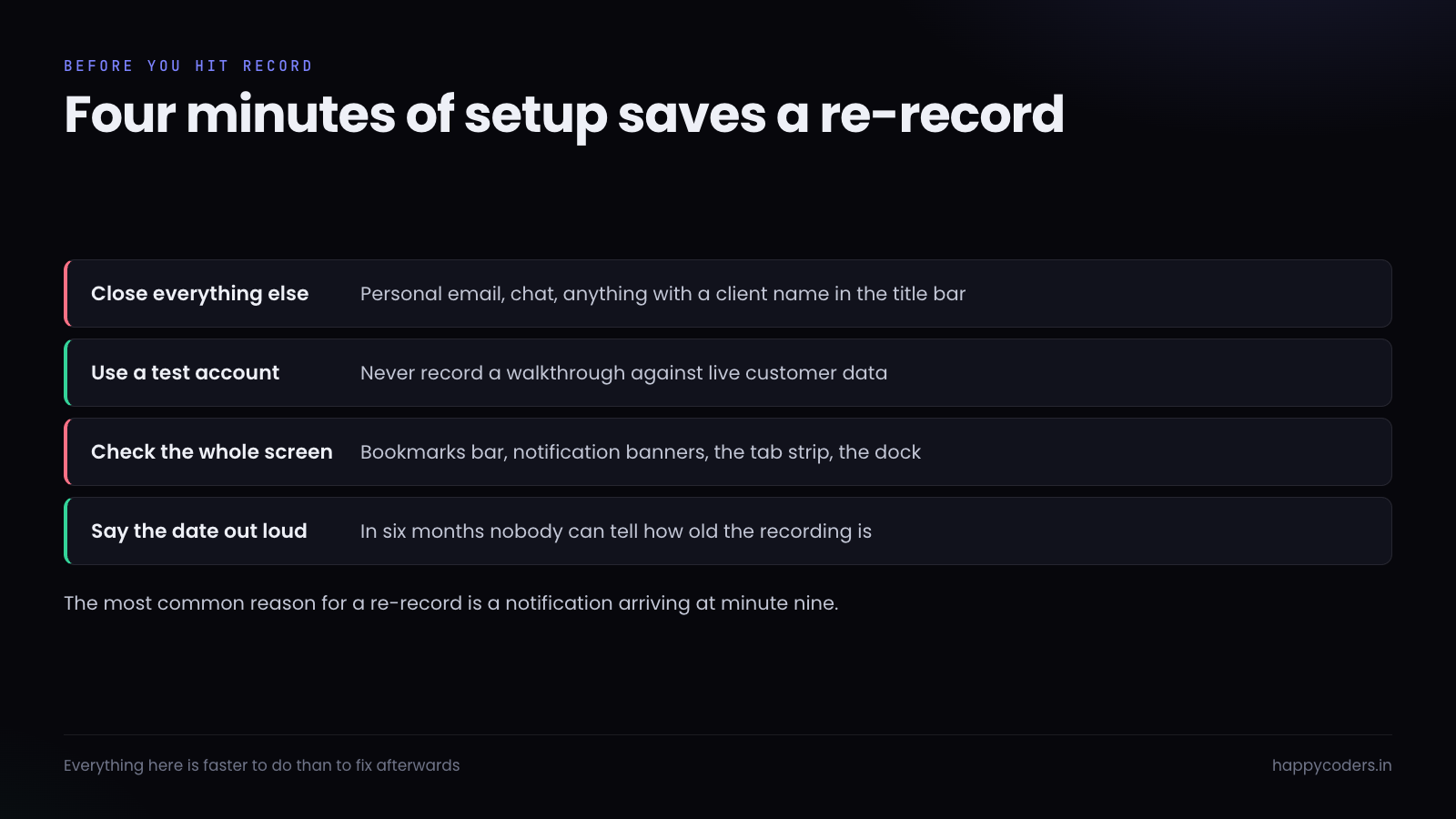
Close everything that is not part of the walkthrough. A handover recording routinely ends up on a shared drive, and a client name in a browser tab is a problem you find out about later. Notifications are worse: a message preview appearing in the corner at minute nine means re-recording minutes one through nine.
Use a test account and test data wherever the walkthrough allows it. It rarely costs anything and it means the recording can be shared without a second thought.
Say the date at the start, out loud, in the first ten seconds. It is the single cheapest thing on this list and the one that makes the recording usable two years later, when somebody needs to know whether it predates the migration.
One more, which sounds trivial and is not: make the terminal font bigger. What is comfortable on your screen is unreadable in a compressed video played in a browser window on somebody else’s laptop. Go two or three sizes up before you start.
How to talk while you do it
The temptation is to narrate every action. Nobody needs to hear that you are opening a terminal. What they need is the reasoning that is invisible on screen.
Say why, not what. Not “now I run the migration” — they can see that — but “I run the migration before the deploy rather than after, because the new code reads a column that does not exist yet.” That sentence is the handover. The command is just a command.
Say what you are not doing, too. “There is a second deploy script in that folder, ignore it, it was for the old server.” Every project has these, they are obvious to the person leaving and invisible to everybody else, and they cost a newcomer half a day each.
Do not re-record because you stumbled. A handover recording is not a marketing video. If you take a wrong turn, say so and correct it on camera — that is more useful than a clean take, because the wrong turn is one somebody else will take too.
The client handover is a different recording
Everything above assumes the next person is technical. Handing a project back to a client is a different job, and using the same recording for both serves neither.
A client does not need the deploy. They need to know how to do the five things they will want to do themselves: add a page, change a price, export the orders, add a user, and see whether anything has gone wrong. Record those five, one file each, in the interface rather than the terminal, and assume no technical vocabulary at all.
They also need the ownership map, and this is the part that most often gets skipped: which domain registrar, which hosting account, which email provider, which analytics property, and whose name is on each. A client who cannot answer “who owns the domain” is one lapsed renewal away from a serious problem, and the answer should not live only in your head.
Keep this set separate from the technical one. Two folders, clearly named. The temptation to hand over one folder containing everything is how a client ends up watching a terminal walkthrough and concluding the system is beyond them.
Where the recording should live
Not on the leaving person’s laptop. Not in a chat thread, where it will fall off the end of the scroll inside a month. In the same place as everything else the project needs: a folder in the shared drive, or the repository if the files are small enough, named so a search for the project name finds it.
Compress before you upload. A screen recording at full resolution and sixty frames per second is enormous and no better for this purpose than something a quarter the size. Thirty frames per second is plenty for a terminal and a browser; the only thing that suffers is fast scrolling, which nobody needs to see smoothly anyway.
Do it before the last week
The worst time to make these recordings is the final two days, when the person is distracted, has already mentally left, and is being pulled into goodbyes. The best time is the moment you know they are going, or better, before anybody is going at all.
Some teams record the deploy walkthrough once a year regardless of who is leaving. It takes an afternoon, it catches the drift between how the deploy is documented and how it is actually done, and it means a resignation is an inconvenience rather than an emergency. That is a reasonable thing to put in a calendar.
If you are on a Mac, HappyRec does this without anything to set up — screen or window capture, your voice on the microphone, and the system audio if the walkthrough involves something that makes a sound. It is free, and it produces a file small enough to put in a shared drive without anybody complaining.
The document can still be written. But write it from the recordings, afterwards, when somebody has watched them and knows which parts needed explaining. That document will be shorter, more accurate, and far more likely to be true.




