


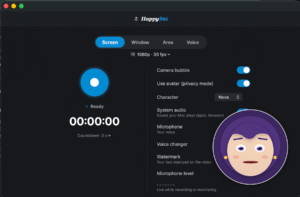
Not everyone who records a tutorial wants to be in the tutorial. For a lot of course creators, streamers, and support teams, the camera is the actual blocker — not the screen capture.
Twelve avatars, driven by your real expressions
HappyRec’s answer is an animated avatar. Pick one of twelve characters — four of them deliberately business-ready, for anything more formal than a casual stream — and it mirrors your blinking, mouth movement, and head tilt in real time, using on-device face tracking.
How the tracking works, and why it’s actually private
This is the part worth understanding, not just taking on faith. The tracking runs entirely on your Mac using Apple’s Vision framework. Camera frames are used only to compute blink, mouth, and head-tilt data in the moment they arrive — then they’re discarded. Nothing is written to disk, nothing is uploaded, nothing is stored as video. What ends up in your final recording is the animated character. Your actual face never does.
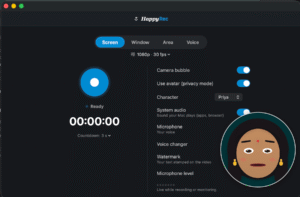
Turning it on
Three steps, all in Preferences → Camera & Mic:
-
Turn on the Camera bubble from the main window or Preferences.
-
Enable “Prefer avatar over camera.”
-
Pick a character, a bubble shape — circle or card — and a size. It’s draggable and resizable right from the main window.
Prefer your real face after all?
Turn off “Prefer avatar over camera” and the same bubble becomes a live Face Cam instead, auto-zooming to keep you centered. It’s burned directly into the recording either way — including in single-window and area recordings, where a floating overlay window could never normally be captured.
Or show neither
Switch the bubble to a Logo instead, and display your own image in its place — same burned-in behavior, same draggable, resizable bubble, just your brand instead of a face.
Where this actually gets used
Course creators who’d rather not be recognized. Support teams recording a bug walkthrough without putting a face to it. Corporate trainers who want one consistent, professional presenter across an entire training library without booking a person on camera for every video. Same feature, three different reasons to reach for it.




