


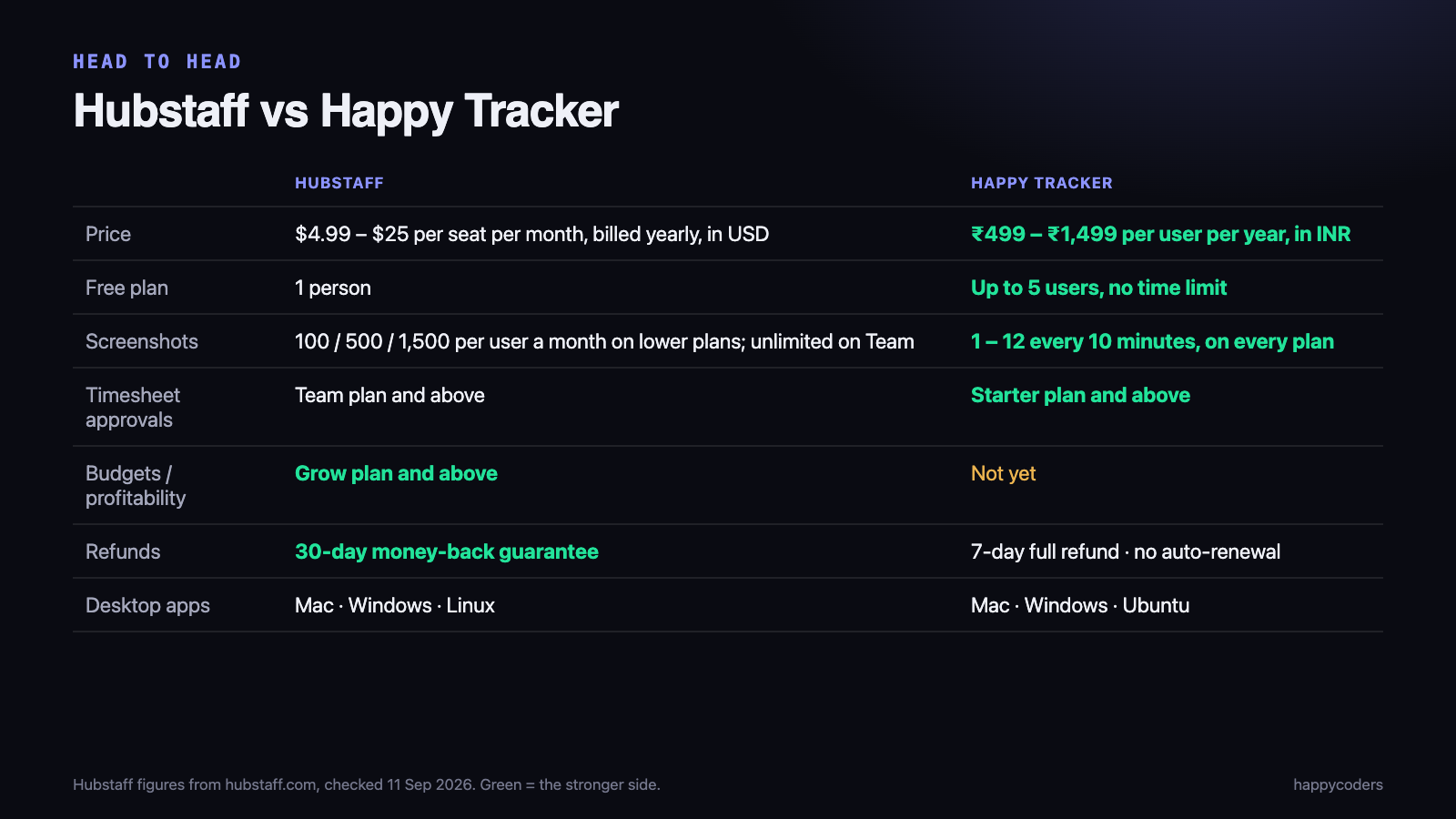
If you are looking for a Hubstaff alternative because you pay in rupees and the per-seat dollar price adds up, Happy Tracker covers the core of what most Indian teams use Hubstaff for — time tracking, screenshots and activity, timesheets with approvals, and desktop apps for Mac, Windows and Linux — for ₹499 to ₹1,499 per user per year. It is not a like-for-like replacement for everything: Hubstaff has project budgets and a longer money-back window, and this page says where.
We make Happy Tracker. The Hubstaff details below come from Hubstaff’s own pricing and support pages, checked on 11 September 2026.
Hubstaff and Happy Tracker, side by side
Price
Hubstaff lists Starter at $4.99, Grow at $7.50, Team at $10 and Enterprise at $25 per seat per month, billed annually, in US dollars. Over a year that is $59.88 per seat on Starter and $120 per seat on Team, before conversion and any bank charges on a foreign-currency payment.
Happy Tracker is priced per user per year in rupees: Starter ₹499, Pro ₹999, Business ₹1,499. Payment is once a year, it does not renew automatically, and no card is stored. We have not converted Hubstaff’s dollar prices into rupees here, because the rate moves; convert at today’s rate for your own comparison.
Free plan
Hubstaff’s free plan covers one person. Happy Tracker is free for up to five users with no time limit, which is enough to run a small team — or one live project — on it properly before paying anything.
Screenshots and activity
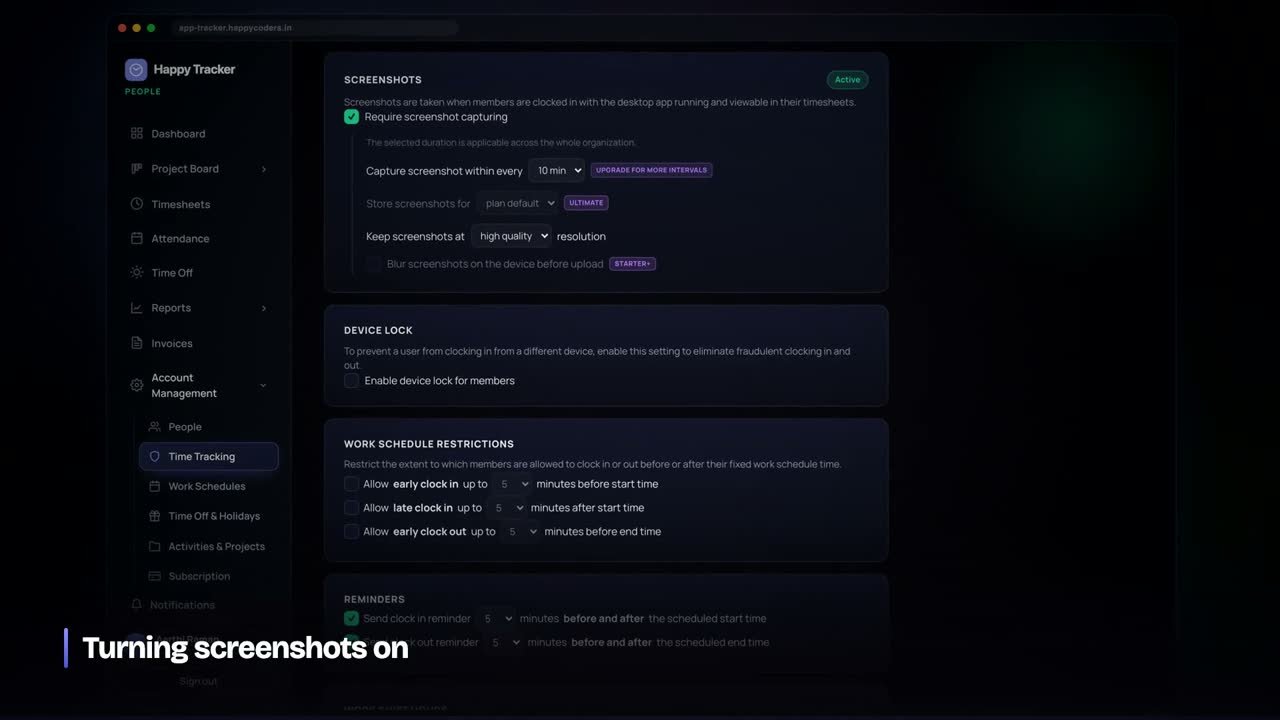
This is the biggest practical difference for monitoring-heavy teams. On Hubstaff’s lower plans, screenshots are capped per user per month — 100 on Free, 500 on Starter, 1,500 on Grow — and unlimited on Team.
Happy Tracker limits frequency instead of a monthly total: from one screenshot every ten minutes on the free plan up to twelve every ten minutes on Business, on every plan. The company chooses the interval within that limit, can blur screenshots on the employee’s machine before upload from Starter, and sets how long they are kept. Employees can see every screenshot taken of them.
Timesheets and approvals
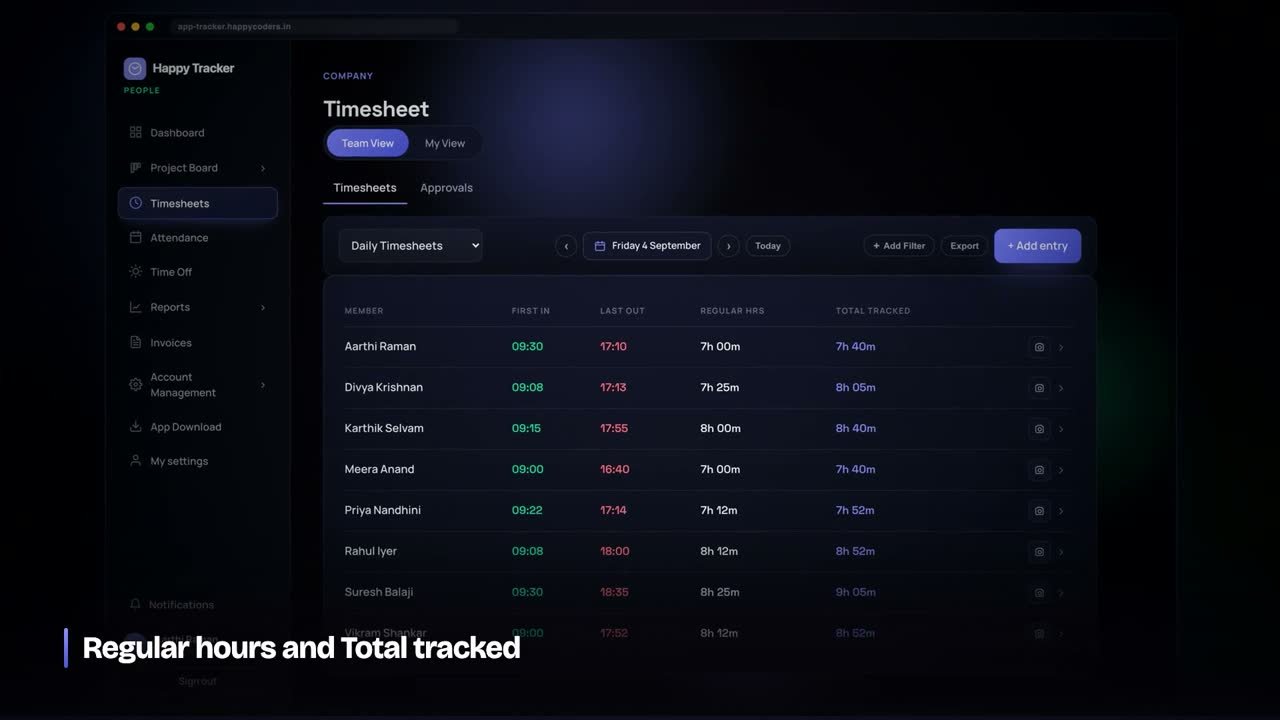
Hubstaff includes timesheet approvals from its Team plan. Happy Tracker includes approvals from Starter. In Happy Tracker, approving a week locks it — entries inside an approved week cannot be edited or added, which keeps an approved timesheet the same timesheet you approved.
Projects and planning
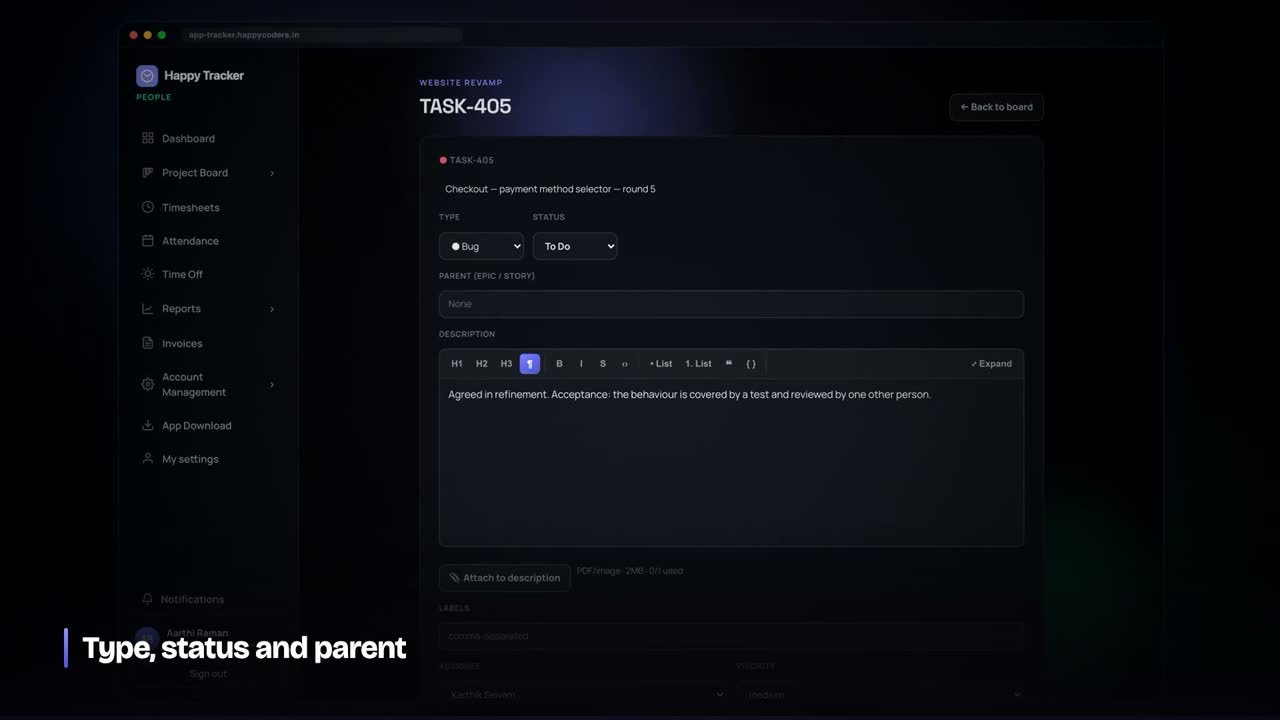
Hubstaff adds tasks from its Grow plan. Happy Tracker includes a sprint board with tasks, estimates, comments and attachments on every plan, and each task shows its estimate next to the hours actually tracked on it — the number that tells you whether estimates are improving.
Where Hubstaff is stronger
- Project budgets and profitability. Hubstaff has budgets from Grow. Happy Tracker does not have budget or profitability reports yet; it gives you the hours per project, person and task, and you do the cost calculation.
- Refund window. Hubstaff offers a 30-day money-back guarantee. Happy Tracker refunds any payment in full within seven days.
- Ecosystem. Hubstaff has been around far longer and connects to more third-party tools.
If budgets built into the tracker are essential for you today, Hubstaff (or Clockify Pro) is the better fit, and we would rather you knew that before switching.
What a year costs for a team of ten
Using the prices on each site, without converting currencies:
- Hubstaff Starter: 10 seats × $4.99 × 12 months = $598.80 a year.
- Hubstaff Team (the plan with approvals and unlimited screenshots): 10 × $10 × 12 = $1,200 a year.
- Happy Tracker Starter (approvals included): 10 × ₹499 = ₹4,990 a year.
- Happy Tracker Pro (adds invoicing and the audit log): 10 × ₹999 = ₹9,990 a year.
Convert the dollar figures at today’s rate to compare them properly. Whatever the rate, the structure is the thing to notice: approvals and unlimited screenshots sit on Hubstaff’s Team plan, while both are included from Happy Tracker’s Starter plan.
Invoicing
Here Hubstaff is ahead at the lower end: it includes invoicing from its Starter plan. Happy Tracker includes invoicing from Pro. On Pro, Happy Tracker generates a draft invoice per client and period from completed billable hours, bills each person at their own billable rate, freezes the invoice once it is sent, and moves it through sent and paid. If you need invoicing on the cheapest plan, that is a point for Hubstaff.
Monitoring your team will accept
Switching trackers is a good moment to reset how monitoring is explained to the team, because the settings are new either way.
- Tell people what is recorded — screenshots, how often, whether they are blurred — before the first day, not after.
- Show them their own data. In Happy Tracker every employee can see every screenshot and activity record about themselves.
- Set a retention period so screenshots are deleted automatically rather than kept forever.
- Nothing is recorded while someone is clocked out, and the desktop app says so on screen.
Teams that are told this plainly on day one rarely push back. Teams that discover it later usually do.
Attendance and leave
Happy Tracker also covers attendance and leave in the same workspace: first-in and last-out per day, leave types with yearly or monthly accrual, approvals, balances and a company holiday calendar. If you currently run leave in a separate spreadsheet or HR tool alongside Hubstaff, that is one fewer system to reconcile at month end.
Who should switch
- Indian teams paying in rupees who find the per-seat dollar price hard to justify.
- Teams that hit screenshot caps on Hubstaff’s lower plans.
- Small teams that want approvals without moving to a higher plan.
- Teams that plan work on a board and want estimates and tracked hours in the same tool.
How to switch without disrupting payroll
- Start at the beginning of a month, so no timesheet period is split between two tools.
- Create the workspace and projects first, then invite people. Happy Tracker’s free plan lets you set it up completely before paying.
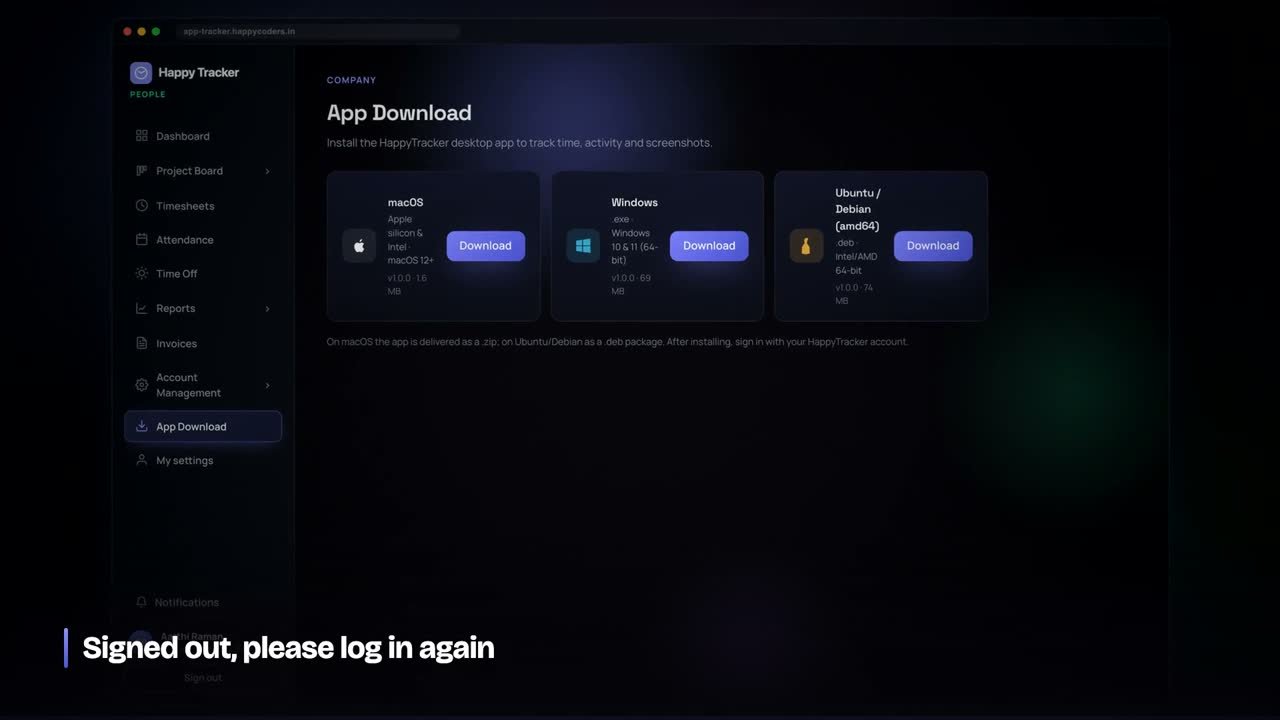
- Install the desktop app on every machine — Mac, Windows or Ubuntu — from the App Download page after signing in.
- Run both tools in parallel for one week. Compare the weekly totals. If they agree, you can stop the old one with confidence.
- Keep an export of your Hubstaff history for your records before the subscription ends.
Frequently asked questions
Is Happy Tracker a full Hubstaff replacement?
For time tracking, screenshots and activity, timesheets with approvals, a task board and invoicing, yes. For built-in project budgets and profitability reports, not yet.
Does it work on Linux?
Yes. There is a native desktop app for Ubuntu, alongside Mac and Windows.
Can I try it before paying?
Yes. It is free for up to five users with no time limit and no card. Paid plans are refundable in full within seven days.
Start free at happytracker.happycoders.in — or read our full comparison of time tracking software for Indian teams.
Sources
- Hubstaff pricing, checked 11 September 2026.




